
PojavLauncher helps users who want to play the Java edition on a phone or tablet without a desktop. It includes a portable Java runtime so game versions can load on mobile, while a simple interface keeps profiles and settings organized. As you move between devices or networks, your setup stays consistent and under your control. The focus on privacy and user choice suits players who prefer a clean, configurable experience. If you need an APK installer, PojavLauncher APK is available for direct installation.
Version and snapshot management
PojavLauncher lets you choose between release versions and snapshots with clear profile controls. Assets are handled within the app so you do not need extra tools to prepare files. You can keep versions organized and switch when you want to test changes or return to a stable build.
Mod support with Forge or Fabric
You can load mods using Forge or Fabric and curate your setup with shaders and resource packs. Custom and vanilla configurations stay separate so one profile does not affect another. This structure helps you try new builds while keeping a reliable fallback for everyday play.
Multiplayer and input devices
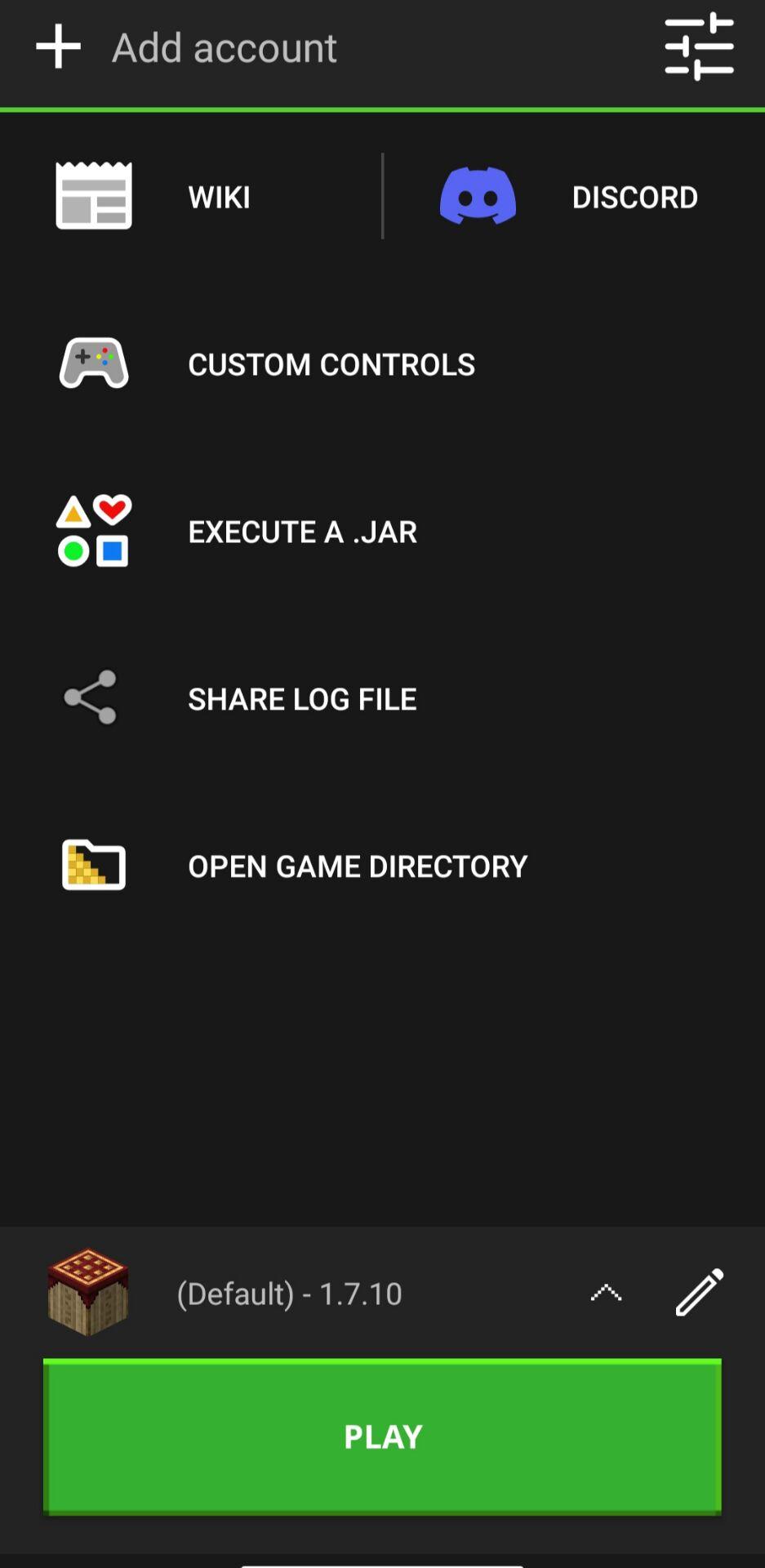
PojavLauncher supports joining servers and local games, which makes it practical for playing with friends. The app works with Bluetooth or USB controllers, full keyboards, and hardware mice for familiar PC-style controls. Touch layouts can be adjusted so on-screen actions match your habits. As a result, switching between touch and peripherals is straightforward.
Privacy-focused controls
Game files are encrypted to protect local data, and you can hide game icons for a cleaner look. There are no ads or hidden fees. With options that reduce on-device clutter, you decide what is visible while keeping access to your profiles and content.
Performance options for mobile hardware
PojavLauncher includes practical settings to balance visuals and speed on different devices. You can adjust graphics choices, manage skins quickly, and use a clear layout for versions, profiles, and settings. These options help you keep the app responsive during updates and play, even as the PojavLauncher latest version adds improvements.
PojavLauncher is a free and open source project with community-led development. Public issue tracking and code contributions help guide fixes and features. Discussions sometimes mention maintenance changes or community forks such as Amethyst Launcher. If you follow project news, check the official repository or wiki to understand current status and plans.
PojavLauncher is a tool that runs game code you already own. It does not bypass login requirements, and it does not distribute copyrighted game content. Use only your own account and content to stay within publisher rules. For support, review community documentation to learn about expected behavior and known limitations.
If performance is low, reduce resolution or graphics settings and try a different renderer in settings. When mods fail to load, confirm the matching version of Forge or Fabric and check whether the mod requires a specific game build. If controllers are not detected, reconnect the device, grant permissions, and reopen the launcher. For repeat errors, read the log inside the app and search the project wiki or community discussions for the exact message.
Getting started is simple once you download PojavLauncher and prepare your login. The process below covers the basics so you can sign in, pick a version, and start playing with touch or peripherals.
Install the APK, open PojavLauncher, and allow any storage permissions the app requests so it can manage game files.
Sign in with your Microsoft account that owns Minecraft Java, then wait for the launcher to refresh your profile.
Create or select a profile, choose a release or snapshot version, and let the app fetch required assets before launching.
Open settings to adjust controls, choose a renderer, and set resolution. Connect a controller, keyboard, or mouse if you plan to use peripherals.
Start the game, test movement and menus, then join a singleplayer world or enter a server address to play with others.
PojavLauncher brings the Java edition experience to Android with profile control, mod support, and flexible input. To begin, install the PojavLauncher latest version, sign in with your account, and choose the setup that fits your device.
Latest Version
gladiolus-20250118-c04e3af-v3_openjdkUploaded by
Randy Scott-prince
Requires Android
Android 5.0+
Category
Free Tools AppContent Rating
Everyone
Report
Flag as inappropriateLast updated on Jan 19, 2025
Day-1 patch for the Gladiolus major update
- Fixed some control layouts not loading
- Fixed launcher UI getting stuck sometimes
- Fixed crashing in the control editor when rapidly deleting buttons
- Improved default localization strings
- Added some localization updates



APKPure - A multi-platform app store primarily focused on Android, providing extensive app-related content. Discover the app you want easier, faster, and safer, with quick and efficient downloads and installations.