Scan Date:Apr 30, 2026
Show More


PodsLink helps users who use AirPods or Beats with an Android phone handle everyday connection and status checks with less effort. It reduces guesswork around pairing and power, while giving you clear on screen cues and practical tools for managing earbuds during commutes, workouts, and calls. In addition, it supports many models, including newer USB C versions, so mixed device owners can stay organized. To get started quickly, download PodsLink and follow the in app setup tips.
When you open the charging case near your phone, PodsLink shows a clean pop up with the device name and status. Dynamic animations appear for AirPods to mirror familiar pairing behavior. This reduces manual steps and helps you confirm the right earbuds before you start listening.
Precise battery monitoringPodsLink displays earbud and case battery with clear percentages and real time updates. It supports AirPods, Beats, and many replica or generic earbuds. You can also check power from the notification bar for quick AirPods Battery reads without opening the app.
Theme and animation customizationYou can create simple or advanced themes for the connection pop up to fit your style. Set wallpapers, choose animations, and adjust layout details to match your screen. This makes the pairing view feel familiar and easy to scan during everyday use.
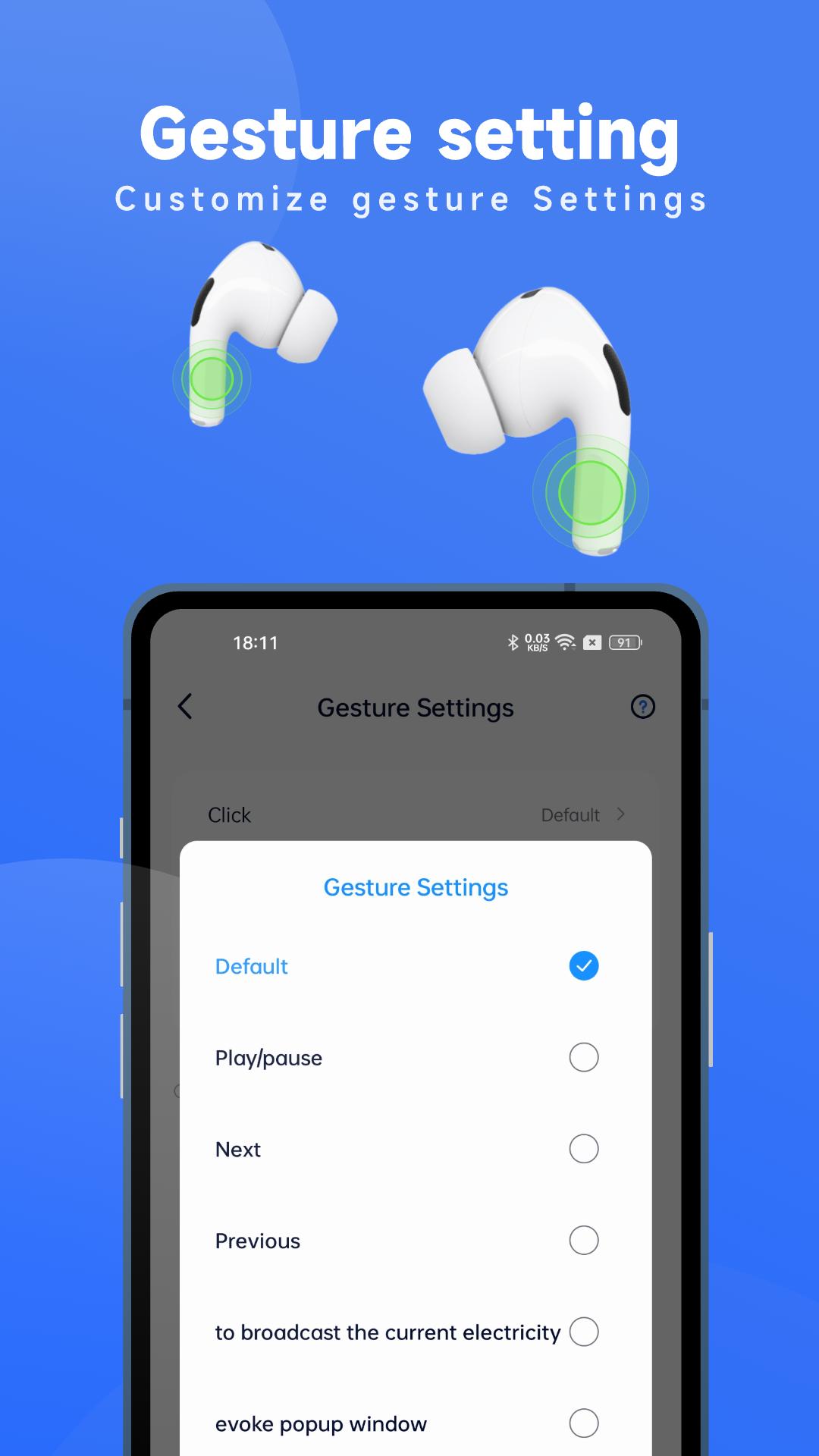
Gesture and voice controlsPodsLink lets you tailor tap or press gestures on supported earbuds to manage playback or calls. Voice broadcast can announce connection, battery, or mode changes so you get key info without looking at the screen. These options help you respond faster while walking or working.
Find devices and audio toolsUse find earbuds to locate left or right buds with guidance cues. Offline tracking helps you recall the last known position when a bud is not nearby. Audio behavior controls are available, and member users can add desktop widgets for at a glance battery checks.
PodsLink supports a wide range of AirPods and Beats, including AirPods Pro 3 and newer USB C versions. Many replica and generic earbuds are also covered, which helps users who mix different brands across devices. Before setup, check the device list in the app to confirm model support. For best coverage, update to the PodsLink latest version when new models are added.
Desktop widgets are available to member users. Widgets place battery and status on the home screen for quick checks and shortcuts. If a widget is required in daily use, consider enabling membership inside the app before setting up your layout.
On phones from XIAOMI, OPPO, VIVO, and HUAWEI, background residence and notification permissions can affect pop ups and battery updates. PodsLink provides setup tips so the service can keep running and widgets refresh reliably. Follow the steps in the app to allow autostart, keep the service active, and show notifications as needed.
If automatic recognition does not appear, battery does not update, or the notification bar is missing, check the FAQs and quick fixes inside PodsLink. Common steps include refreshing the device list, re pairing, and reviewing background settings on your phone. More guidance is available on the official website and support email listed below.
This short guide helps you connect, monitor, and personalize earbuds on Android with PodsLink APK. Follow these steps so pop ups, battery reads, and gestures work as expected.
PodsLink gives Android users clear connection pop ups, accurate battery status, theme options, and helpful find tools. For a stable setup, install the PodsLink latest version and follow the in app guides.
For official support and updates, use these channels.
Latest Version
1.3.2Uploaded by
Anand Vidhe
Requires Android
Android 6.0+
Category
Free Music & Audio AppContent Rating
Everyone
Security Report
Report
Flag as inappropriateLast updated on Apr 30, 2026
1. Introduced a subscription system, offering richer content and exclusive services.
2. Fully optimized the home and profile pages for better browsing efficiency and user experience.
3. Added a 10-band EQ adjustment page for a more personalized listening experience.





APKPure - A multi-platform app store primarily focused on Android, providing extensive app-related content. Discover the app you want easier, faster, and safer, with quick and efficient downloads and installations.