Package Name:com.StudioFurukawa.PixelCarRacer
SHA-256:21bf7f260676a14536cbeac595f2648d57954fe85363e31a40831418aebb1bf7
Show More


Pixel Car Racer suits players who enjoy building a garage, learning basic car mechanics, and racing in short sessions. You choose your cars, plan upgrades, and adjust setups at a comfortable pace, then jump into quick races that fit mobile play. The clean pixel art keeps menus and screens readable on small displays, so navigation stays simple. For users comparing options, the term Pixel Car Racer APK refers to the Android package you install.
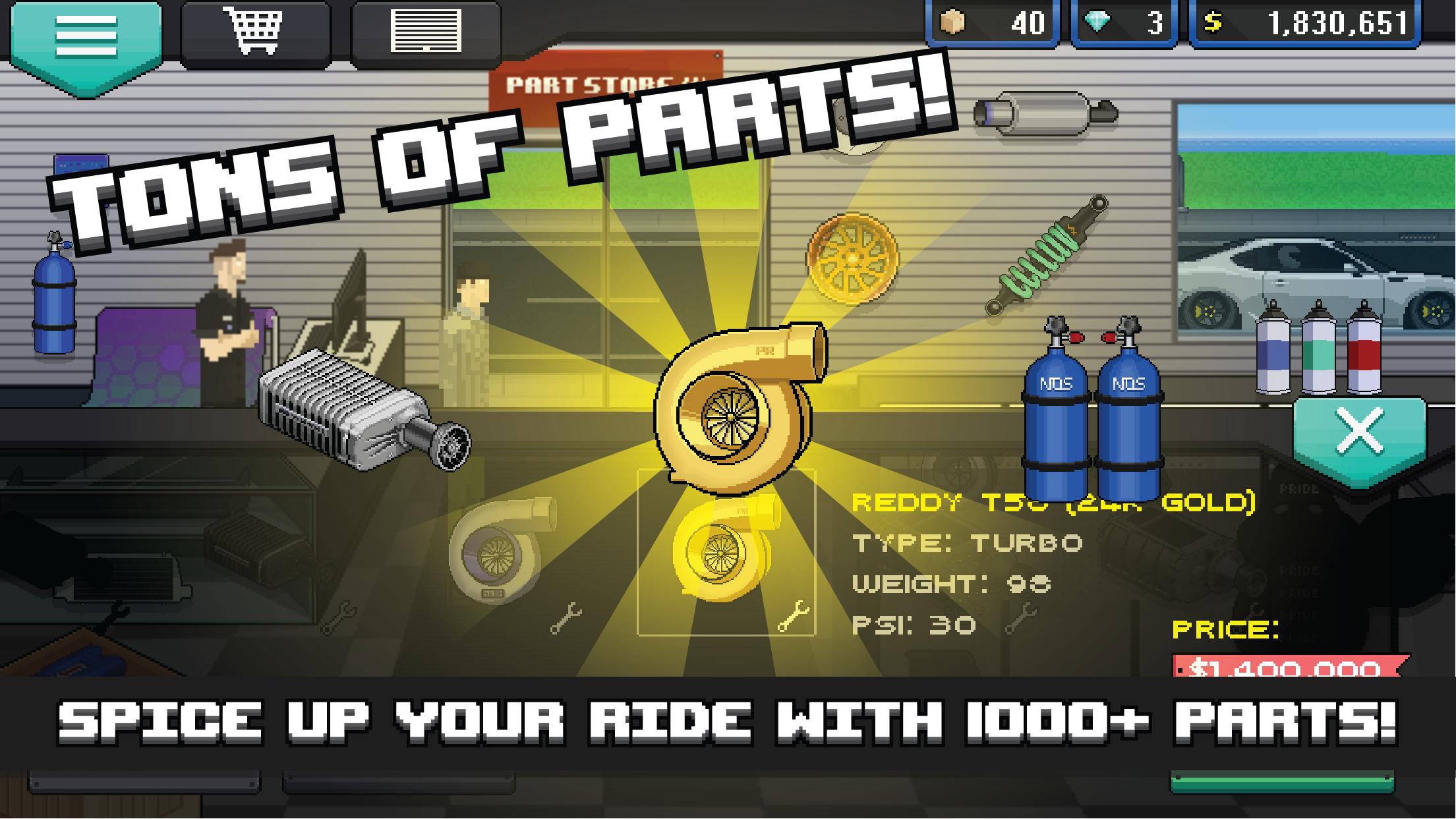
Pixel Car Racer focuses on building the car you want with a wide range of parts. You can use more than one thousand parts and over one hundred liveries, then refine paint and decals with the in game custom livery designer. The catalog supports Japan, Euro, and US style cars and parts, so you can mix regional styles or stick to a single theme.
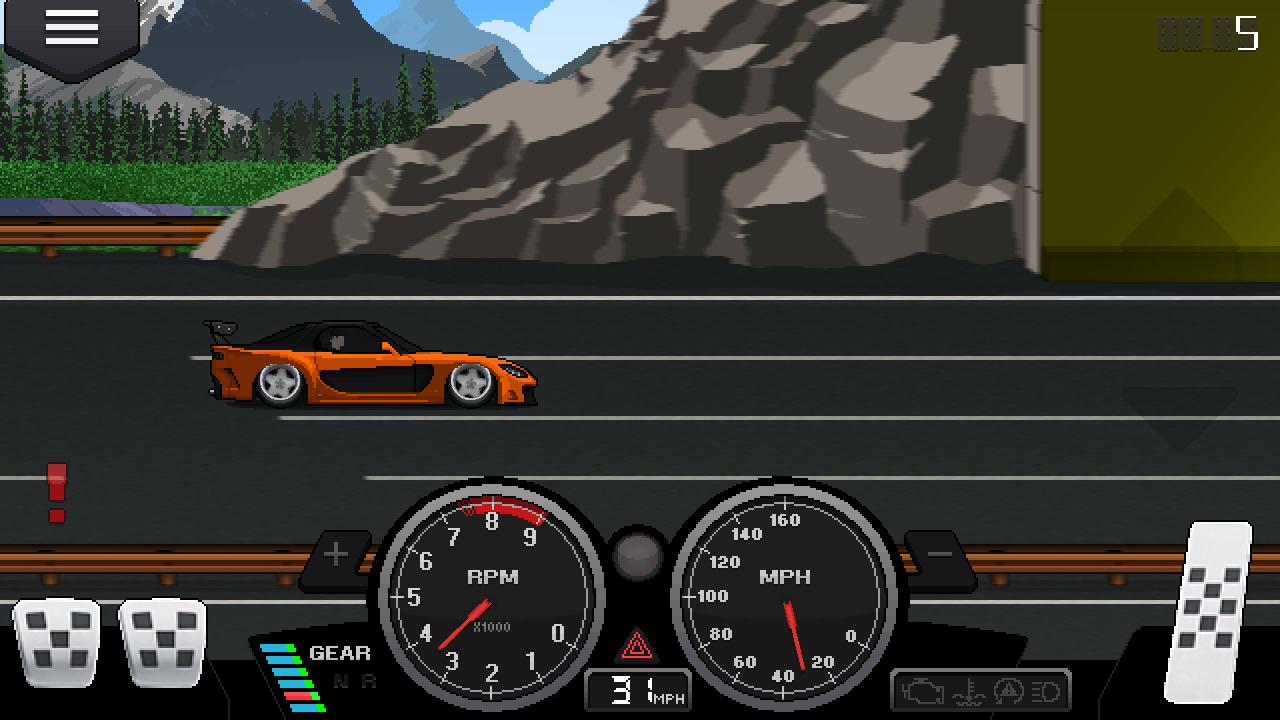
Realistic driving feelThe game models manual gear shifting and a clutch, with racing style pedals that respond to timing and pressure. You can test power and gearing through dyno tuning, then adjust setups to match your track goals. A realistic engine system and RPG style tuning give you room to learn how changes affect performance from launch to top speed.
Drag and street modesYou can choose between drag races and street racing sessions, so pacing stays varied. Drag mode highlights straight line speed and shift timing, with burnouts to warm tires before a run. Street mode adds traffic and longer runs for players who prefer pacing and control across a route. Switching modes helps you fine tune builds in different conditions.
Clean pixel art graphicsPixel Car Racer uses detailed pixel art that stays crisp on mobile screens. Cars and parts are easy to identify, and key gauges remain clear during races. Visual clarity makes tuning and race prep less complex, since you can quickly spot changes or issues without digging through dense menus.
Cloud save and community supportPixel Car Racer offers cloud save through Facebook login, so progress can back up to an account. An active community shares garage builds and user created liveries, which helps new players learn practical setups. New cars and parts are added over time, deepening tuning options and keeping garage building fresh across sessions.
Pixel Car Racer includes optional in app purchases designed around progression and convenience. Common items include Crates, Diamonds, Extra Car Slots, and Remove Ads. These purchases are not required to play, and you can race and tune without paying. If you plan to spend, review each item’s description to see how it affects your garage and racing flow.
Players often ask about the status of a Story or Rivalry mode. As of now, information on unlock timing may change, so check official channels for announcements. Some users report the Daily Rewards button does not open at times, while other buttons continue to work. If this occurs, try closing and reopening the app, then check for any available updates from the developer.
Cloud saving uses Facebook login to store progress. Before switching devices or reinstalling, confirm your account is linked and logged in, so garage data and tuning setups carry over. This step helps prevent loss of parts, cars, and liveries after a change.
Start by learning the basic flow from build to race, then add tuning as you go. After you download Pixel Car Racer, aim for short sessions that move from installing parts to testing and racing.
Pixel Car Racer blends garage building with quick races and practical tuning tools. To stay current, consider the Pixel Car Racer latest version when installing or updating.
For official news, updates, and community posts, visit the links below.
Latest Version
1.2.5Uploaded by
Cristobal Gutierrez
Requires Android
Android 4.1+
Category
Free Racing GameContent Rating
Everyone
Security Report
Check Now
Report
Flag as inappropriateLast updated on Feb 10, 2024
- Android version 12+ compatibility







APKPure - A multi-platform app store primarily focused on Android, providing extensive app-related content. Discover the app you want easier, faster, and safer, with quick and efficient downloads and installations.