Scan Date:Sep 23, 2022
Show More

** We care about your privacy **
** NO Analytics tracking **
** NO Performance tracking **
** NO Crashlytics tracking **
that means
** Save your phone resouce **
** Save your phone battery **
** Save your phone memory and bandwidth each time **
You could using ultra-thick cases and don't need to concern that hard to press physical button
- Legacy Mode (5 secs software lock)
- Accessibility Mode (Lock immediately)
- No more needs physical button now !
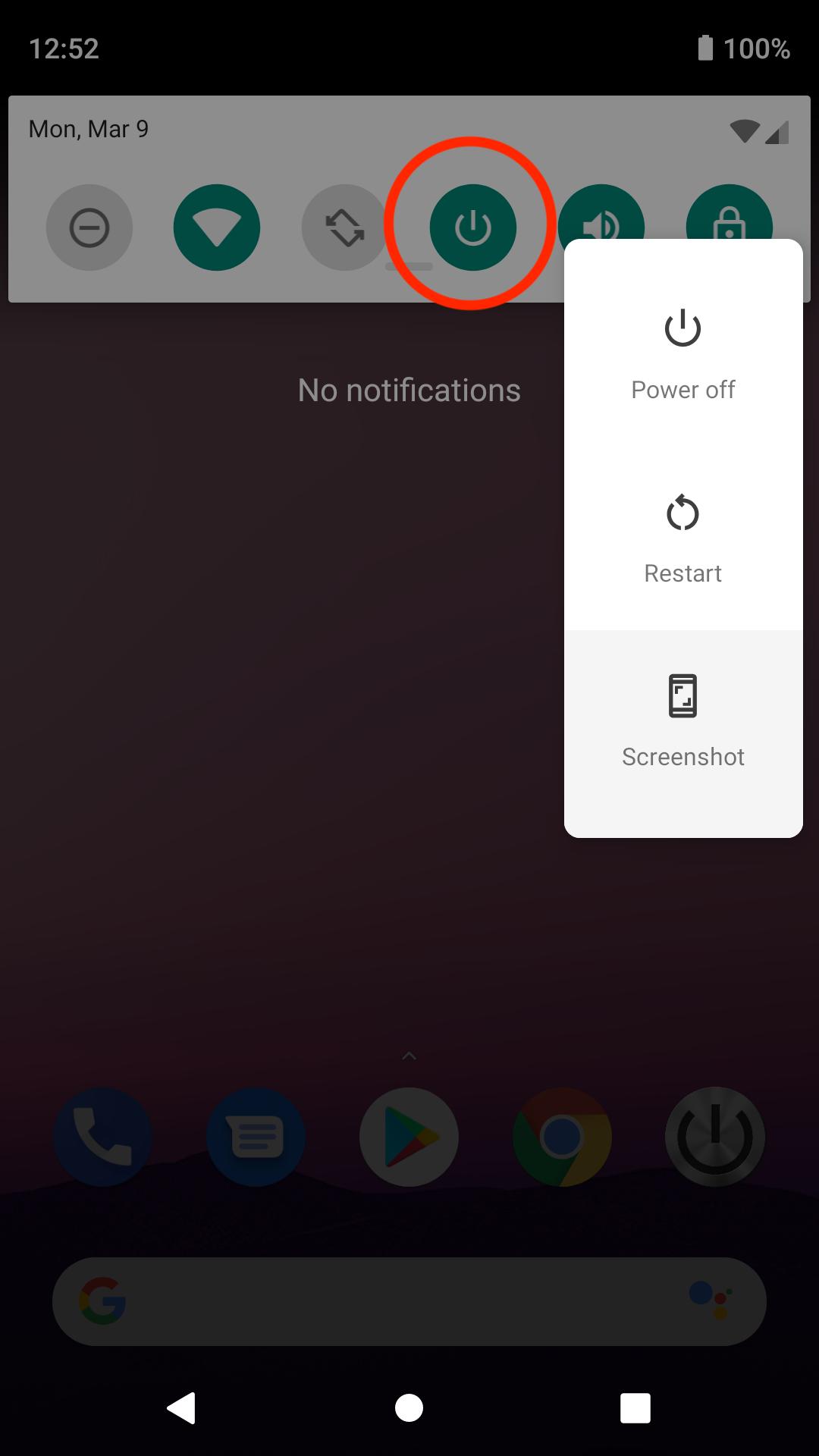
- Support Power Menu
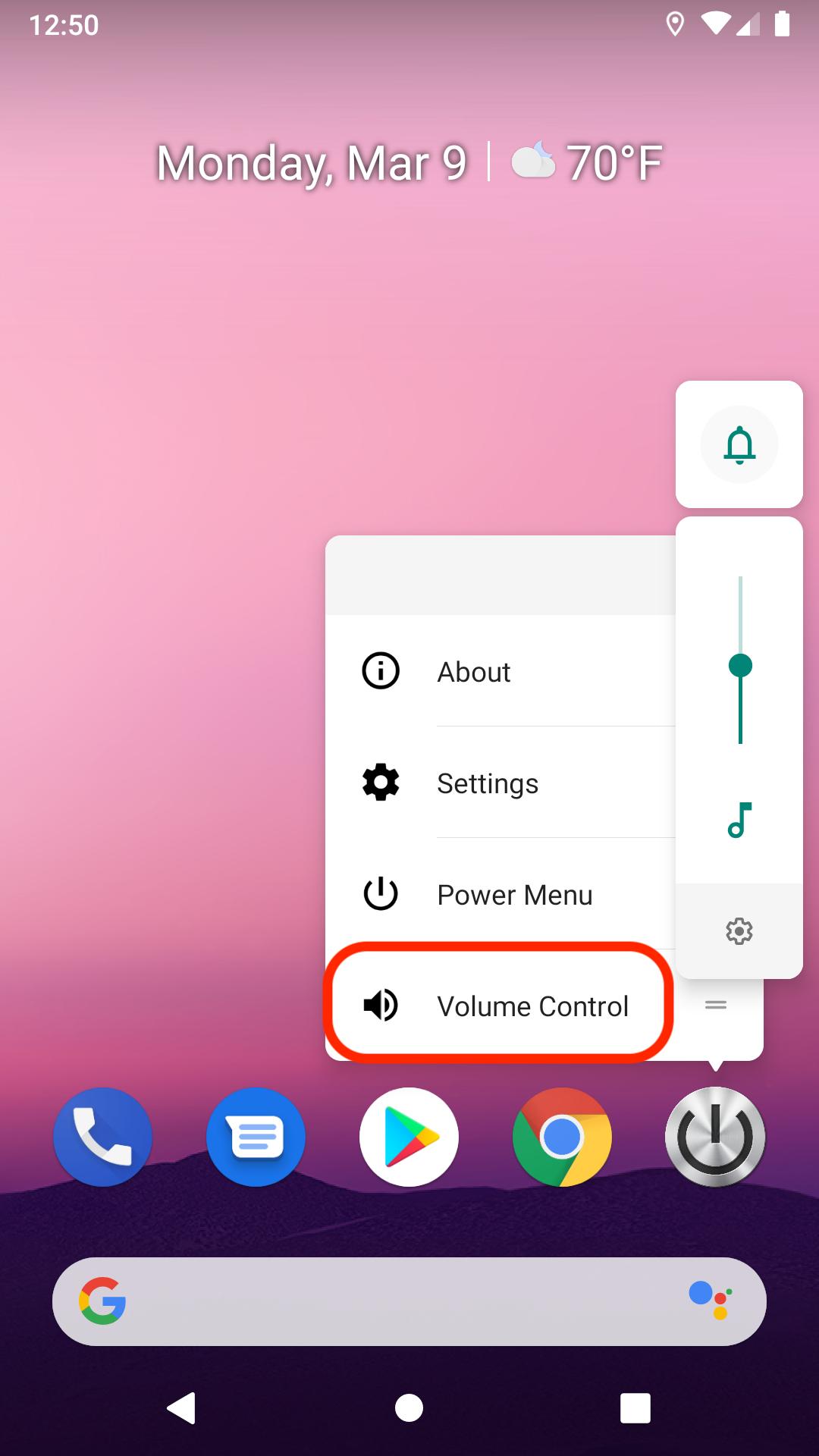
- Long press on App icon that you will got pop up sub-menu -- volume control and power menu (some of Launcher is not supported this feature)
Special thanks: Samsung users provide continuous feedback and support for this App that because of the upgraded App is not 100% compatible with Samsung devices, but Samsung users still give me full support, I'm fixing to resolve this issue may take several weeks
* Samsung users : Most of Samsung users still needs 5 secs software lock, please download Legacy version 1.8.35 (prevent Play Store auto update version) from website :
https://blog.stanwu.org/download/
* Xiaomi / Redmi users : Please put this App into Locked apps list to ignored while running Boost Speed thanks!
You can lock phone immediately now!
Please enable this app at Accessibility -> Downloaded services -> Phone Lock -> On
(Don't worry, App only observe phone lock actions)
Android Oreo or older version, I'm still using 5 seconds software lock (it is the best solution now).
Please allow modifying system settings.
NOTE : This app haven't user interface, your phone will lock immediately when launch it, first 5 sec is software lock after then hardware lock
- Support most of the fingerprint unlock without PIN code
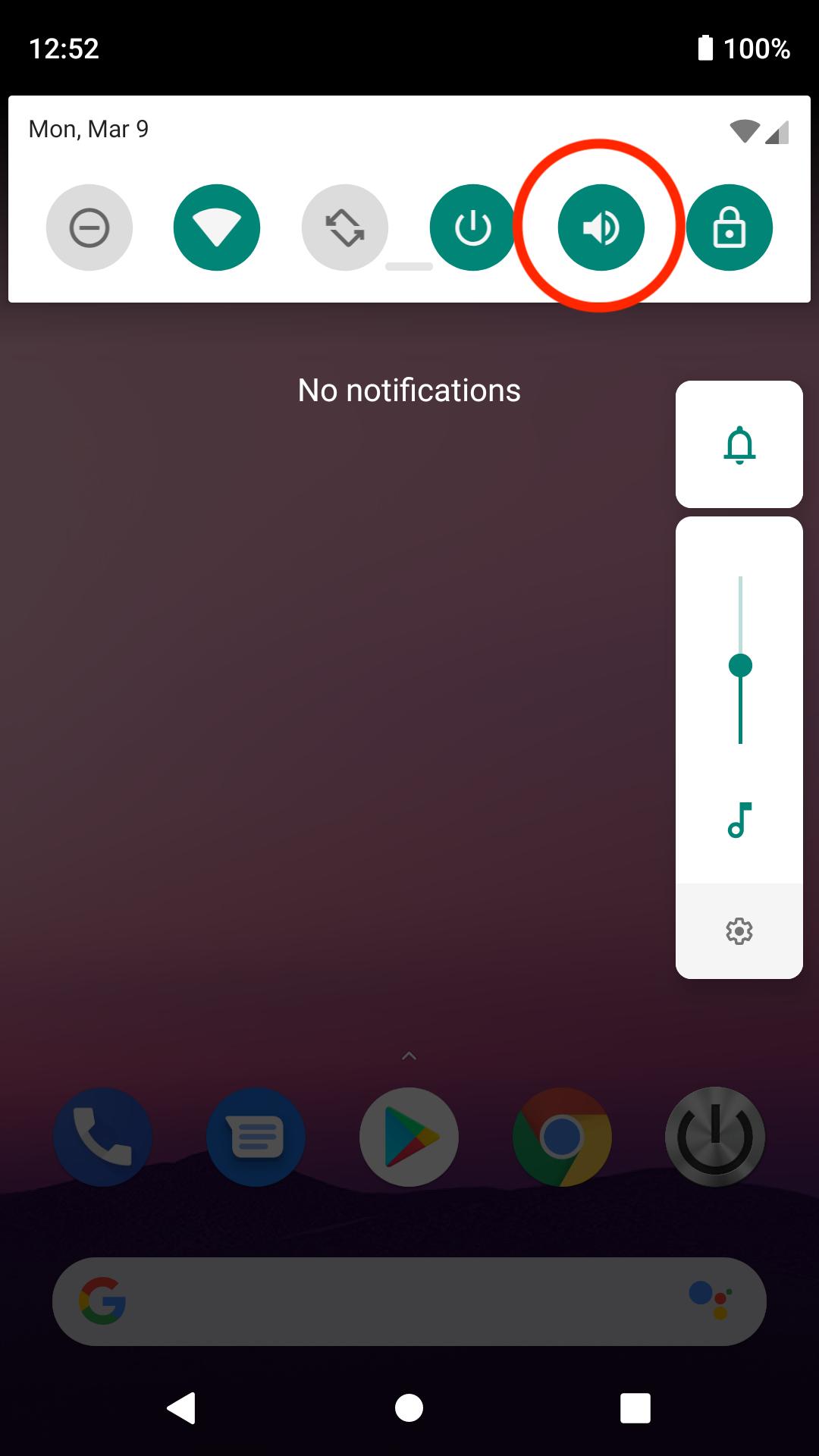
- Support notification bar pull down panel quick setting tile widget to lock phone and volume control
- Battery 0% usage, background 0% RAM usage not only protect your physical phone button but also protect your battery and phone
Google Assistant : "OK Google, open phone lock" voice command
Please join our Beta program to get more benefit
Protecting the power and volume button of mobile phones from intensive use by reducing the frequency of pressing physical button.
If your phone doesn’t have the double click lock built-in soft screen lock button or the leather cover lock, then you may consider using this App
Please don't forget to rate and give your valuable comments. Your satisfaction is important to us, this encourage us to work harder and better.
Improvement suggestions are most welcome, let us know what you need and we will provide updates as and when ready
Latest Version
1.8.62Uploaded by
Poowanai Srijaroon
Requires Android
Android 9.0+
Category
Free Tools AppContent Rating
Everyone
Security Report
Report
Flag as inappropriateLast updated on Aug 9, 2022
Thanks for all of Beta users, this app become more convenient that because of have you!
- Legacy Mode (5 secs software lock)
- Accessibility Mode (Lock immediately)
- No more needs physical button now !
- Support Power Menu
- Long press on App icon that you will got pop up sub-menu -- volume control and power menu (some of Launcher is not supported this feature)





APKPure - A multi-platform app store primarily focused on Android, providing extensive app-related content. Discover the app you want easier, faster, and safer, with quick and efficient downloads and installations.