Bring the mountains with you wherever you go!
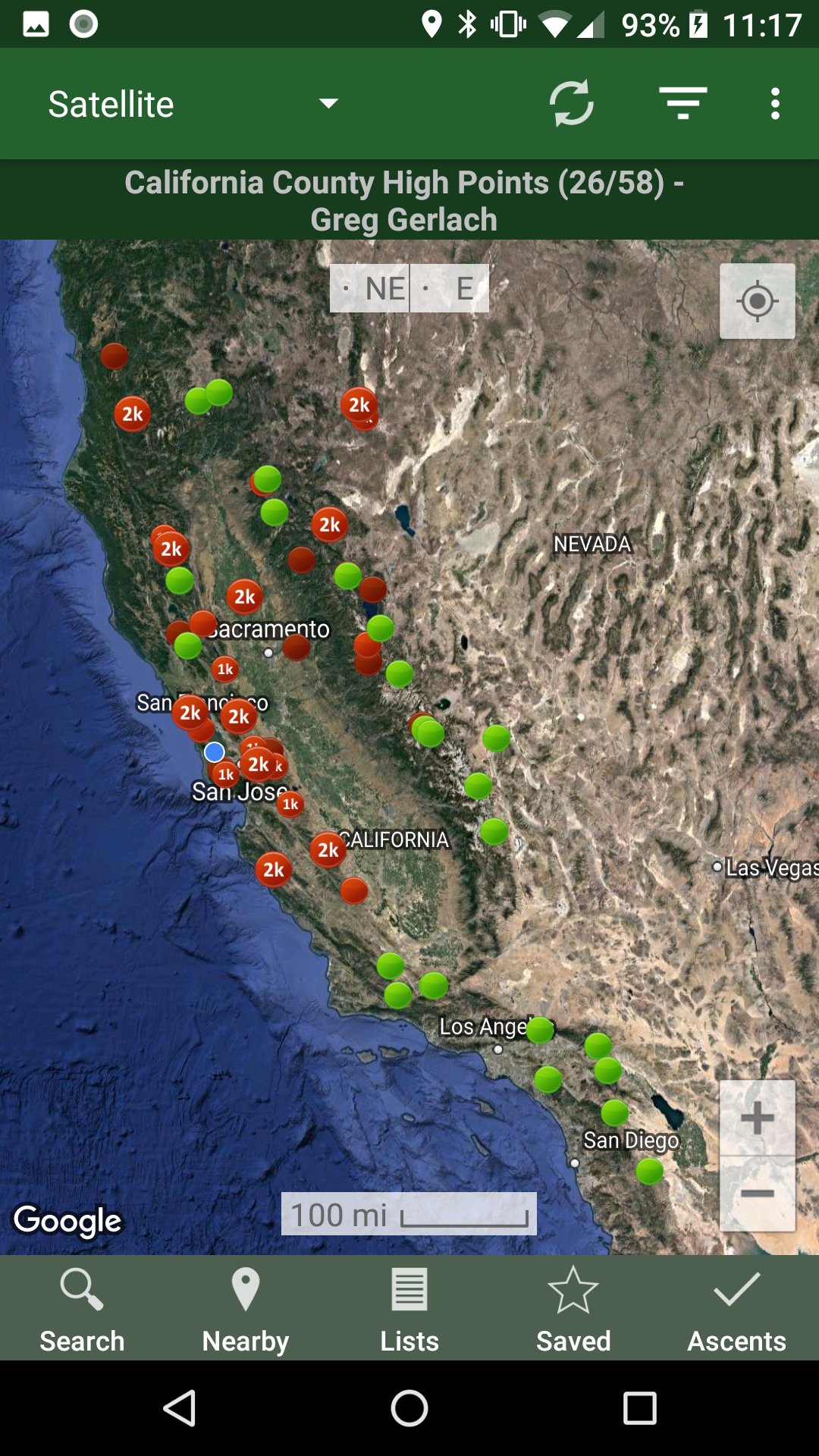
* Search the huge database of mountains and trip reports from Peakbagger.com and ListsOfJohn.com
* Keep track of your climbs, even when offline
* Measure your progress against hundreds of peak lists
* Get route information and directions from SummitPost and ListsofJohn.com
* Find peaks near your current location, or near other peaks
* Filter peaks by prominence, or climbed vs. unclimbed, or inclusion on a peak list
* See what other peaks are often climbed together with your target peak
* See weather forecasts for all U.S. peaks from the National Weather Service, and for 11,000+ major peaks worldwide from mountain-forecast.com
* See topographic maps for anywhere in the world (+/- 60 degrees latitude)
* See protected land area coverage in North America, Europe, Japan, and Australia and New Zealand.
* Save a peak to your device for offline use, including topographic maps
* Download topographic maps along a route for offline use
* Import and display GPS tracks and waypoints instantly
* On-screen compass keeps you oriented along your track
* Long click on the map to get Street View, elevation, and driving directions
* Record your starting elevation, and information about the gear and route you used
* Leaderboards show the top climbers for each peak list
* See peaks your Peakbagger buddies have climbed recently
* Automatically upload your ascents to ListsOfJohn (U.S. peaks)
* Show daily satellite imagery for any location on any day since 2011
* Display elevation profile for a GPS track, and show your current location along the profile
* See sunrise and sunset times at a peak, even when offline
* Record GPS tracks, including timestamps, and add them to your ascents
* Create and edit tracks right in the app
* Automatically find survey benchmarks near peaks (U.S.)
* Hunt benchmarks and get your finds recorded in the official government benchmark data sheets
HOW TO IMPORT GPS TRACKS - 4 OPTIONS
1) Click on the "Load GPS track" link on the ascent details page for an ascent that has a GPS track.
2) Click on a GPX, KML or KMZ file on your phone, for example, in an email attachment or on Google Drive
3) Open a GPX file in your Web browser, then click "Share" in the browser's menu, then select "Peakbagger"
4) Download or copy a GPX, KML, or KMZ file to your phone manually, then open it with a file browsing app (such as Discoverer)
Latest Version
1.66.2Uploaded by
Adam Hassar
Requires Android
Android 6.0+
Category
Free Travel & Local AppContent Rating
Everyone
Report
Flag as inappropriateLast updated on Aug 23, 2026
- Topo maps for Trinidad, Saint Lucia, Saint Vincent, Sicily, Sardinia, Campania
- Show alternative high points for a peak on More page
- Add 2026 fires
- Update offline peak databases





APKPure - A multi-platform app store primarily focused on Android, providing extensive app-related content. Discover the app you want easier, faster, and safer, with quick and efficient downloads and installations.