Package Name:com.litedoc.viewer
SHA-256:a8c7a6df8e965c48c000c3a9c2a55c68dc45ece39e76584bbef290c3f2efc8de
Show More
📱 **pdf Viewer pro** - Your Complete PDF Solution
**Fast & Reliable PDF Viewing**
Experience smooth, page-by-page PDF rendering with our optimized viewer. No more waiting - view your documents instantly with crisp, high-quality display and intuitive navigation controls.
**Smart File Discovery**
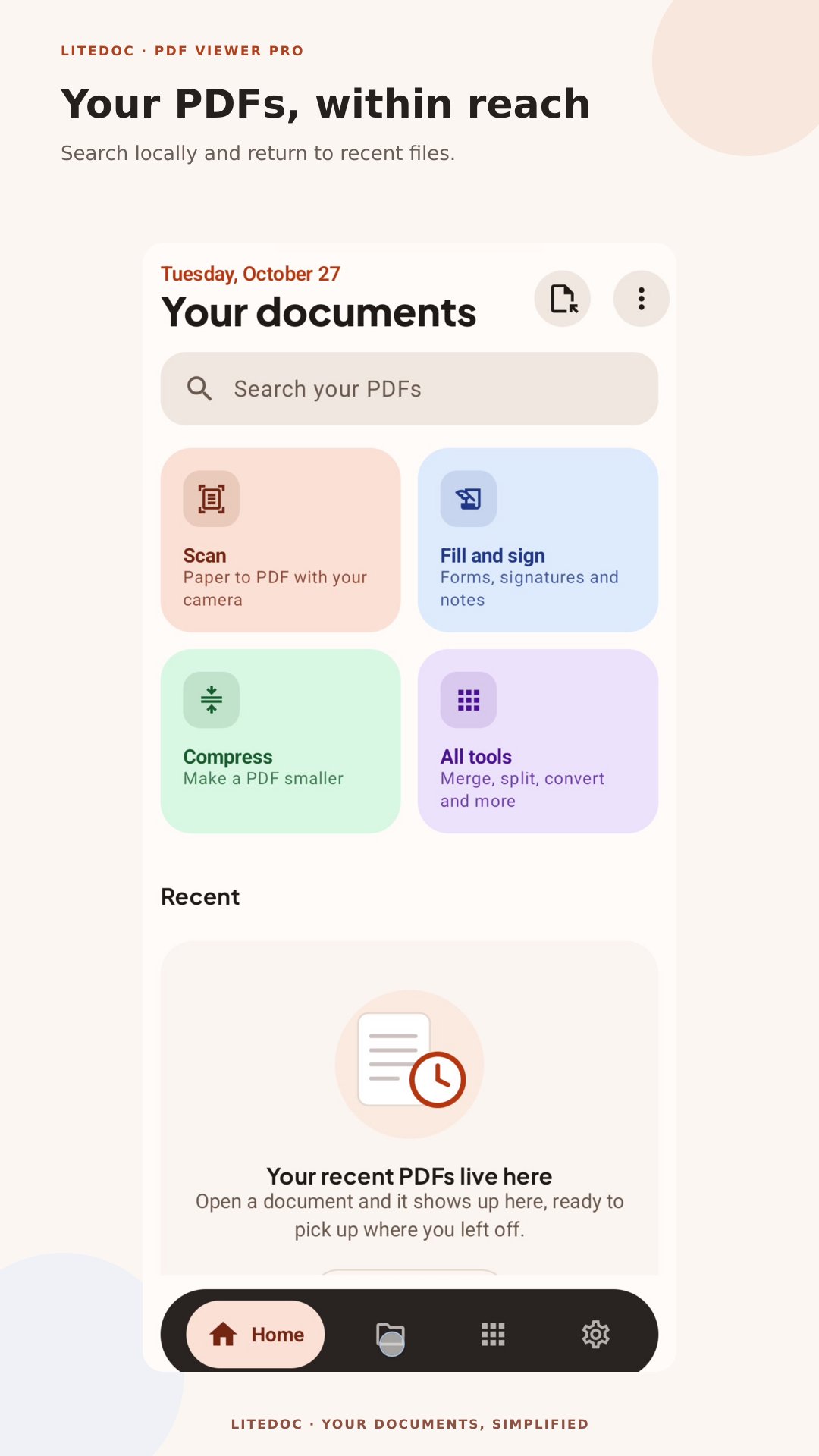
Automatically scans your Downloads and Documents folders to find all your PDF files. Access your documents quickly without manual searching.
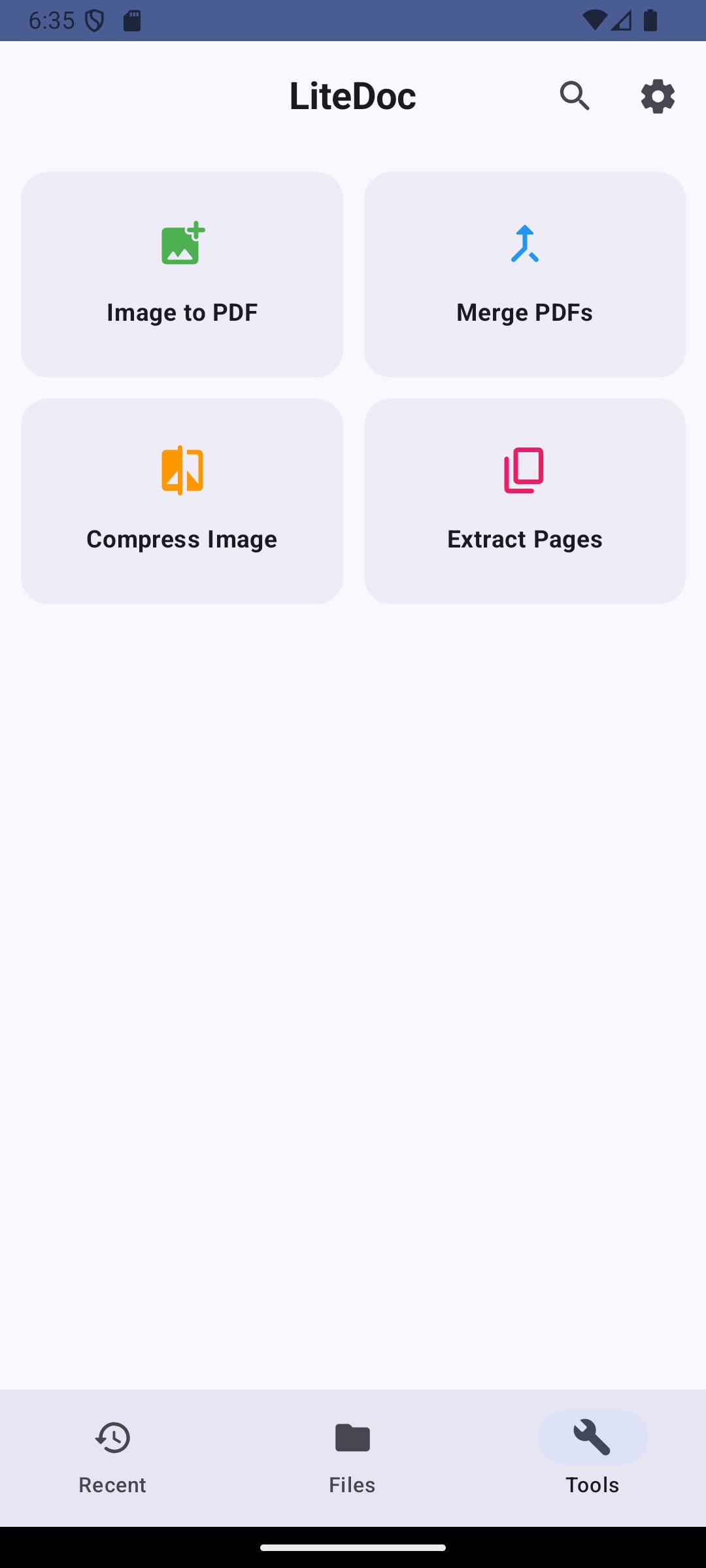
**Powerful PDF Tools**
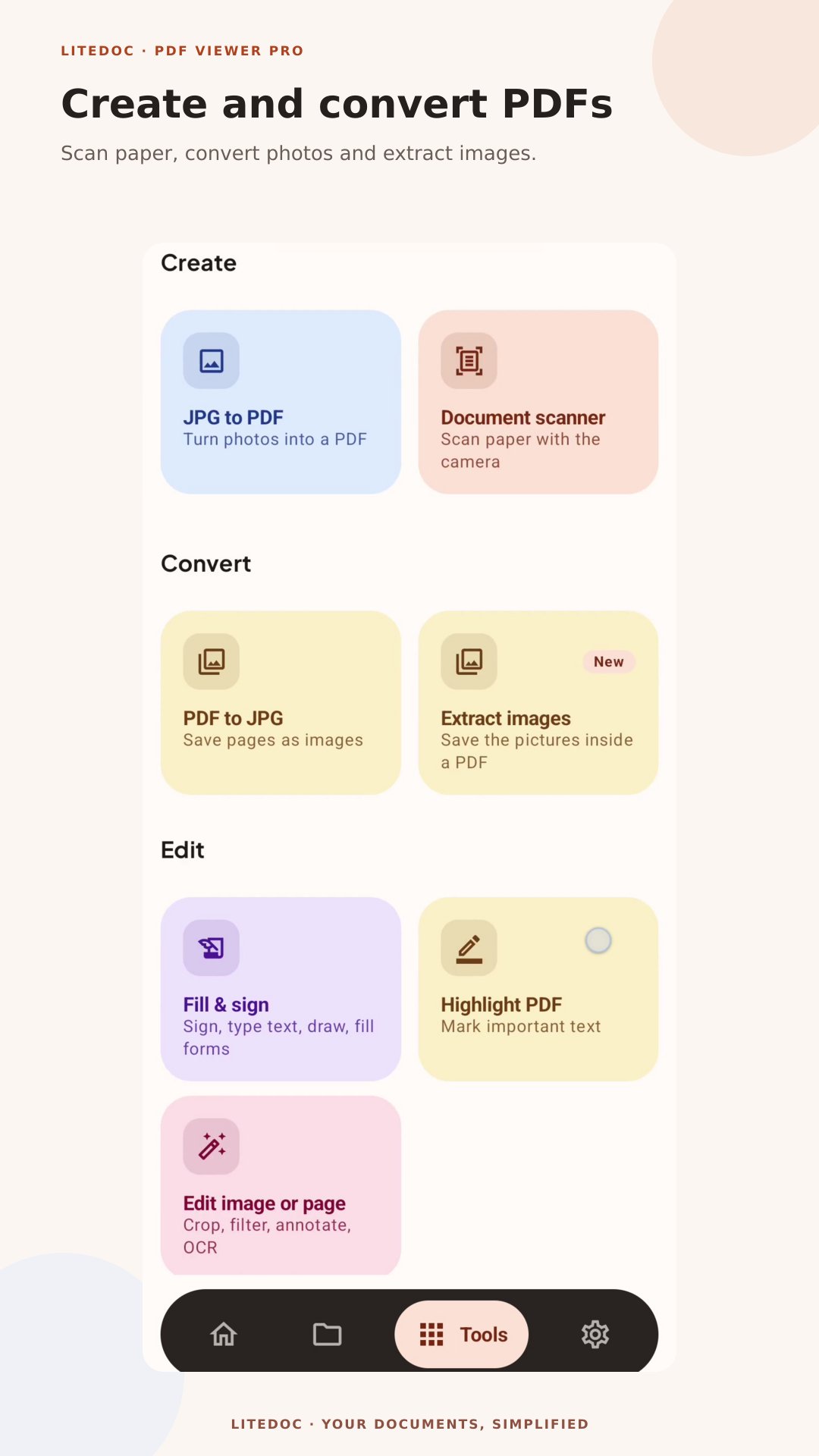
Transform your document workflow with our comprehensive toolset:
• **Merge PDFs** - Combine multiple PDFs into one document
• **Extract Pages** - Pull specific pages or ranges from PDFs
• **Compress PDFs** - Reduce file sizes while maintaining quality
• **Split PDFs** - Divide large documents into smaller files
**Image Processing Made Easy**
• **Image to PDF** - Convert photos and images to PDF format
• **Compress Images** - Optimize image sizes for storage and sharing
• **Extract Images** - Save images embedded in PDF files
**Modern Design & User Experience**
Enjoy a clean, intuitive interface built with Material Design 3. Tabbed navigation makes switching between recent files, all documents, and tools effortless.
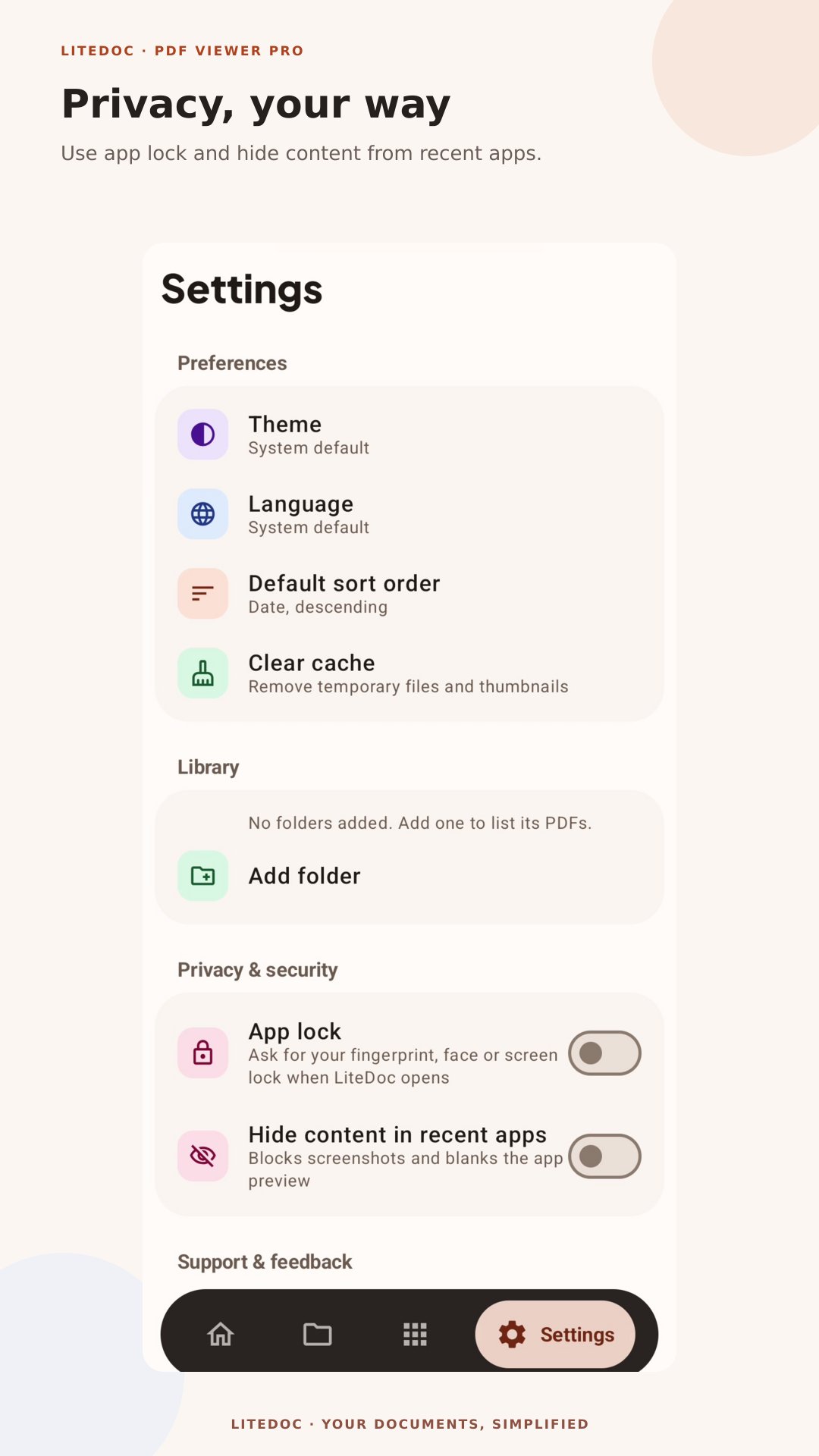
**Privacy & Security**
Your files stay on your device - all processing happens locally. We respect your privacy with minimal permissions and no data collection beyond what's necessary for ads.
**Ad-Supported**
Free to use with non-intrusive ads. Support development while enjoying full access to all features.
**Key Features:**
✅ Fast PDF viewing with smooth scrolling
✅ Automatic file discovery
✅ PDF merging, splitting, and compression
✅ Image to PDF conversion
✅ Page extraction tools
✅ Modern, responsive UI
✅ Offline functionality
✅ Minimal storage permissions
✅ Regular updates and improvements
**Perfect for:**
• Students reading textbooks and notes
• Professionals reviewing contracts and reports
• Anyone who works with PDF documents daily
Download LiteDoc Viewer today and take control of your PDF workflow!
Latest Version
2.0.1Uploaded by
Manimala Kalai
Requires Android
Category
Free Productivity AppContent Rating
Everyone
Security Report
Check Now
Report
Flag as inappropriateLast updated on Nov 2, 2026
This release includes minor bug fixes and general improvements. Update to the latest version for the best experience.




APKPure - A multi-platform app store primarily focused on Android, providing extensive app-related content. Discover the app you want easier, faster, and safer, with quick and efficient downloads and installations.