Scan Date:Jul 8, 2026
Show More


KineMaster fits creators who record on phones and need quick, reliable results for social posts or full videos. It supports fast turnarounds for vlogs, Shorts, Reels, product demos, intros, and tutorials, while keeping controls clear on a small screen. Many users look for the KineMaster APK when they need a direct Android install, and the app suits that workflow well. With a focus on speed and clarity, it helps you move from idea to publish without switching devices.
AI tools for faster edits
KineMaster includes an AI toolkit that automates common steps so you spend less time on setup. You can generate auto captions, convert text to speech, and select AI voices for narration. Magic Removal cuts out backgrounds, while noise removal and vocal separation clean up audio. AI tracking helps attach graphics to moving objects, and AI upscaling plus artistic styles improve or restyle footage when needed.
Templates and Mix community
When speed matters, start with a template from the Mix community. Replace clips, photos, and text with your own content, then adjust timing to match your story. You can also publish your projects as reusable templates so others can build on your layout. This approach suits quick intros, promo reels, and tutorial formats where a consistent structure helps you finish faster.
Advanced editing controls
For precise edits, KineMaster supports keyframe animation for movement and scale. Chroma key helps you replace backgrounds, and speed control handles slow motion, fast motion, or reverse. Corner pin adjusts perspective on screens and signs, while transparent background export is available for overlays, brand animations, and presentations. Full color adjustments and filters let you correct or style footage to match your look.
Built in Asset Store and stock media
KineMaster provides an Asset Store with effects, transitions, stickers, clip graphics, fonts, stock videos, stock images, music, and sound effects. Many options are royalty free and ready for publishing across platforms. Categories and search make it easy to find matching assets for your theme, title style, or soundtrack. This reduces the need to source media elsewhere and keeps your edits moving.
Mobile timeline, export, and project sync
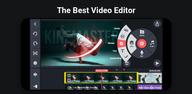
The timeline is built for phone use in portrait or landscape and shows multiple layers with magnetic guides for accurate placement. You can undo and redo freely and preview edits full screen to confirm timing. Exports reach up to 4K at 60 FPS, and presets optimize settings for YouTube, TikTok, and Instagram. With KineCloud backup, projects stay accessible across devices so you can start on your phone and continue editing later without recreating work.
The free version includes ads and a small export watermark. KineMaster Premium removes the watermark and ads, and it adds KineCloud storage for easier backup and access. One subscription also unlocks Spring Premium, which can be helpful if you use both apps in your workflow. Consider Premium if you publish frequently or deliver branded videos that cannot include watermarks.
The Asset Store offers music and sound effects you can publish anywhere with royalty free options available. Review the details shown with each asset to confirm how it may be used in your project. This helps keep your videos ready for social platforms, client work, and product promos without extra sourcing steps.
After you download KineMaster, you can complete a simple workflow on your phone from import to export. The steps below outline a common process that works for vlogs, Shorts, Reels, and tutorials. Follow them once, then adjust for your own style and timing.
Open KineMaster and create a new project. Pick an aspect ratio that matches your destination or start from a suitable template if you prefer a head start.
Import videos and images from your device. Arrange them on the timeline, then trim, split, and reorder clips to build your rough cut.
Refine your edit. Adjust speed or reverse a clip, apply chroma key where needed, add keyframes for position and scale, and match colors across shots.
Add text and audio. Generate auto captions or use text to speech if you need a voiceover, then choose music or SFX from the Asset Store and balance the mix with noise removal if required.
Preview full screen and make small fixes to timing or levels. Export in your chosen resolution and frame rate, use a preset for your platform, then back up the project to KineCloud and share to your social apps.
KineMaster brings AI help, templates, pro controls, and high-quality exports to your Android editing workflow. For the best experience and new presets, just download KineMaster latest version APK from APKPure and begin your next project on mobile.
Official information and support:
Website: https://www.kinemaster.com/
Email: support@kinemaster.com
Latest Version
8.1.15.36566.GPUploaded by
Nang Aon
Requires Android
Android 8.0+
Category
Free Video Players & Editors AppContent Rating
Everyone
Security Report
Report
Flag as inappropriateLast updated on Jul 8, 2026
Text UI Overhaul: Input, revise, style, and format directly on the Preview screen
New Text Animation: Word-by-word



APKPure - A multi-platform app store primarily focused on Android, providing extensive app-related content. Discover the app you want easier, faster, and safer, with quick and efficient downloads and installations.