
For operation of this application you shall have rights of root and the kernel with OTG support is set
Sequence of actions:
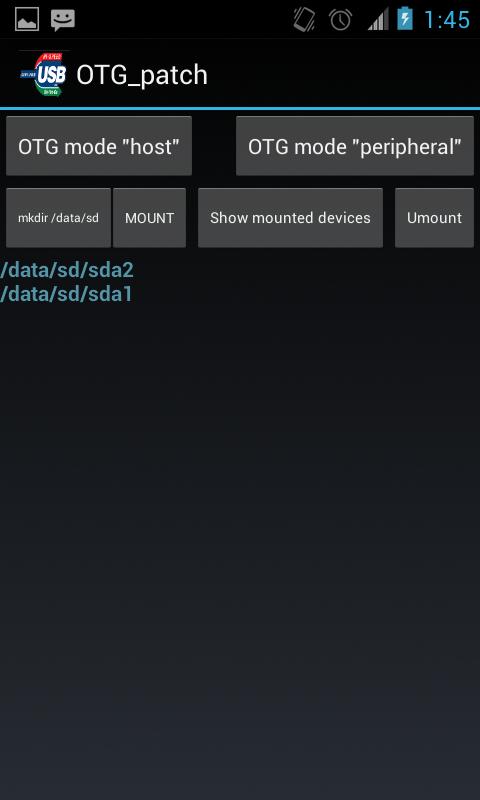
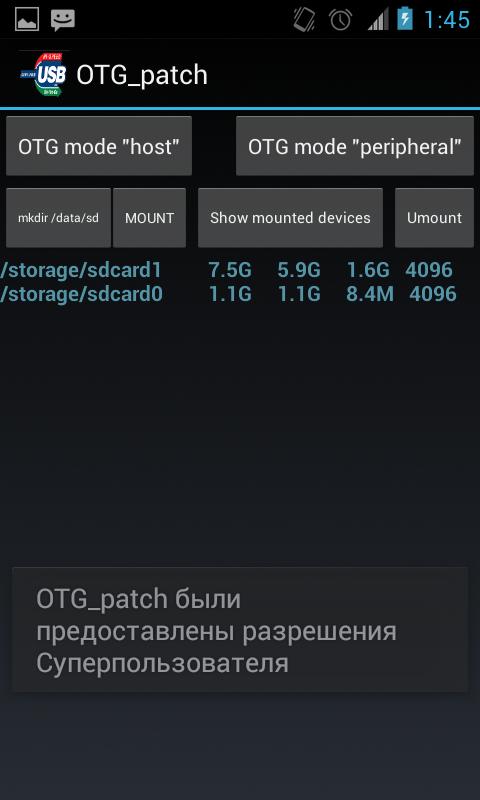
1. After loading of the application, it is necessary to change OTG operation mode for connection of an external disk, for this purpose it is necessary to press the OTG mode host button. Create the directory for assembling by means of the "mkdir/data/sd" button. It is possible to connect an external disk or the USB stick further if it it wasn't made yet, and to press the Mount button then on the screen the attached devices will appear. For an output of more detailed information it is possible to use the Mounted button. After completion of operation with external drives we switch-off them on means of clicking of the Umount button.o
Latest Version
5.0Uploaded by
Romarinho Pk
Requires Android
Android 4.1+
Category
Free Tools AppContent Rating
Everyone
Report
Flag as inappropriateLast updated on Jan 29, 2017
This release includes minor bug fixes and general improvements. Update to the latest version for the best experience.





APKPure - A multi-platform app store primarily focused on Android, providing extensive app-related content. Discover the app you want easier, faster, and safer, with quick and efficient downloads and installations.
















