Scan Date:May 5, 2026
Show More

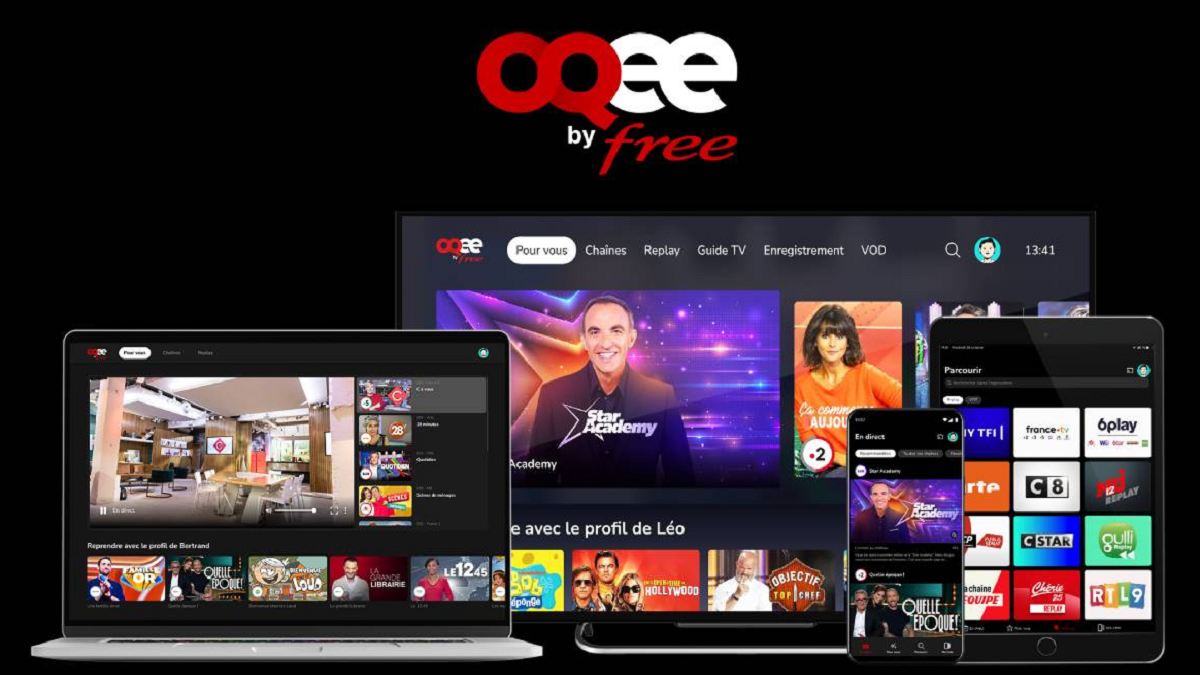
Free TV helps users keep up with live broadcasts and past episodes in one place, whether at home or while traveling. It works for everyone, with an expanded catalog available when you have an eligible subscription. The layout focuses on simple browsing so you can quickly jump into a channel or continue a show. For users who plan to download Free TV, the app also adds practical playback controls and living‑room options that support everyday viewing without extra equipment.
Live channels and catch‑up for everyone
Free TV offers more than 170 live channels and over 25,000 catch‑up programs that anyone can watch. If you are a Free or Free TV+ subscriber, the experience expands to 300+ channels including all DTT channels, along with more than 45,000 catch‑up programs. This makes it easy to choose the right tier for your viewing needs without changing apps.
FREE CINE on‑demand library
The FREE CINE catalog adds curated on‑demand viewing with 500+ films and 1,000+ series episodes. You can browse the library when you have time and start a movie or episode without waiting for a live broadcast. It is designed for straightforward discovery and quick playback.
Live Control and Start‑Over
With Live Control, you can pause a live channel during a call and resume when ready, or rewind to rewatch a scene. If you join a broadcast late, Start‑Over lets you restart the ongoing program from the beginning without setting a recording first. These tools help you follow programs on your own schedule.
Resume playback across shows
Free TV keeps track of where you stop, so you can return to the same program later and continue from that point. This applies to both live catch‑up and on‑demand titles. It reduces the time spent searching and lets you focus on finishing what you started.
Chromecast support for TV viewing
When you prefer the big screen, Free TV supports Chromecast so you can cast a channel or episode to a compatible TV. After connecting, playback is controlled from your phone, which simplifies pausing, seeking, or switching programs without a separate remote.
Free TV works for non‑subscribers with a base catalog, while Free or Free TV+ subscribers unlock additional channels and catch‑up content. This helps you start with free access and move to a bigger lineup only if you need it.
Recording features are reserved for users with a Freebox and TV service. If you do not have a Freebox, recording is not available, so plan to use Start‑Over or catch‑up for later viewing instead.
For living‑room streaming, a Chromecast‑enabled TV or device on the same network is required. Some users may also know this TV experience as OQEE by Free, which relates to the same service ecosystem.
The steps below outline the basics to get started after installing the Free TV latest version. Follow them in order so you can browse channels, use playback controls, and cast to your TV when needed.
Free TV brings live channels, catch‑up, and simple controls into one app for everyday viewing. If you prefer an APK file for installation, the Free TV APK offers the same core experience for supported devices.
For official service information and related policies, refer to the link below.
Latest Version
3.9.0Uploaded by
邢海昌
Requires Android
Android 7.1+
Category
Free Entertainment AppContent Rating
Teen · Diverse Content: Discretion Advised
Security Report
Report
Flag as inappropriateLast updated on May 5, 2026
Minor bug fixes and improvements. Install or update to the newest version to check it out!




APKPure - A multi-platform app store primarily focused on Android, providing extensive app-related content. Discover the app you want easier, faster, and safer, with quick and efficient downloads and installations.