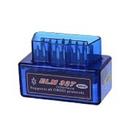
ODBII Simulator ELM327 works as your real hardware device and returns you response.
It works on both Bluetooth and WiFi.
* Bluetooth
Turn on Bluetooth then press "Connect with Bluetooth" .
List of devices will shown from your near field.
Select the desired device to connect.
* WiFi
ODBII Simulator ELM327 uses port 35000.
Find device IP and use that IP on Local Network.
Turn on WiFi then press "Connect with WiFi" .
Functionality
Supports all ODBII Simulator ELM327 protocols.
You can add new commands to Simulator.
You can update existing commands.
Latest Version
1.5Uploaded by
Lisandro Zoraide
Requires Android
Android 4.2+
Category
Free Auto & Vehicles AppContent Rating
Everyone
Report
Flag as inappropriateLast updated on Jun 23, 2018
Minor bug fixes and improvements. Install or update to the newest version to check it out!



APKPure - A multi-platform app store primarily focused on Android, providing extensive app-related content. Discover the app you want easier, faster, and safer, with quick and efficient downloads and installations.