Package Name:bans.njsServer
SHA-256:1e156ac49c2309ed4351b57475bc55d6328b2fa57badd8620c3a28defae14629
Show More

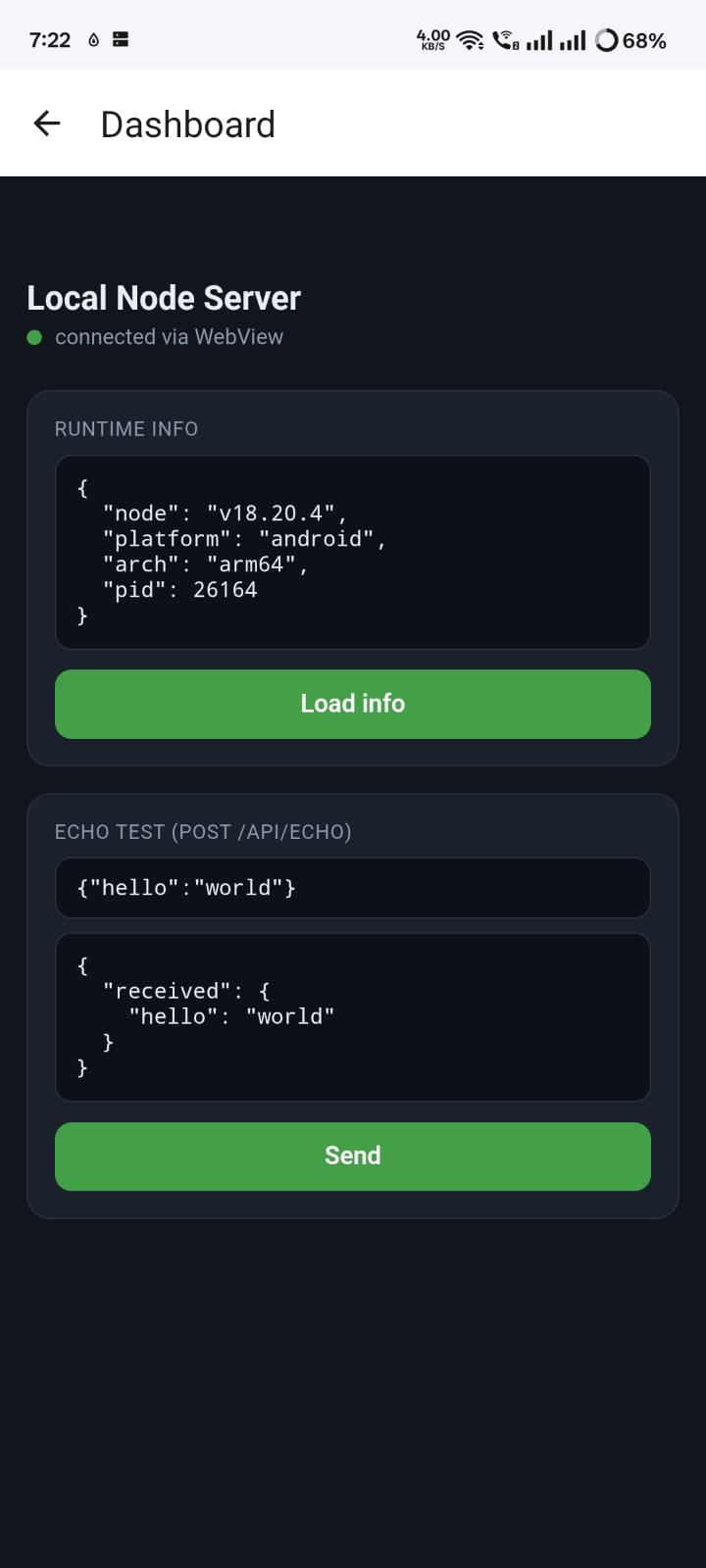
Node JS Server runs a real Node.js HTTP server directly inside the app on your Android device — no root, no Termux,
and no separate setup required.
It is built for developers, learners, and tinkerers who need a local HTTP API on Android. The bundled server listens
on localhost by default, so your app interface, the in-app browser, on-device browsers, and other apps on the same
device can all talk to it while the server is running.
PRIVACY FIRST
• No accounts, no sign-up, no login.
• No analytics, no advertising, no tracking SDKs.
• No data is collected, transmitted, or shared with the developer.
• Everything stays on your device. Always.
KEY FEATURES
• Embedded Node.js runtime powered by nodejs-mobile.
• Foreground service keeps the server alive while you switch apps.
• Bundled, dependency-free Node HTTP server with static file serving and JSON APIs.
• Token-based authentication for protected routes.
• Import your own ZIP-based Node.js projects through Android's file picker.
• Built-in file browser and code editor (powered by Sora Editor).
• Configurable port, optional auth enforcement, and optional LAN access.
• Clean, modern edge-to-edge Android interface.
HOW IT WORKS
1. Tap "Start server" to launch the embedded Node.js runtime.
2. The server binds to 127.0.0.1 (localhost) by default.
3. Open the in-app browser or any on-device browser to reach your API.
4. Use the displayed auth token for protected routes when auth is enabled.
Default local URL: http://127.0.0.1:3000
BRING YOUR OWN PROJECT
Replace the built-in server with your own Node.js project by importing a ZIP file. The app automatically detects your
entry point (package.json main, main.js, index.js, or server.js). Pure-JavaScript dependencies can be bundled in
node_modules.
OPTIONAL LAN ACCESS
By default the server is reachable only from your own device. If you choose, you can enable LAN access so other
devices on your Wi-Fi network can connect. This is fully under your control and disabled by default.
GREAT FOR
• Developing and testing Node.js code on the go.
• Prototyping local HTTP APIs without a computer.
• Learning Node.js and server-side JavaScript.
• Serving static files or JSON endpoints on-device.
PERMISSIONS
Node JS Server requests only what it needs to run a local server: internet access (required by Android to open a
network socket), foreground service, notifications, wake lock, and Wi-Fi state. None of these are used to collect
personal data.
Node JS Server is a lightweight, private, offline-friendly way to run Node.js on Android. Download it and start
building
Latest Version
1.0.0Uploaded by
KuiZhung Lai
Requires Android
Category
Free Tools AppContent Rating
Everyone
Security Report
Check Now
Report
Flag as inappropriateLast updated on Jul 2, 2026
First Release





APKPure - A multi-platform app store primarily focused on Android, providing extensive app-related content. Discover the app you want easier, faster, and safer, with quick and efficient downloads and installations.




![[Root] Enable usb debug APK](https://image.winudf.com/v2/image/Y29tLmF5ZWFoLnJvb3RlbmFibGV1c2JkZWJ1Z19pY29uX3I0MDRvMnFk/icon.png?w=102&fakeurl=1)