NineOuttaTen is a free Dota 2 companion app that lets you remotely control your game client from your mobile device. Have you ever missed your match queue because you left your computer? Have you ever been stuck waiting at 9/10 players ready? NineOuttaTen solves these problems by letting you view and interact with the game client in real-time once you connect the mobile app with the desktop client.
NineOuttaTen’s features:
- Start Dota 2
- Accept or decline party invitations
- Queue for normal or ranked matches
- Accept any matchmaking queue (including custom games)
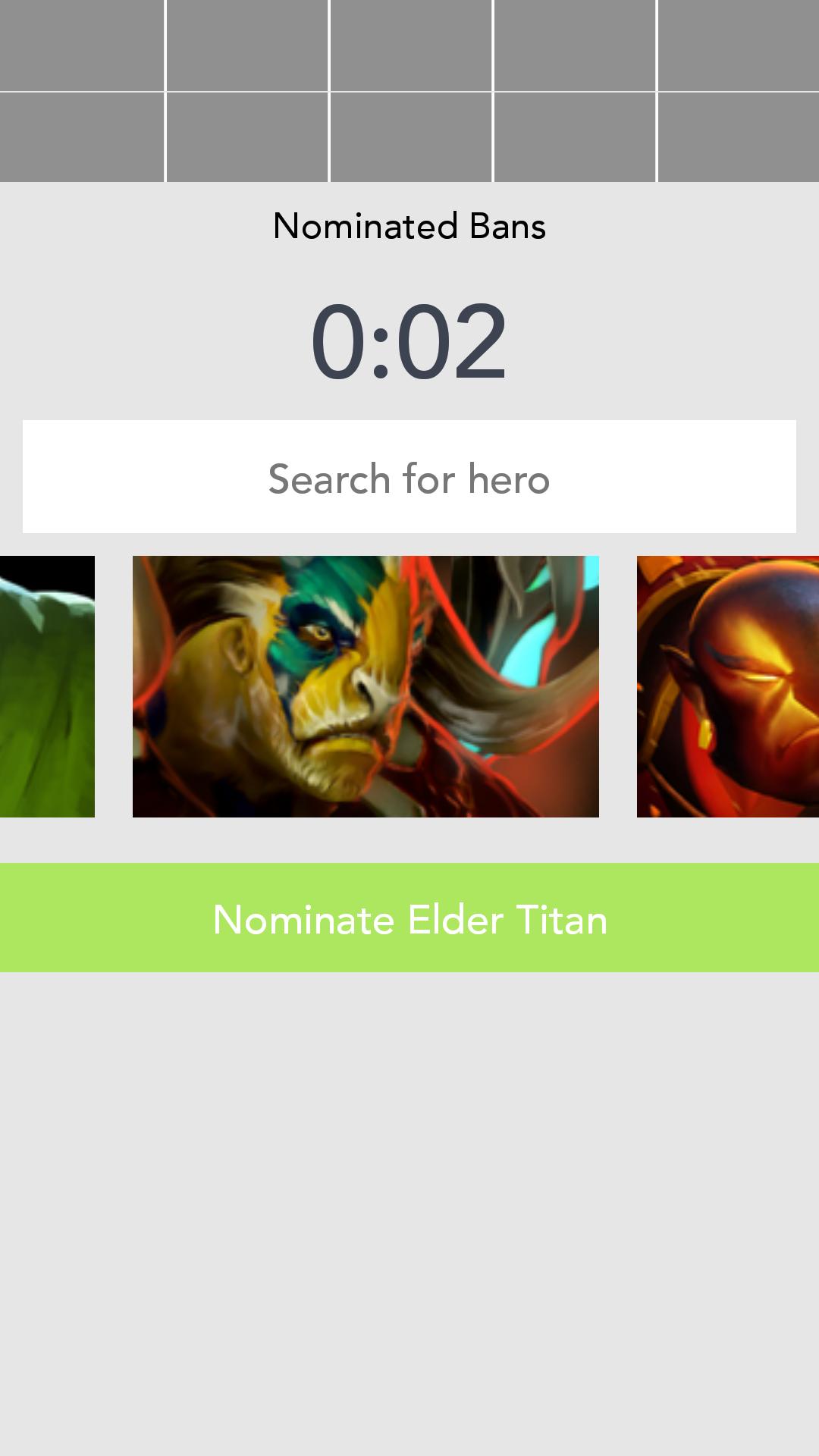
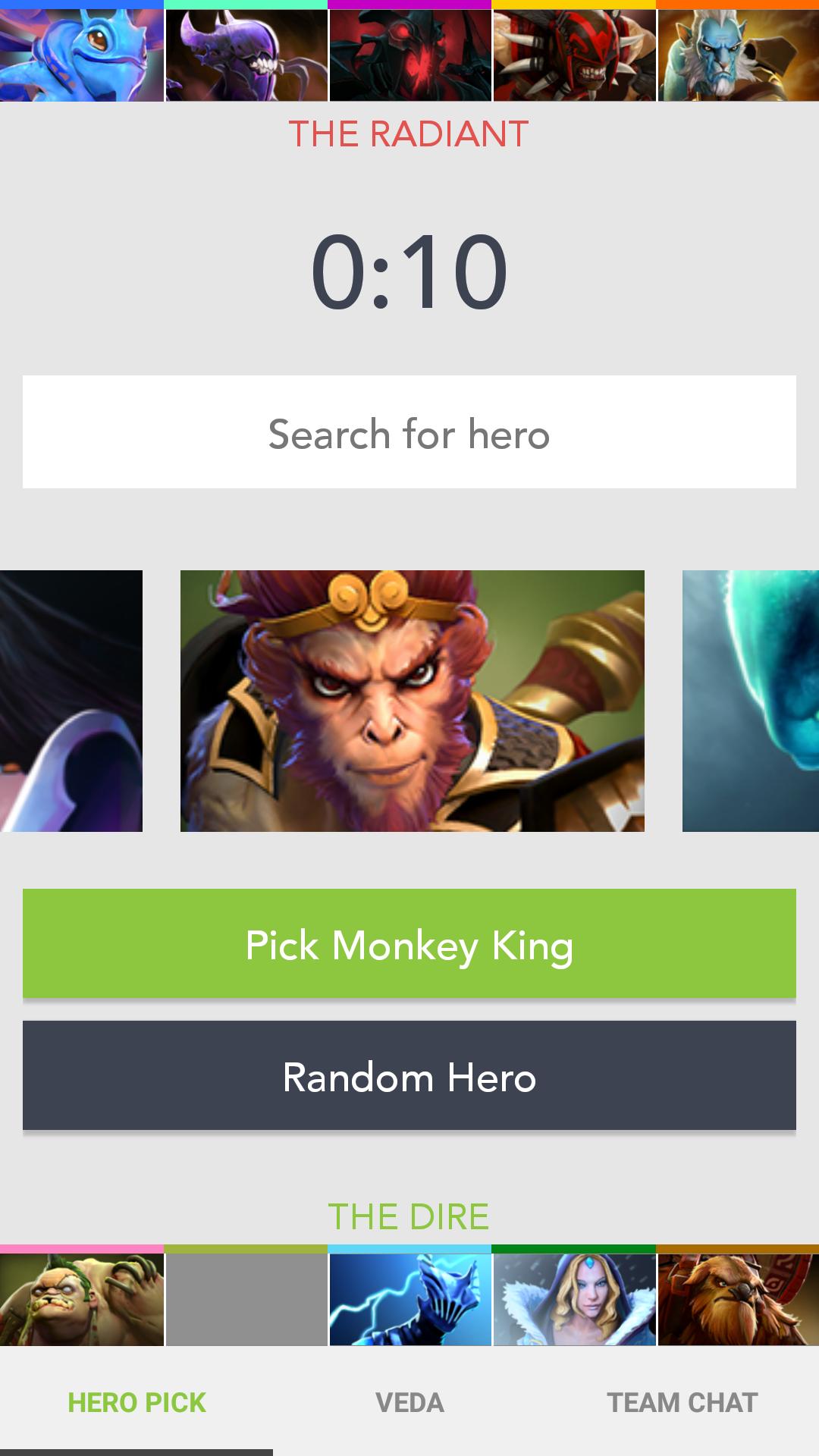
- Pick, repick, and random heroes in All Pick - View ally hero selections
- View ally and enemy hero picks - Send and receive team chat messages during the pick phase
- Receive push notifications if you background the app or lock your phone
The mobile app communicates with the desktop client, which in turn communicates with Dota 2. You will need to download the desktop client at https://nineouttaten.io/desktop on your computer that you play Dota 2 with. The desktop client currently only support 64-bit Windows. Once you run the desktop client, it will generate an ID that you enter on the app. You won’t have to memorize this ID after you enter it on the mobile app since both the mobile app and desktop client will remember it for you in the future.
Keep in mind that you cannot actually play matches from the app. NineOuttaTen only gets you 9/10 of the way there. The rest is on you.
Requirements:
- The computer that you play Dota 2 with is running 64-bit Windows
- Dota 2 must also run in 64-bit mode (the desktop client will warn you if it is not). By default, if your computer is 64-bit, then Dota 2 should also run in 64-bit mode. If Dota 2 is running in 32-bit mode then you can easily switch it to run in 64-bit mode.
- Dota 2’s aspect ratio must be exactly 4:3, 16:10, or 16:9. Inputs to the game are likely to not work correctly if your aspect ratio is very different. However, all other aspects of NineOuttaTen will work fine.
Have feedback, a suggestion, or need help? Hit us up at contact@nineouttaten.io or https://nineouttaten.io/feedback
NineOuttaTen is neither endorsed by nor affiliated with Valve Corporation.
Latest Version
2.3Uploaded by
Charlotte Katakuri
Requires Android
Android 4.1+
Category
Free Productivity AppContent Rating
Everyone
Report
Flag as inappropriateLast updated on Nov 19, 2017
Added the two new heroes, Pangolier and Dark Willow.






APKPure - A multi-platform app store primarily focused on Android, providing extensive app-related content. Discover the app you want easier, faster, and safer, with quick and efficient downloads and installations.