Package Name:com.tooltoolnam.night_clock
SHA-256:baabc56bd925e3f2045755b11c1d67f027854f8b6f1ab2f2d4f89e17676e9c95
Show More
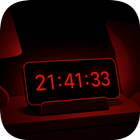
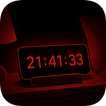
Night Clock turns your phone into a calm bedside clock for
sleeping hours. The default is a deep red display on a fully
black background — red light is the wavelength that disrupts
sleep the least, so you can check the time at 3 AM without
waking up.
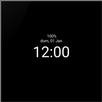
Place your phone on a charging stand next to your bed. The
screen stays on through the night while the dim red clock
quietly shows the time. No bright white glare, no blue light
hitting your eyes, no waking up your partner.
Key features
• Six clock colors — red, orange, green, blue, white, yellow.
Red is the gentlest on sleep, but you can pick whatever
feels right for your room.
• Ultra-low brightness slider — go far below the system
minimum so the clock barely glows.
• Text opacity slider — fade the digits even further when the
room is pitch dark.
• 12-hour or 24-hour format, with optional seconds.
• Clean date display (year, month, day, weekday) with a
toggle to hide it for a minimal look.
• Tap to brighten — touch the screen and the clock briefly
glows brighter for a few seconds, then fades back down. No
fumbling for a button at night.
• Keep screen on — the screen stays awake while the clock is
showing. No more half-checking the time and watching the
display turn off.
• Portrait and landscape — the clock auto-resizes when you
flip the phone sideways onto a docking stand.
• Roboto Mono font — the digits never jitter or shift width
as the seconds tick.
Why a red clock?
Red light has the least effect on melatonin, the hormone that
makes you sleepy. Blue and white light suppress melatonin and
push your body into "morning" mode, which is exactly what you
do not want at 3 AM. A dim red display lets you glance at the
time and fall right back asleep.
A study and focus companion
Night Clock also doubles as a quiet desk timer. Turn on Idle
Timer, put the phone on your desk, and the clock counts how
long you keep your hands off the screen. Touch the screen and
it resets to zero — no buttons, no menus. Great for study
sessions, deep work, no-phone challenges, or just seeing how
long you can stay focused before reaching for your phone.
Designed for
• People who want a bedside clock without buying one.
• Light sleepers who get jolted awake by bright phone screens.
• Couples — the dim red glow does not wake the person next to
you.
• Travelers — perfect for hotel rooms where there is no
bedside clock.
• Students and remote workers using their phone as a focus
timer on the desk.
• Anyone using a phone dock or wireless charging stand at
night.
Night Clock is small, fast, and stays out of your way. Set the
color, dial the brightness down, plug in your phone, and let
the clock do its job all night — or all study session.
Latest Version
1.0.6Uploaded by
Hoàng Lê
Requires Android
Android 7.0+
Category
Free Tools AppContent Rating
Everyone
Security Report
Check Now
Report
Flag as inappropriateLast updated on Sep 25, 2026
• Removed the full-screen ad that appeared when reopening the app



APKPure - A multi-platform app store primarily focused on Android, providing extensive app-related content. Discover the app you want easier, faster, and safer, with quick and efficient downloads and installations.