

NFC Card Emulator focuses on practical, hardware level UID emulation for daily access scenarios. It reads a card’s identifier, stores it, and lets your phone present that identifier to compatible readers when you tap. Root permission is required because the app writes the Card ID into the device’s NFC configuration so emulation works at the chipset level. It is useful for access control, elevators, some campus or canteen systems, and certain library gates. Moreover, it offers clear guidance on device support so you can quickly see whether your phone and ROM are suitable before you start.
Hardware level UID emulation with root
NFC Card Emulator writes the captured Card ID into the device NFC configuration so the phone presents that UID to readers. This approach requires root access and differs from app based HCE that processes APDUs in software.
Quick scan, save, and simulate workflow
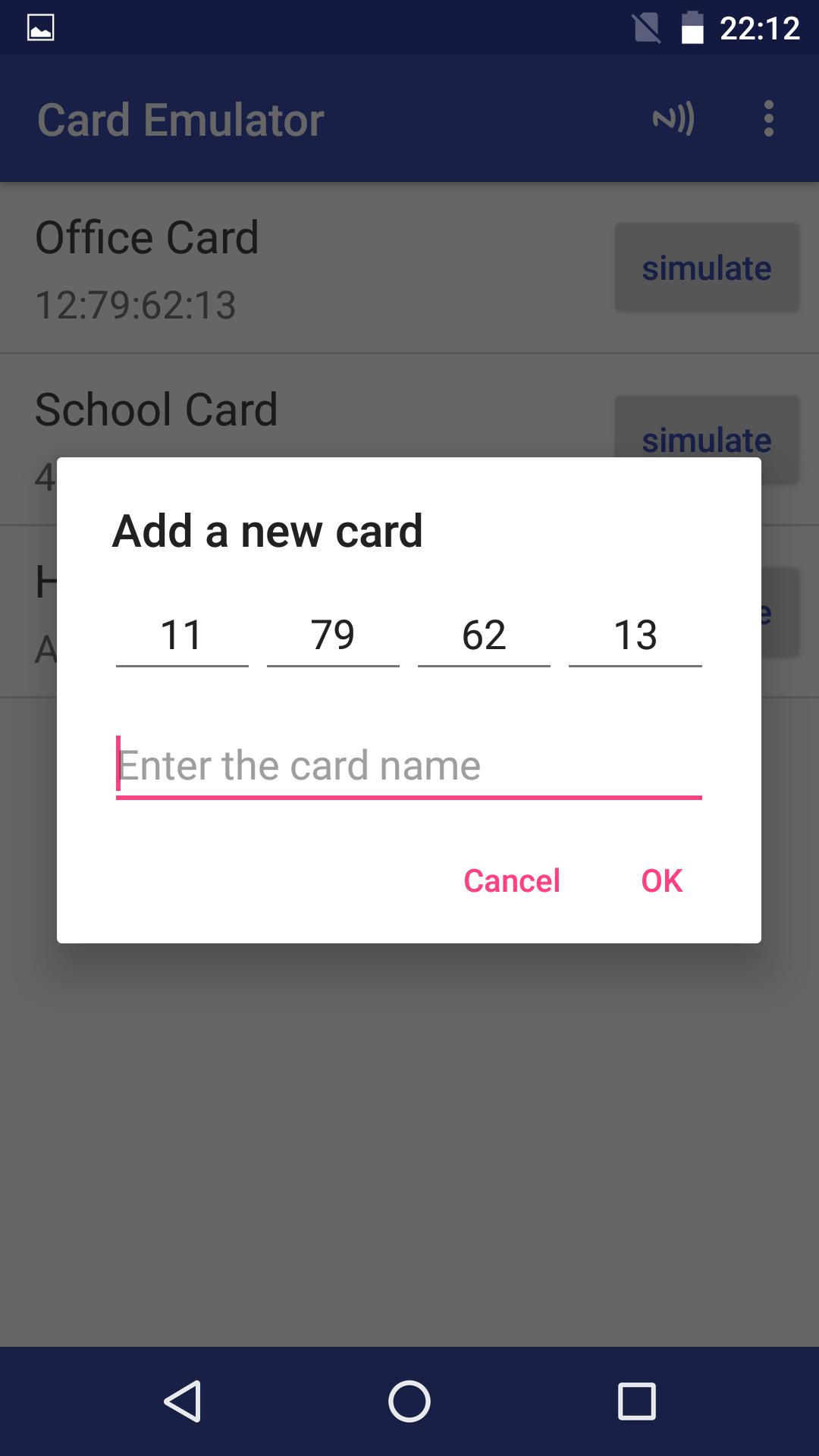
You can enable NFC, scan a physical card, name and save it, then select Simulate to use your phone at a compatible reader. This direct flow reduces setup time for everyday use.
Supports 4, 7, and 10 byte UIDs
NFC Card Emulator handles common UID lengths that appear in access control and similar systems. It works with devices using NXP or Broadcom NFC chipsets for broad hardware coverage.
Manage multiple cards in one place
You can store multiple scanned cards and switch emulation as needed. Therefore, it is simple to move between office, home, and campus cards without carrying extra badges.
Clear compatibility guidance
NFC Card Emulator documents known device behavior on stock ROMs and highlights models that do not support hardware UID changes. Some devices may work with custom ROMs when stock ROMs block emulation.
Transparent scope and limitations
The app emulates a card’s UID rather than an entire secure application. As a result, systems that require cryptography or sector keys, such as many hotel keys and transit cards, may not work.
NFC Card Emulator has wide coverage on stock ROMs from Xiaomi, Huawei, OnePlus, Sony, Google Nexus and Pixel, Meizu, LG, HTC, Nubia, Letv, Moto, and Lenovo. Huawei watches are also supported in reported cases. However, Samsung S6, S6 edge, S7, S7 edge, S8, and S8 plus and newer models are not supported on stock ROM for hardware UID changes. In addition, some users succeed with custom ROMs like LineageOS or Aurora when stock ROMs block the needed NFC configuration edits.
Positioning matters at the reader. Therefore, hold the phone’s NFC coil over the same spot where you would tap the original card, keep the screen on during a tap, and ensure NFC remains enabled. These simple checks reduce failed reads.
UID emulation presents only the card’s identifier at the hardware level, which is what NFC Card Emulator does after capturing the UID. HCE, or Host Card Emulation, processes application commands in software without changing the hardware UID. Some Android apps use HCE for payment or transit style protocols, while NFC Card Emulator focuses on UID based access scenarios. Consequently, choose UID emulation when the reader checks only the UID, and consider HCE based solutions when a service requires full protocol exchanges.
Systems that rely on secure elements, session keys, or sector authentication usually cannot be replicated with UID only. Examples include many hotel keys and several public transit cards, including Calypso based systems such as Rav Kav. Even when a reader sees the same UID, it may reject access because it also expects cryptographic proof from a secure applet that the phone cannot provide.
The app is designed for a simple scan, save, and simulate process. Read the original card once, then carry only your phone for compatible readers. Follow these steps to begin.
NFC Card Emulator focuses on UID based emulation for everyday access control scenarios, with a fast workflow and clear device guidance. Get the NFC Card Emulator APK latest version on APKPure to start, and download NFC Card Emulator with confidence using the secure button below.
How do I download or update NFC Card Emulator APK?
To download or update, open this NFC Card Emulator page on APKPure and tap Download APK. APKPure delivers the NFC Card Emulator APK and notifies you when a newer build is available so you can update directly from this page.
Why does NFC Card Emulator require root access?
NFC Card Emulator needs root because it writes the captured Card ID into the device NFC configuration so the hardware presents that UID to readers. Without root, Android restricts these low level NFC settings and only HCE style software processing would be possible.
Can I use my phone as an NFC card with NFC Card Emulator?
Yes, NFC Card Emulator can make a supported, rooted phone act like a card when the reader accepts UID based identification. It will not replace secure chips or applets, so systems that require cryptographic authentication will likely not work even if the UID matches.
What is the difference between UID emulation and HCE in NFC?
UID emulation reproduces only the card’s identifier at the hardware level, which is what NFC Card Emulator performs. HCE processes full application commands in software and does not modify the phone’s hardware UID, so it serves different use cases like protocol driven services.
Does NFC Card Emulator work on Samsung S6, S7, S8 and newer?
Stock ROMs on Samsung S6, S6 edge, S7, S7 edge, S8, and S8 plus and newer block the hardware UID changes that NFC Card Emulator requires. Some users report success on these models only after switching to certain custom ROMs, while stock configurations remain unsupported.
Will NFC Card Emulator work with hotel keys or transit cards such as Calypso Rav Kav?
Many hotel keys and transit cards rely on secure authentication beyond the UID, so NFC Card Emulator often cannot emulate them. The app is best for systems that base access decisions on the UID alone, and it may not work with Calypso Rav Kav or similar secured cards.
Latest Version
9.1.8Uploaded by
yuanwofei
Requires Android
Android 4.4+
Category
Free Tools AppContent Rating
Everyone
Report
Flag as inappropriateLast updated on May 14, 2025
1、适配Android 16 2、适配Android 15及以上系统16 KB页面大小对齐特性 3、修复已知bug





APKPure - A multi-platform app store primarily focused on Android, providing extensive app-related content. Discover the app you want easier, faster, and safer, with quick and efficient downloads and installations.