Scan Date:Feb 3, 2026
Show More


Nebulo helps users who want to reduce ISP tracking and bypass DNS based blocking on Android. It focuses on secure name lookups so apps reach the right servers without interference. Instead of changing how all traffic moves, it handles DNS carefully in the background, which suits everyday use. The setup is straightforward and does not require deep technical knowledge. For users searching for Nebulo APK, the project is open source and built around clear privacy choices.
Encrypted DNS protocols
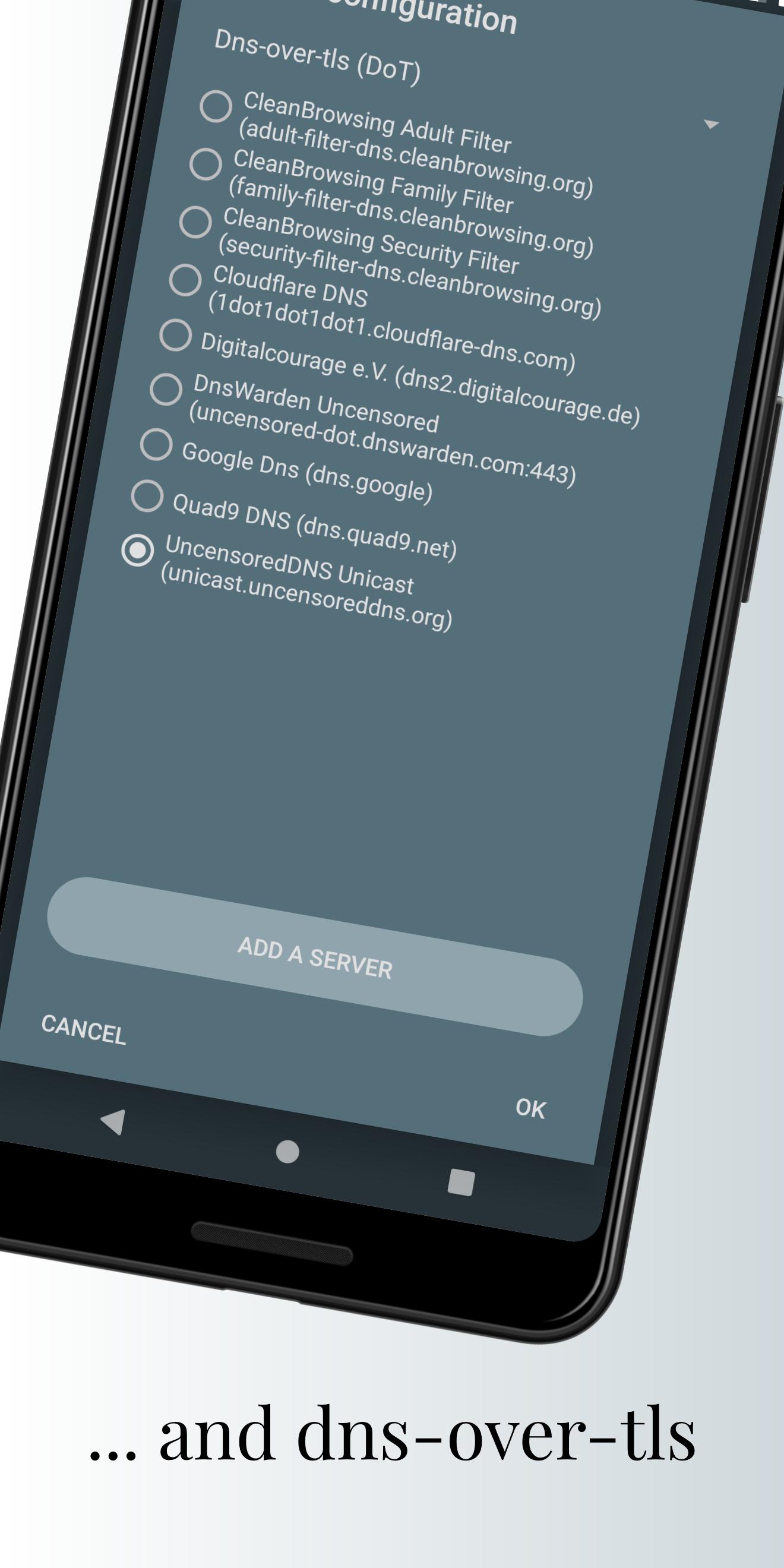
Nebulo encrypts DNS requests using DNS over HTTPS, DNS over TLS, and DNS over HTTP/3 with QUIC. This protects lookups from interception, tracking, and tampering on shared or untrusted networks. You can choose the protocol that fits your resolver and connection conditions.
DNS only routing via local VPN
Nebulo uses Android’s VpnService to route only DNS traffic through a local, dummy VPN. It is not a full VPN and it does not hide your IP or encrypt other app data. This focused approach keeps normal app traffic untouched while giving DNS queries a secure path.
Privacy first design
Nebulo is open source, ad free, and has zero analytics. It provides a preset list of privacy respecting resolvers to help you start quickly. The app runs autonomously after setup, uses little battery, and does not require root access.
Custom resolvers and cache control
You can add any custom DNS server to match your preferences or network policies. Nebulo includes a configurable in memory DNS cache so you can fine tune how long results are kept. This helps balance speed and freshness for everyday use.
Blocking and diagnostics
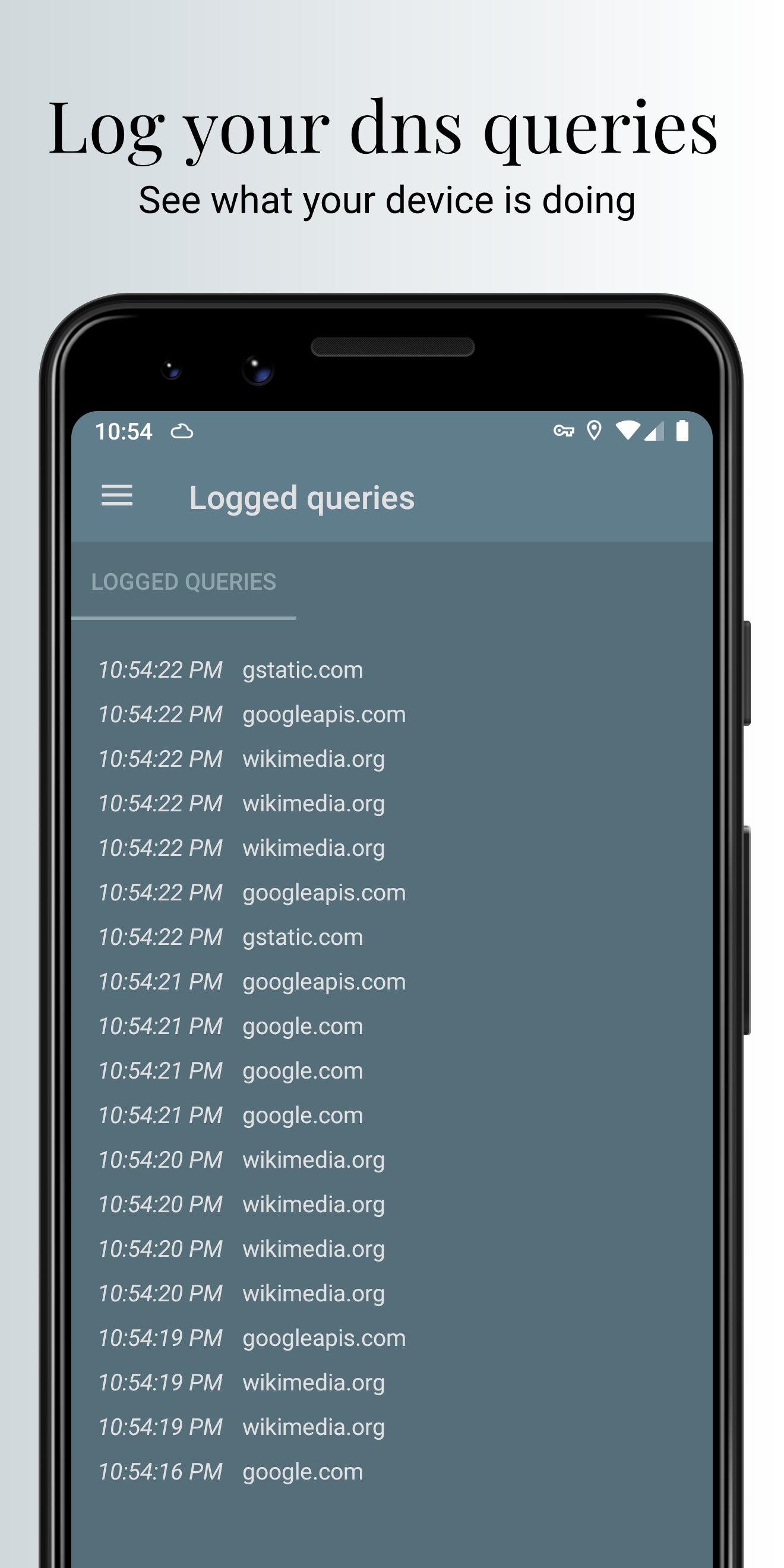
Nebulo offers DNS blocklists with imports from URLs or files in multiple formats, and protection against CNAME cloaking. You can run a DNS speed test to compare resolvers and review query logging to see what is being asked. Advanced options let you disable IPv4 or IPv6, allow captive portals, and manage search domains when needed.
Nebulo DNS Changer is not a full VPN service. It does not hide your IP address and it does not encrypt non DNS traffic. On Android, only one VPN can be active at the same time, so any other app using a VPN mode will conflict. If that is a concern, check the non VPN mode details in the in app FAQ to see if it suits your setup.
Nebulo works with AFWall plus and hosts based blockers because it only handles DNS. It can conflict with AdGuard when AdGuard runs in VPN mode, since Android allows only one active VPN. If you use tracker blockers that depend on a VPN tunnel, consider enabling Nebulo’s non VPN mode where appropriate. When combining tools, test your setup to confirm DNS queries stay encrypted and blocking behaves as expected.
Nebulo is open source under the GPLv3 license. The setup is transparent and customizable, including resolver choice, blocklists, and cache behavior. Using the Nebulo latest version helps ensure resolver presets and blocklist formats stay current.
This quick guide explains the basic setup on a phone. Nebulo for Android lets you choose encrypted resolvers and enable protection with a simple switch.
Nebulo focuses on encrypted DNS and simple control on Android. To begin, download Nebulo and choose a resolver that fits your network needs.
For official information and support, use the following contacts.
Latest Version
2.0.5Uploaded by
Jeremy Saenz
Requires Android
Android 5.0+
Category
Free Tools AppContent Rating
Everyone
Security Report
Report
Flag as inappropriateLast updated on Apr 2, 2021
This is a big update bringing a lot of improvements.
Some changes:
- New layout in main screen
- The DNS speed test now more accurately shows the latency
- Increased performance of DoH queries
- Added better formatting of numbers in DNS rules
- Added a dialog to the DNS rules to check whether a host is listed somewhere
- Added a filter to the query log
- Added a setting to export all settings
And more.






APKPure - A multi-platform app store primarily focused on Android, providing extensive app-related content. Discover the app you want easier, faster, and safer, with quick and efficient downloads and installations.