
Scan Date:Mar 30, 2026
Show More

My Ploom helps adult Ploom users set up, control, and monitor their device with simple tools that fit everyday routines. It supports Ploom AURA and other compatible models, so you can connect your device and handle key actions from your phone. The app focuses on clarity and control, which makes it easier to stay organized and informed. For quick access, you can download My Ploom when you are ready, then sign in with your Ploom account to begin.
Quick Bluetooth pairing and setup
You can pair your Ploom device over Bluetooth in a few guided steps. The app highlights available devices and prompts for confirmation, which reduces setup friction. After your device appears, controls and status cards are ready to use without extra navigation.
Personalize heating and session preferences
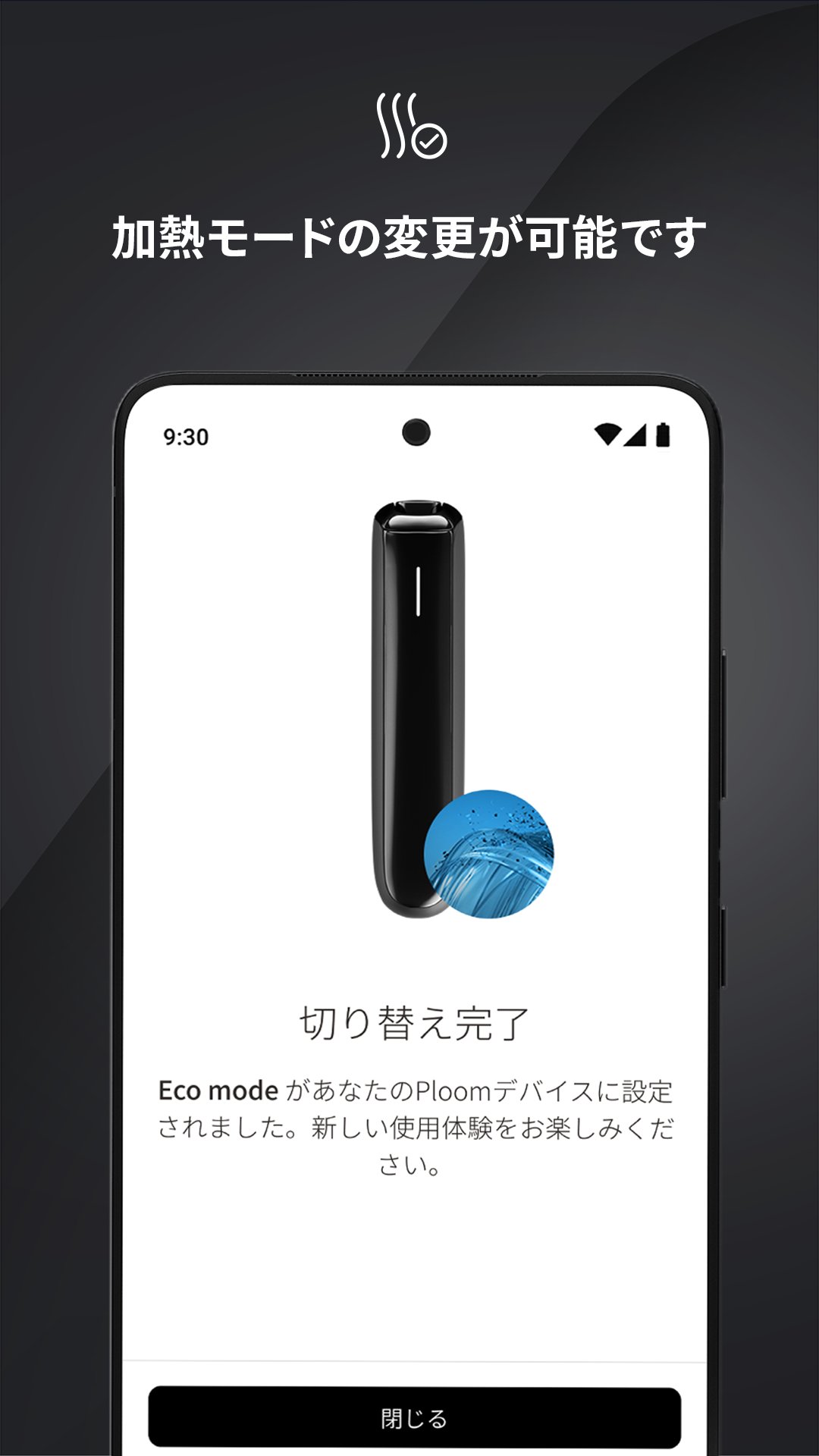
My Ploom lets you choose heating modes, adjust intensity, and set session lengths to match your routine. These controls help tailor the experience to your taste while keeping settings consistent across sessions. Changes apply immediately, so you can fine tune and continue without delay.
Real-time device status at a glance
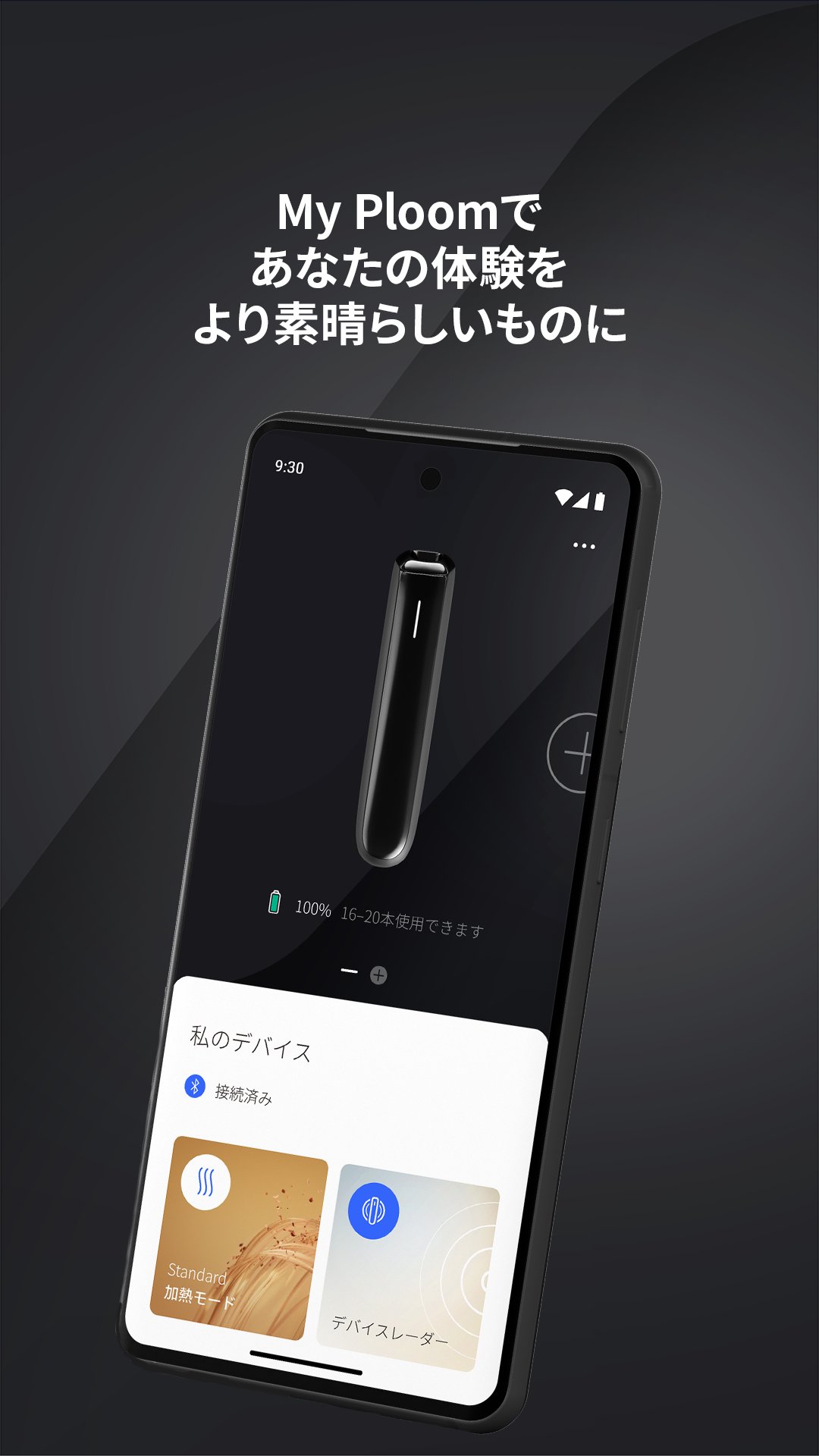
You see battery level, performance indicators, and security status in one place. This overview helps decide when to charge and confirms your device is working as expected. Alerts guide you if attention is needed, which keeps usage predictable day to day.
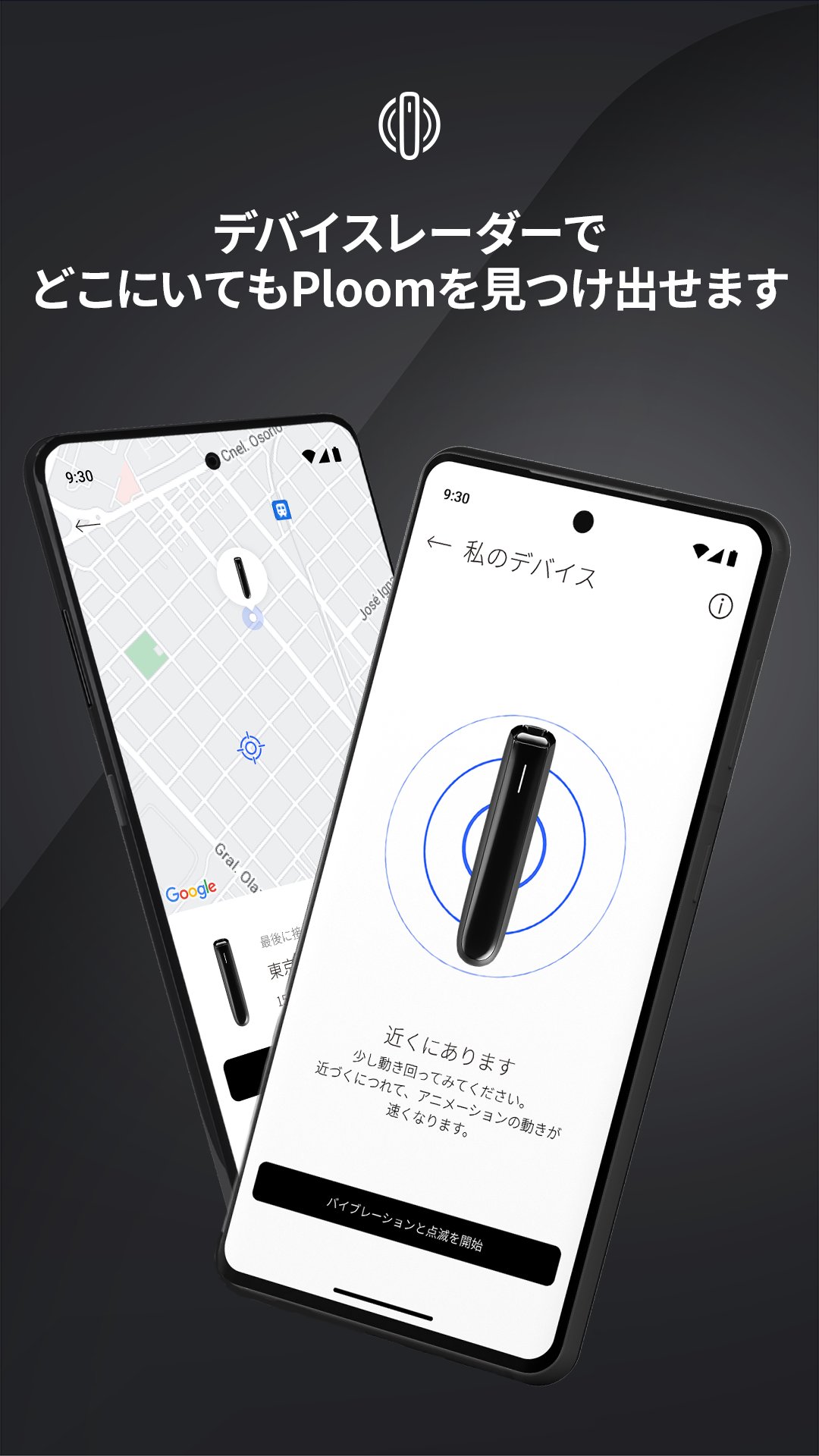
Device Radar for finding your device
My Ploom shows the last known location and helps detect your device when you are nearby. The radar view guides you with proximity cues, so you can move around and watch signal strength change. This tool is useful after misplacing the device at home or in familiar places.
Direct device updates and security
The app delivers firmware updates to keep features current. My Ploom handles the process on your phone and confirms completion when finished. Regular updates support stability and security, which helps your Ploom device stay reliable over time.
If you use iPhone, install the Bluefy Web BLE Browser first. Then open app.ploom.com in Bluefy to access the My Ploom iOS web-app and follow the prompts to connect your device. Availability may vary by region and is currently offered in non‑EU countries. Feature behavior is similar to Android, and Bluetooth requires Bluefy on iOS.
A Ploom account is required to log in and manage your device. SMS one-time code login is planned, which will simplify access for users when it becomes available. For setup help, visit the official app page for pairing videos and FAQs. Ploom Care offers live chat, phone, and message options for real-time assistance if you encounter issues.
My Ploom is intended for adult smokers only. Nicotine is addictive, and usage should follow local regulations and product guidelines. Keep devices and accessories out of reach of minors.
This quick guide helps you connect and control your device with clear steps. It covers pairing, basic settings, and status checks for daily use with the My Ploom APK.
My Ploom provides clear controls and status for Ploom AURA and compatible devices. Manage pairing, preferences, and updates in one place on your phone, and check the My Ploom latest version when updating.
For official details and guidance, visit the resources below.
Latest Version
1.1.5Uploaded by
Faran Faran
Requires Android
Android 7.0+
Category
Free Tools AppContent Rating
Mature 17+
Security Report
Report
Flag as inappropriateLast updated on Mar 30, 2026
ホーム画面ウィジェットを追加しました
・My Ploomの一部機能を、スマートフォンのホーム画面から利用できます
・ウィジェットから、電池残量・使用可能本数・設定中の加熱モードの確認や、加熱モードの変更が行えます
複数デバイスをお持ちの方は、デバイス詳細からウィジェットに表示するデバイスを選択できます
・ウィジェットの追加方法は、お使いのスマートフォンに応じてご確認ください


APKPure - A multi-platform app store primarily focused on Android, providing extensive app-related content. Discover the app you want easier, faster, and safer, with quick and efficient downloads and installations.