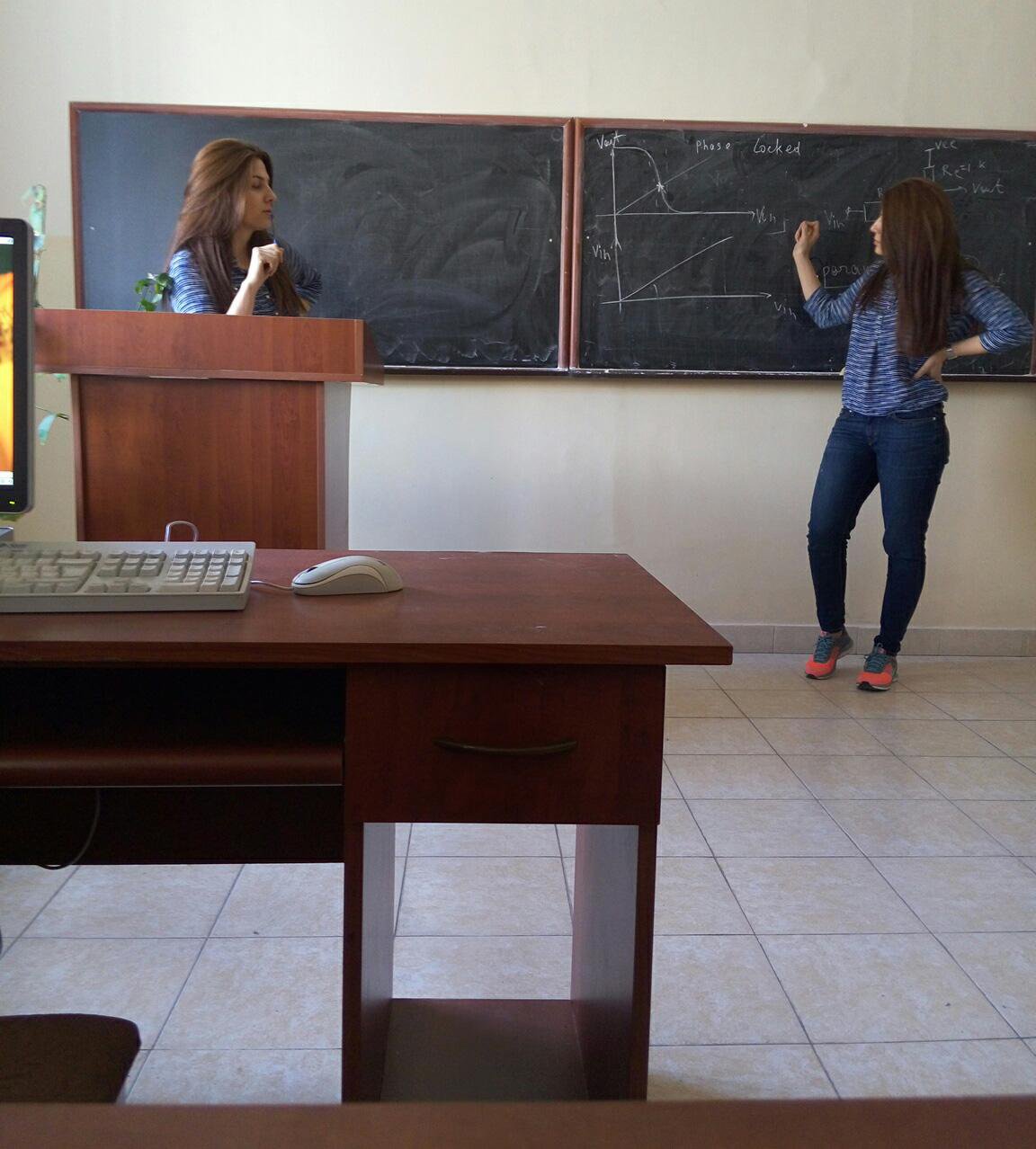
Use split camera things cloning application to create cool photos where same thing or same person is twice in one photo. Create split pic where there are two of your same friend. It is very easy to create clone pictures e.i. picture which contains two of same thing or two of same man. Split camera creates two different poctures of same scene and than merge them. Two of that pictures are split pictures which after capturing second split photo are going to merge and the result will be cool clone picture. But user should be a little bit careful during split photo capturing.
Please read instruction to make split photos without any deflections and defects.
As mentioned above application captures two different photos of same scene and than merge them. If you want to capture one photo which contains two of the same thing of person you should put that thing on the left of scene or ask your friend to move left side to be visible in split camera visible scene left half. Then user should press on capture button to get left part of split photo. After capturing it user should not change camera position. Thing which user want to clone or your friend should move right part. User should press on c apture button once again. Application will merge that two photos with some transparency. If user who have pressed on capture button twice did not changed camera position after first split photo shoot will get well done clone photo without deflections.
But it is impossible to shoot clone photo without deflections. Fot that reason split camera split pic application contains tools to minimize split pic deflections. Application provides photo brightness increase, brightness decrease, move left, move right, up and down buttons to change split pictures left part to get split photo with minimum deflections.
Application is very good to clone yourself, multiply yourself, clone friends, create twins, create two of same thing in one photo and application does not limit clone man position in photo, clone photo scene.
Split picture camera does not mirror photo. Split pics clone camera split screen and after capturing split pics merges them to get multi photo.
- Clone yourself camera
- Brightness adjustment
- Split pics
- Create twins
Versi Terbaru
1.0Dimuat naik oleh
Haji Waheed Penjaro
Memerlukan Android
Android 2.3.2+
Category
PERCUMA Hiburan APLIKASIPenilaian Kandungan
Everyone
Laporkan
Tandai sebagai tidak sesuaiLast updated on Apr 14, 2016
Versi ini mengandungi pembaikan pepijat kecil dan penambahbaikan umum. Kemas kini kepada versi terkini untuk pengalaman terbaik.




APKPure - Sebuah gedung aplikasi berbilang platform yang tertumpu terutamanya pada Android, menyediakan kandungan berkaitan aplikasi yang meluas. Temui aplikasi yang anda mahukan dengan lebih mudah, pantas, dan selamat, dengan muat turun dan pemasangan yang cepat dan cekap.