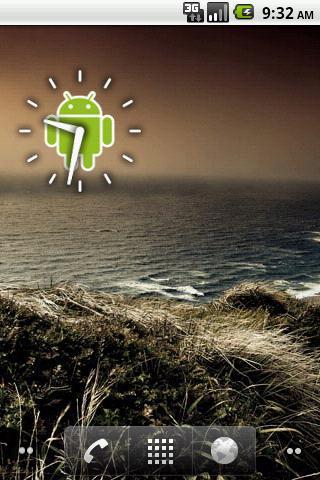
Robot Clock widget. Pressing this widget allows to set alarm clock. Setting alarm clock may be not available to some Android Devices. Every Manufacturer has different Standard Alarm Clock.
If you find an error or have any questions, write me an email.
After installation, you must manually add the widget to the home screen.
How to add widget to the home screen:
1.On your home screen of your Android device, tap any blank or "empty" area and hold down your finger.
2.The "Add to Home screen" window will appear. Tap on "Widgets".
3.List of all the installed Widgets on your Android device will appear.
4.Select the widget to add to your home screen.
Note: On Android Ice Cream Sandwich add widget by selecting icon widgets menu near apps menu.
Versi Terbaru
1.2Dimuat naik oleh
Miguel Angel Navas Castro
Memerlukan Android
Android 2.1+
Category
PERCUMA Pemperibadian APLIKASIPenilaian Kandungan
Everyone
Laporkan
Tandai sebagai tidak sesuaiLast updated on Oct 31, 2015
App name changed



APKPure - Sebuah gedung aplikasi berbilang platform yang tertumpu terutamanya pada Android, menyediakan kandungan berkaitan aplikasi yang meluas. Temui aplikasi yang anda mahukan dengan lebih mudah, pantas, dan selamat, dengan muat turun dan pemasangan yang cepat dan cekap.