

Package Name:operavpn.app
SHA-256:3733948ba5607c9b43345edcac545b280443ad3877d4b6309ed9b83ef5f08283
Show More

Karing VPN focuses on simple, everyday protection whether you are at home, on public Wi‑Fi, or traveling. It aims to keep your connection steady while you browse, use social apps, message, and watch video. The app reduces friction during setup so you can get online quickly with less hassle. If you prefer direct installation on your device, many users look for the Karing VPN APK to start using it right away.
Quick connect with one tap
Karing VPN keeps the connection process clear and short. You open the app and connect with a single tap, without navigating complex menus. There is no lengthy signup step that slows you down. This helps new users get started smoothly.
Fast connection for browsing and video
You can connect to a server in seconds and then move between apps without pauses. This speed supports everyday tasks like reading news, loading social feeds, and watching short videos. As a result, switching from one app to another feels consistent. The app is built for frequent on-the-go use.
Stable performance across apps
Karing VPN is designed to maintain a steady connection while you use social media, messaging, and video apps. It focuses on consistency so you do not have to reconnect as you open different services. This stability helps keep chats and streams going. It also reduces interruptions during routine tasks.
Global server selection
When you need a different location, you can open the server list and pick a region that fits your situation. The list is simple to scan so you find a match quickly. After choosing a server, the app reconnects and confirms your new status. This flow suits both quick checks and longer sessions on Karing VPN Android devices.
Added protection on public Wi‑Fi
Karing VPN adds a layer of protection when you connect in places like cafés, airports, and hotels. It helps keep your personal data more private on open networks. The app also provides a clear status so you know when the connection is active. This is useful for travel days or remote work in shared spaces.
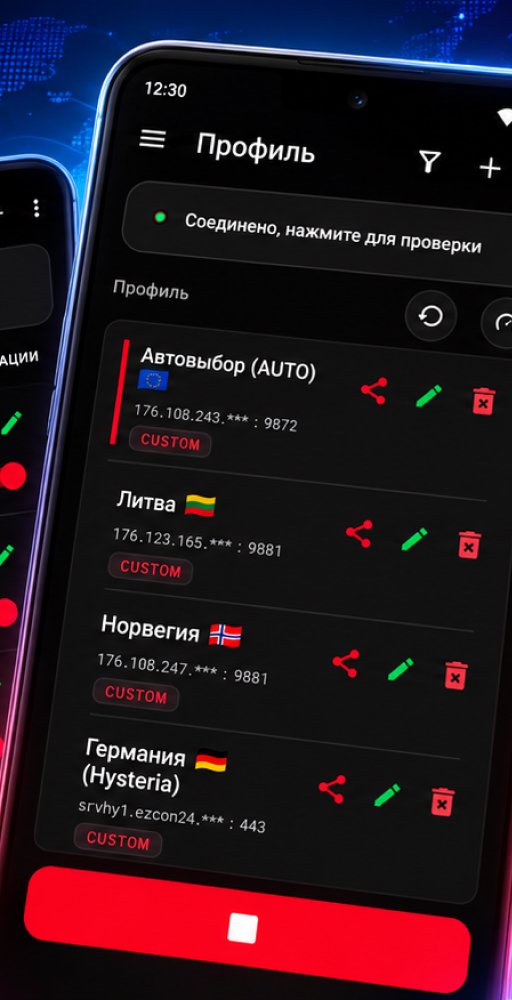
Karing VPN is built for one tap use and straightforward server selection. It is not a configuration tool for advanced proxy protocols or rule managers you may see referenced under similar names elsewhere. Expect a clean layout with a central connect button, a visible server list, and a status indicator such as Connected or Protected on Wi‑Fi. This focus on simple setup and everyday reliability helps users who want privacy without technical steps.
This guide shows the basic flow from first open to daily use. It highlights the core actions you need for a steady connection, from picking a location to disconnecting when finished. To begin, download Karing VPN and follow the steps below.
Karing VPN offers a simple way to connect quickly, choose a location, and keep your activity more private on public and home networks. It focuses on steady performance for daily tasks without complicated settings. For those seeking the Karing VPN latest version, this straightforward approach supports consistent use across your apps.
Latest Version
0.6Uploaded by
Prince Khatlake
Requires Android
Category
Free Tools AppContent Rating
Everyone
Security Report
Check Now
Report
Flag as inappropriateLast updated on Oct 18, 2026
Karing VPN





APKPure - A multi-platform app store primarily focused on Android, providing extensive app-related content. Discover the app you want easier, faster, and safer, with quick and efficient downloads and installations.