Advanced file explorer and manager app with a focus on functionality and ease-of-use through a minimal, clean, modern user interface. No strange permissions required; only access to your external storage to manage files and network to allow file transfers.
New
+ Support for older versions of Android also
+ Download or stream files from your device by scanning a QR code
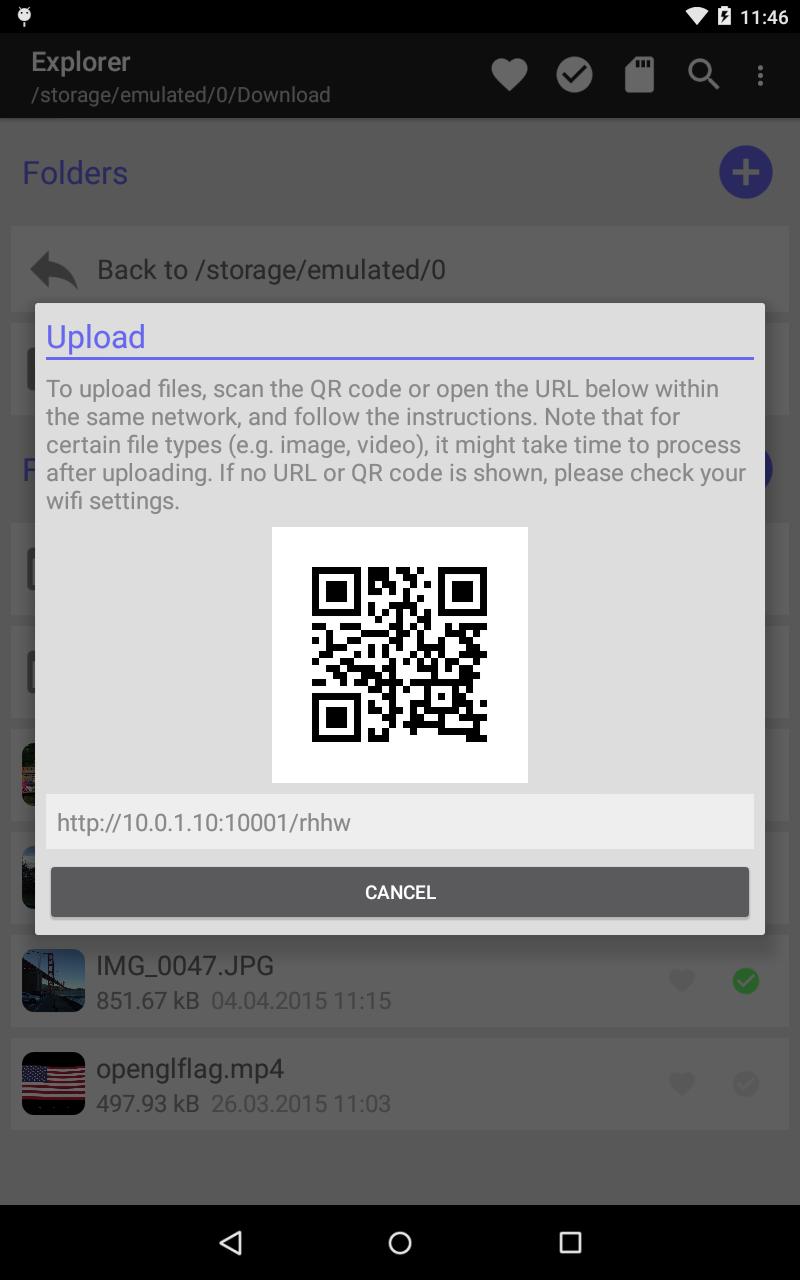
+ Upload files to your device by scanning a QR code
Features
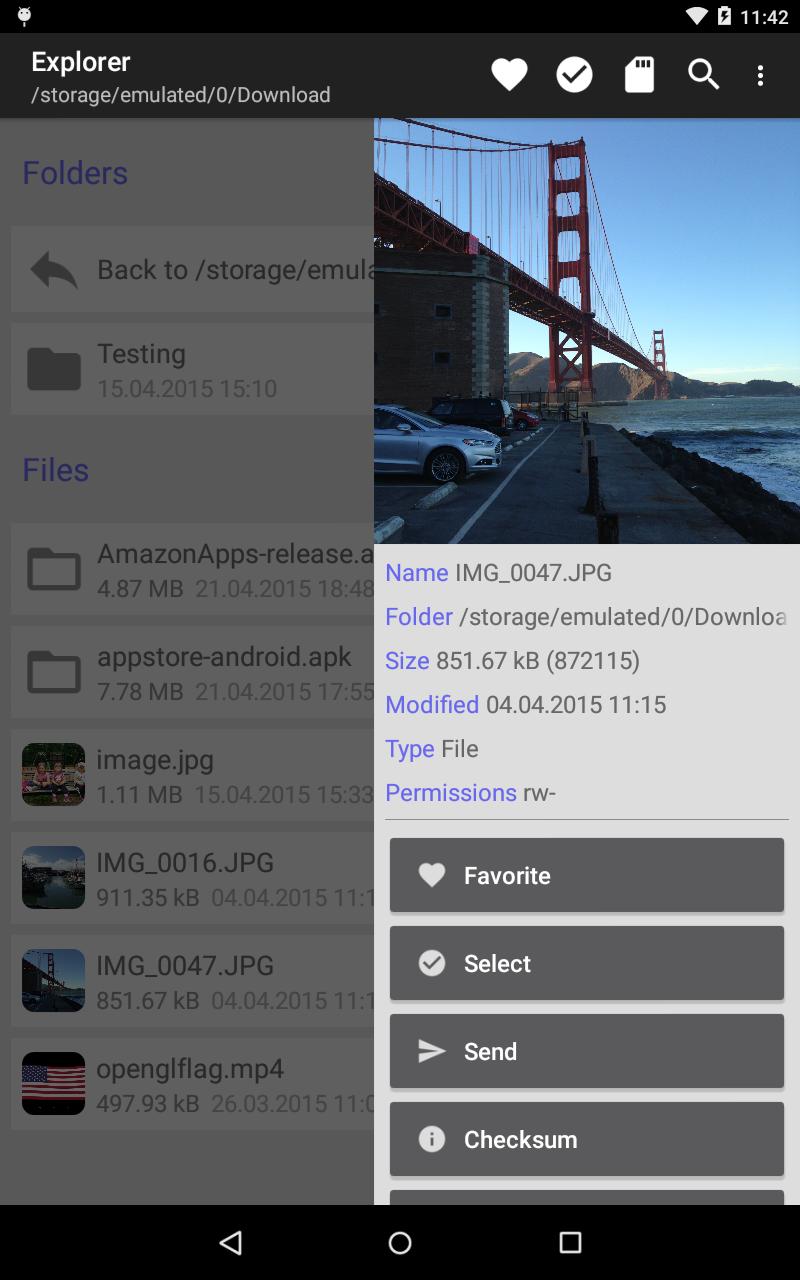
+ Browse the files on your device
+ Save files or folders as favorites
+ Preview supported image and video file types
+ Basic file operations; rename, copy, move, delete and archive (including folders)
+ Select files and apply batch operations; copy, move, delete and archive (including folders)
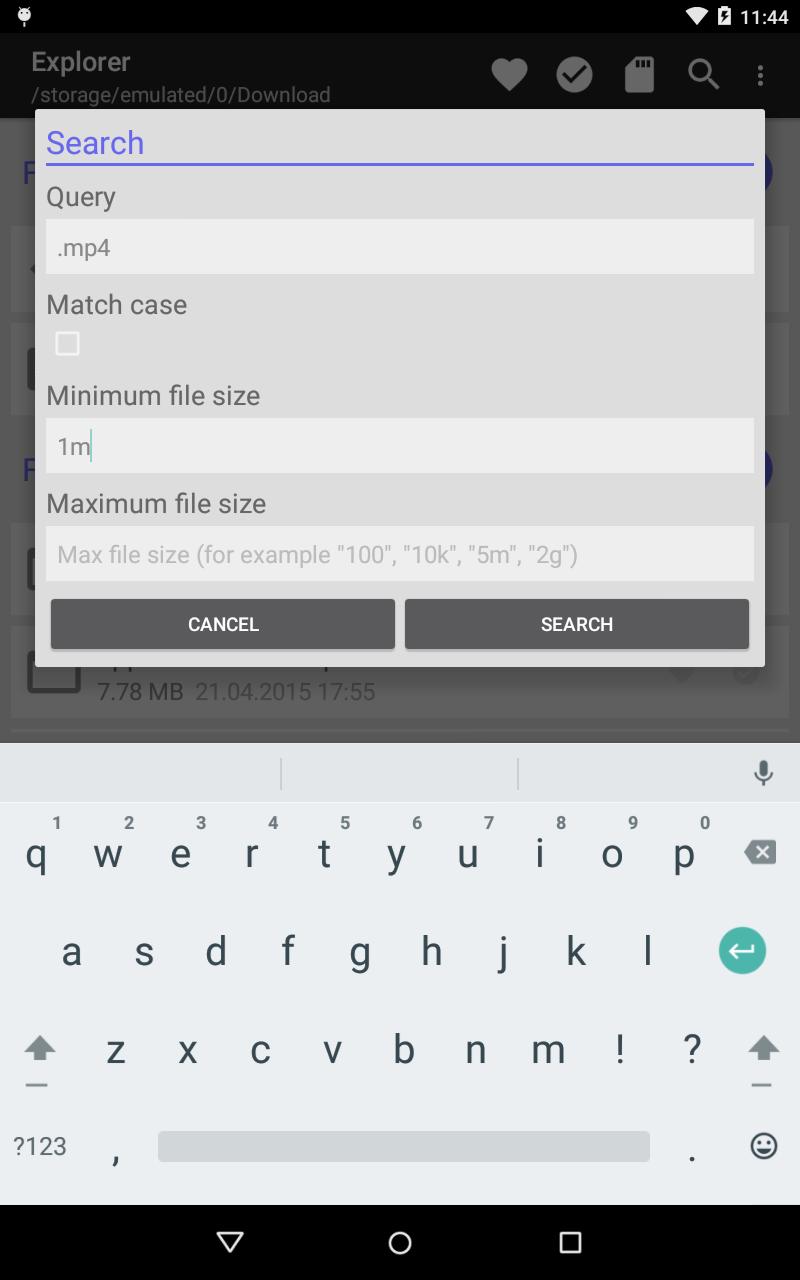
+ Search for files
+ Open known file types
+ Send files to other applications
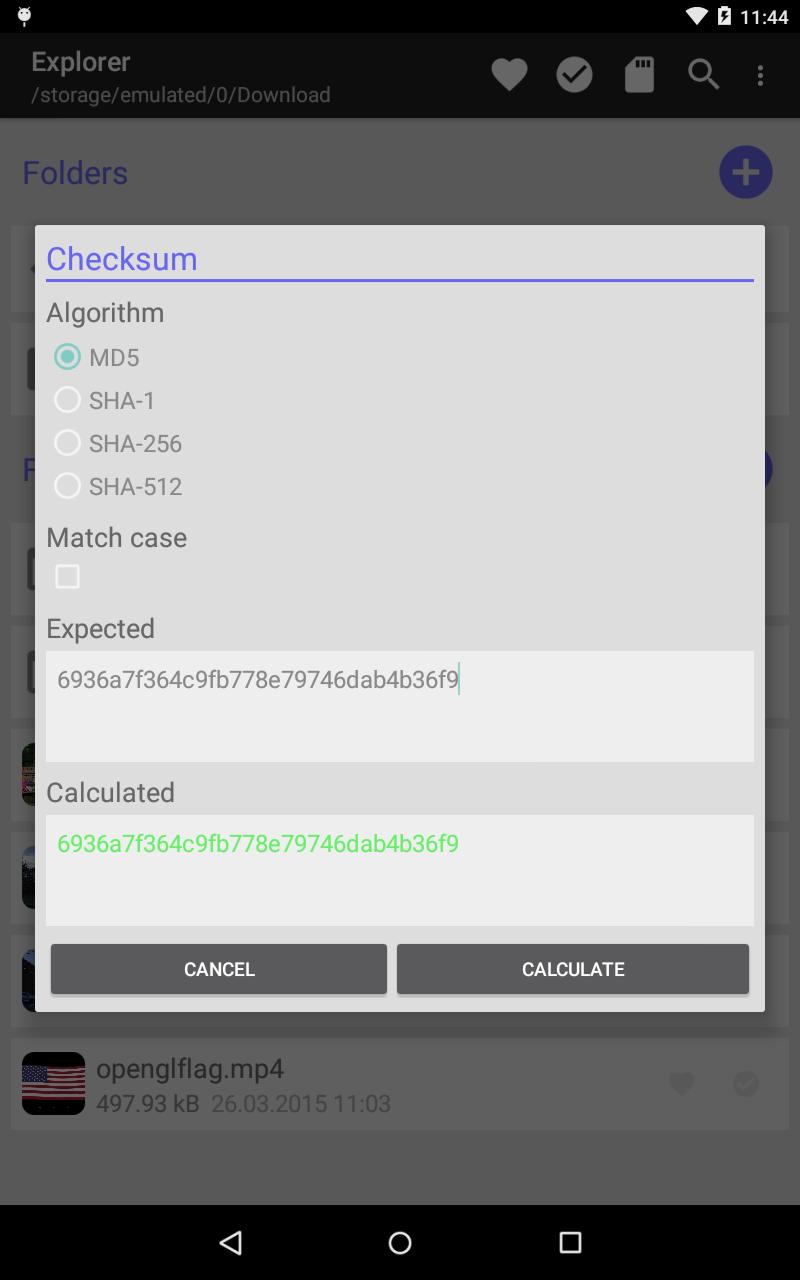
+ Calculate and compare integrity checksums
+ Create and extract ZIP archives
+ Sort files by name, size or last modified time
+ Download or stream files from your device (within same network)
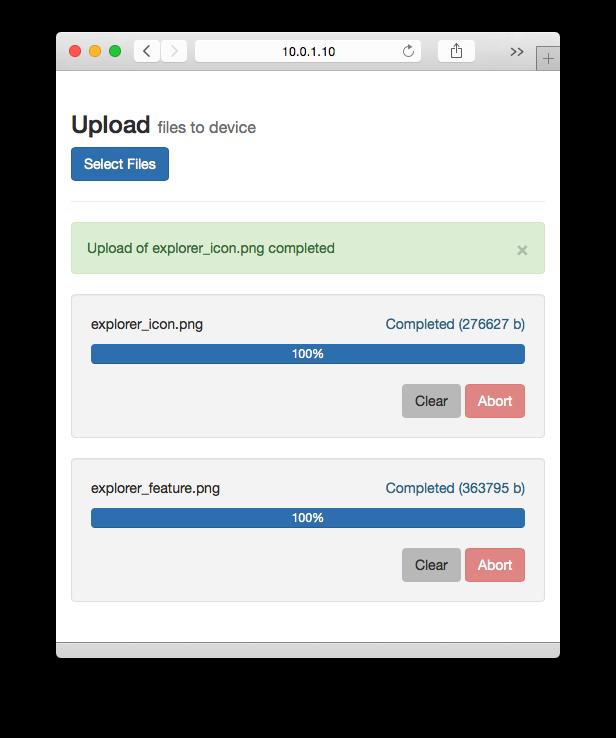
+ Upload files to your device using a web browser (within same network), no need for any cables or extra software
Tips
+ To find out your largest files, first define your sort (sort by size, order descending), then open search, leave the query empty and only specify a minimum file size (e.g. "10m")
+ To share a picture or video to another device within the same network, select "Download from device" and share the generated QR code
+ The same feature can be used to show images on your smart TV or streaming video to your laptop (for example using VLC player) by opening the short URL
+ To upload files to your device, select "Upload to device", open the web page using the URL provided, and just select the files to transfer (multiple files supported)
FAQ
Q: Why is my image/video not viewable right after uploading ("media not found" when trying to open)?
A: This is most likely due to the media scanner in Android; it might take some time before it picks up and processes the file and makes it available. You can refresh the file listing after a while, and try again. We will look into forcing a scan for certain file types immediately after upload to improve this.
Q: Why is the file size and checksum different between my original and uploaded video? The video seems to play correctly however.
A: Not 100% sure, but this could also be due to the media scanner processing and trying to optimize the file to save space. The same thing seems to happen for example when downloading certain videos from Google Drive to your device storage.
Q: I can't seem to be able to write to my SD card?
A: This issue was resolved in release 0.3.0, please update. Additionally, if you want access to a secondary storage, please select it first from the main menu under Select Storage. This will give the app read/write permission for the storage, after which you can manage files there normally. The permission is persisted, so it needs to be done only once per storage. Furthermore, subdirectories don't need to be selected, the permission includes those automatically.
Q: Can I upload multiple files at once?
A: Yes, the browser's file chooser is configured to support multiple selections. For example on a Mac, just hold down the shift key to select multiple files.
Q: Can I download multiple files at once?
A: Yes, but with a slight workaround. You can select multiple files on your device, create an archive, and then download the archive.
Q: I seem to be having problems uploading files using device X and browser Y?
A: The upload feature was designed to be used from a desktop browser, and has been tested with late versions of Chrome, Safari and Firefox. It is standard HTTP, CSS and JavaScript, so it should work on any modern browser. Please note that an internet connection is required to load stylesheets and javascript though. Additionally, in some special environments, the file selection or HTTP PUT method may not be supported.
Versi Terbaru
0.3.2Dimuat naik oleh
Đinh Ngọc Huy
Memerlukan Android
Android 3.2+
Category
PERCUMA Alatan APLIKASIPenilaian Kandungan
Everyone
Laporkan
Tandai sebagai tidak sesuaiLast updated on Feb 24, 2016
+ Support for older Android versions






APKPure - Sebuah gedung aplikasi berbilang platform yang tertumpu terutamanya pada Android, menyediakan kandungan berkaitan aplikasi yang meluas. Temui aplikasi yang anda mahukan dengan lebih mudah, pantas, dan selamat, dengan muat turun dan pemasangan yang cepat dan cekap.