
Instantly create Magic Movies with Movie Editor
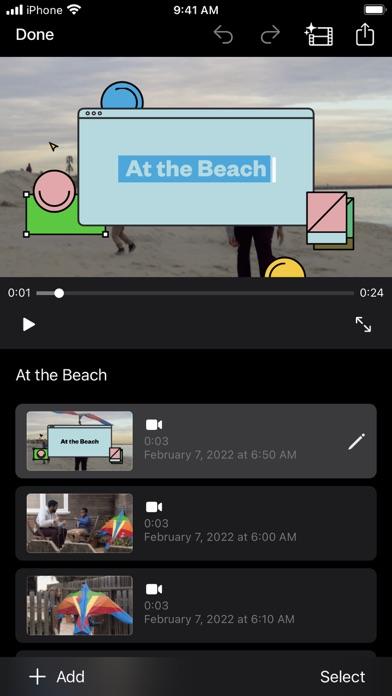
• With just a few taps, you can create and share a beautiful, custom video using Movie Editor
• Select an album or group of videos or images and iMovie will create a video for you—no video editing required—with titles, transitions, and music
• Easily rearrange or delete clips in the simplified shot list using Movie Editor
• Different style to change up the look and feel of the whole video
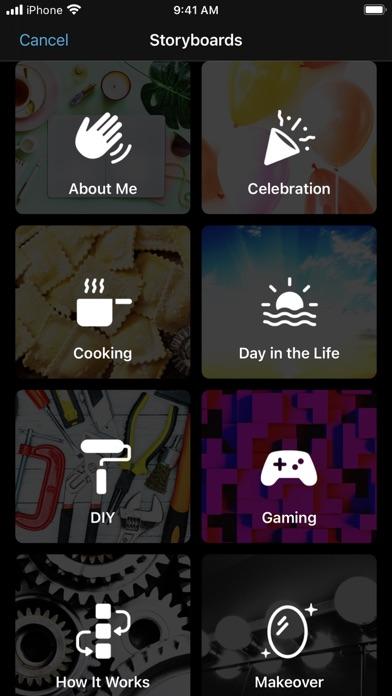
Learn storytelling with Storyboards
• In android iMovie Editor choose from 20 Storyboards that help you get started with popular video types
• Record video or take photos right into each placeholder clip, or add media from your Photos library using Movie Editor
• In android iMovie Editor add, reorder, and delete clips as needed to organize and customize your story
• Apply a dynamic visual style that include title layouts, fonts, filters, color palettes, and music
Make Hollywood-style trailers using iMovie Video Editor
• Choose from 14 trailer templates with stunning graphics and original scores by some of the world’s top film composers using Movie Editor app
• Customize movie studio logos, cast names, and credits
• Select videos and photos for your trailer or record video right in iMovie
Create beautiful movies using iMovie Video Editor
• Choose from 8 unique themes with matching titles, transitions, and music in movie editor app with effects
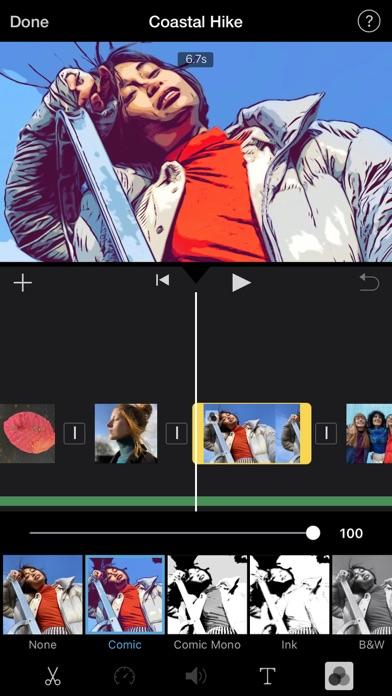
• Give your movie the perfect look with 13 android-designed video filters
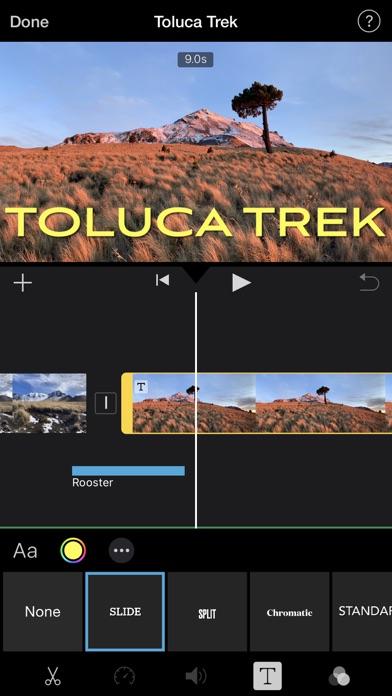
• Using Movie Editor choose from 11 animated title styles like Split, Reveal or Pop-up
• Adjust any title by changing its font, color, size, location, and more in iMovie Video Editor
• Add solid, gradient, and patterned backgrounds to your movie using Movie Editor
• In Movie Editor import and edit video captured in Cinematic mode on android phones
• Add, adjust, and delete focus points and modify the depth of field effect in video recorded in Cinematic mode*
• Easily add picture in picture, green screen, and split screen effects
• Select from more than 130 soundtracks that automatically adjust to the length of your movie
• Add sound effects, songs from your music library, and your own narration
• Connect a keyboard and use simple shortcuts to edit movies quickly
iMovie video editor everywhere
• Transfer projects between your android phones
• Send projects to your android phones to finish editing with iMovie or Final Cut Pro
• Connect an external display to your iPhone or iPad and choose to mirror the iMovie interface or display your video fullscreen while you edit.
Latest Version
1.0Uploaded by
سامي محمد شلفان العلوي
Requires Android
Android 5.0+
Category
Free Video Players & Editors AppContent Rating
Everyone
Report
Flag as inappropriateLast updated on Nov 4, 2022
Minor bug fixes and improvements. Install or update to the newest version to check it out!




APKPure - A multi-platform app store primarily focused on Android, providing extensive app-related content. Discover the app you want easier, faster, and safer, with quick and efficient downloads and installations.










