It is a calculator of money.
For each type of money, you can count the number. Data can be saved. It is possible to hold the screen shot as image data. Operation is very simple.
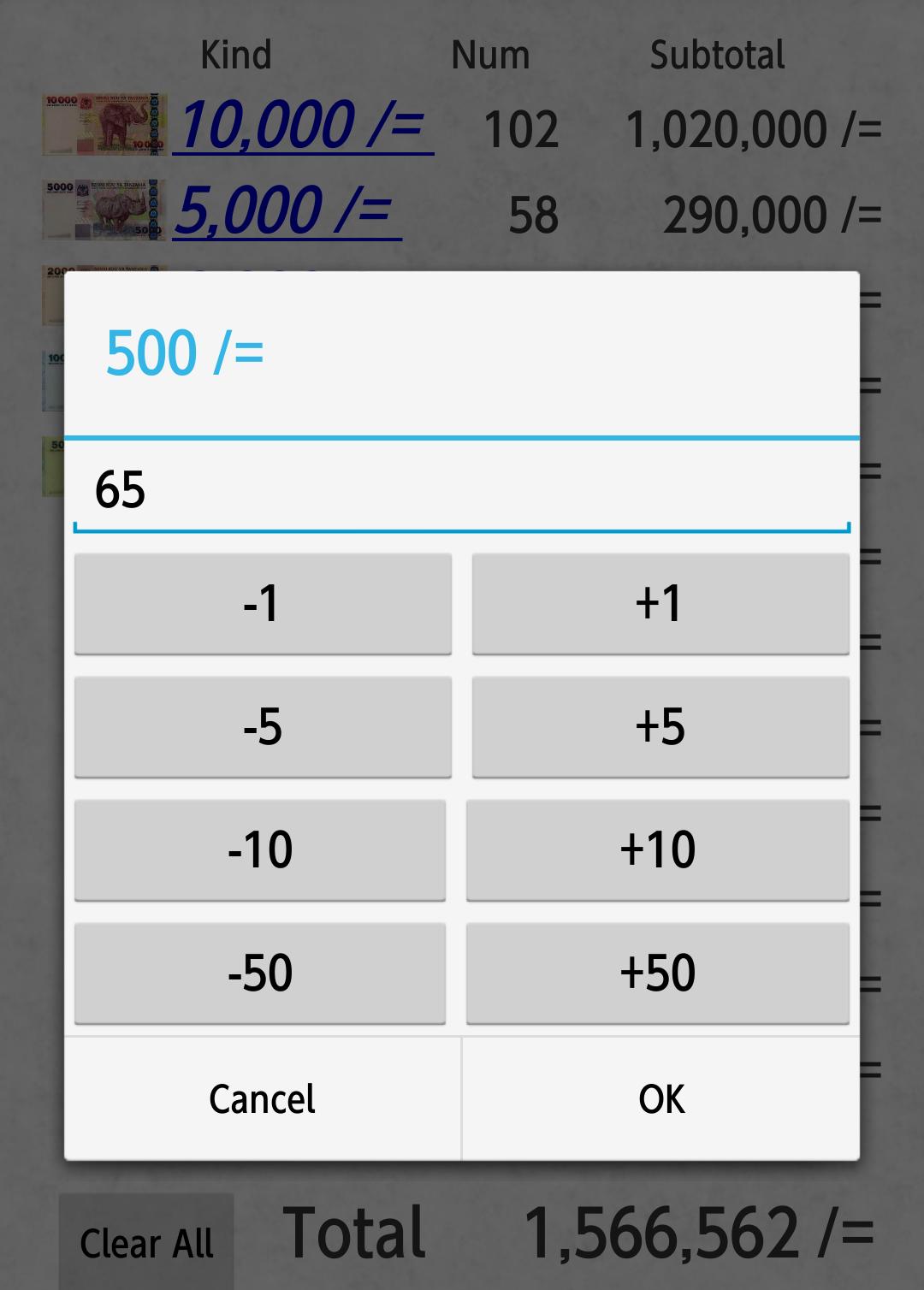
First of all, please press the kind of link of money that you want to record the number. Then, a special dialog where you can easily enter them in one hand a number will be displayed. Please press the OK button to enter the number. Then, the total amount will be calculated automatically.
Repeat this operation, you can calculate the total amount of money at a certain point in time.
When you press the [Clear All] button, the number of all kinds will be 0.
The following three types of functions from the menu button on the terminal is available.
-- Screen shot
-- File save
-- File selection
[Screen shot]
The current screen image, I will hold as an image file.
File will be saved in the "/Pictures/MoneyConterUS/" folder. Part of the "Pictures" can not may differ depending on the model.
The screen shot, shooting date and time will be embedded in the automatic.
You can be held as evidence tampering is difficult.
File name is "MoneyCounter_yyyymmdd_hhmiss_sss.png".
"yyyymmdd_hhmiss_sss" will vary by the date and time they were taken.
"yyyy" is the year. "mm" is the month. "dd" is the day. "hh" is hours. "mi" is minute. "ss" in seconds. "sss" is milliseconds.
Screen shot you have taken, please look at such as another image display application.
[File save]
You may want to save the current state to a file. There is no limit to the number that you can save.
The saved file, from [File selection] menu, you can open, or you can delete.
[File selection]
If you select this menu, you can transition to the list screen of the file that was saved in the past.
Thank you have gotten a look to here.
If you have any bugs and improvement requests, please feel free to comment.
----------------------------------------------------
Jan. 24, 2015 ver1.0 New releases
Mar. 20, 2015 ver1.0.2 changed some of the wording.
Jul. 03, 2015 ver1.0.3 Fixed a bug that can not be operated with Android version 2.3
Latest Version
1.0.3Uploaded by
ဆရာ ေပါက္
Requires Android
Android 2.3.2+
Category
Free Productivity AppContent Rating
Everyone
Report
Flag as inappropriateLast updated on Aug 16, 2016
Minor bug fixes and improvements. Install or update to the newest version to check it out!





APKPure - A multi-platform app store primarily focused on Android, providing extensive app-related content. Discover the app you want easier, faster, and safer, with quick and efficient downloads and installations.