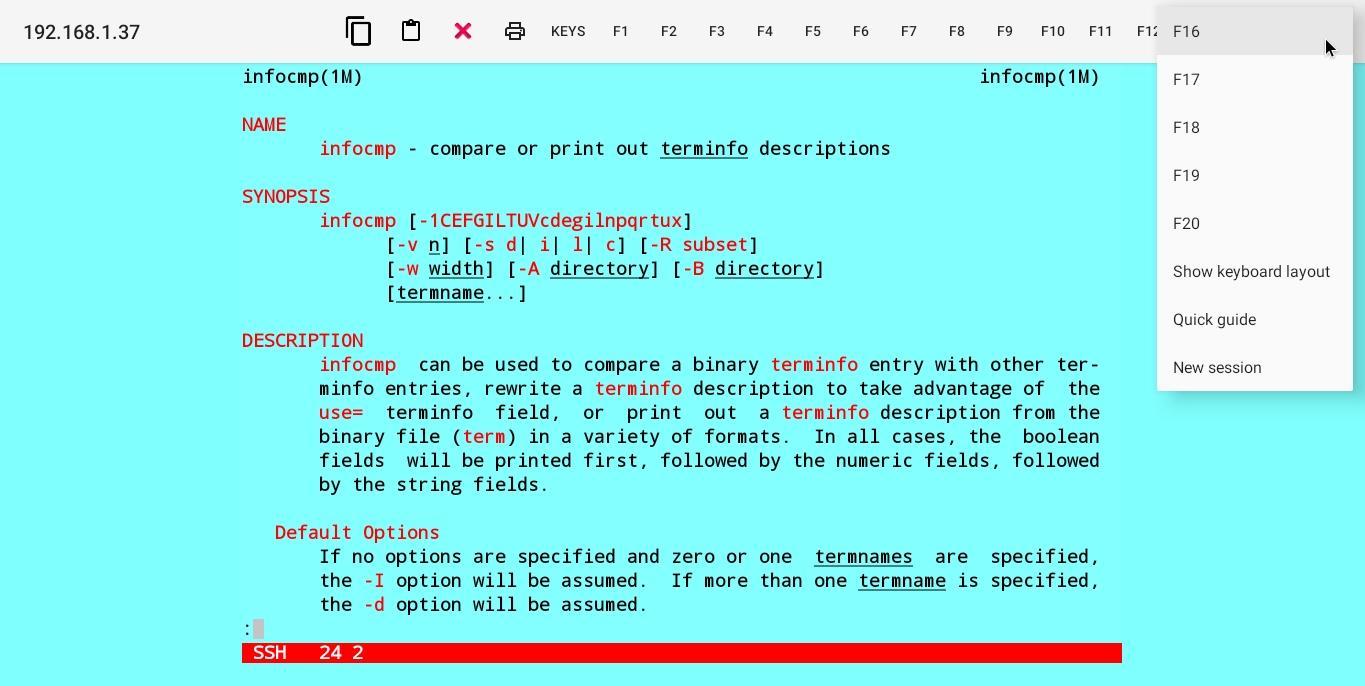
Mocha Telnet makes it possible to connect to a host with the Telnet or SSH2 protocol and emulate a VT220 terminal.
As a start please first try the free lite version.
- Designed for laptop and similar devices with a keyboard.
- Supports a VT220 Terminal in 24x80 character mode.
- Multi sessions.
- Touch screen support.
- External mouse support.
- Functions keys F1-F20 can be part of the Toolbar.
- Autologin.
- Toolbar can be configured.
- Hardware keyboard layout can be configured.
- Clipboard.
Latest Version
1.4Requires Android
9
Category
Communication AppContent Rating
Everyone
Report
Flag as inappropriateLast updated on Aug 9, 2025
Minor bug fixes and improvements. Install or update to the newest version to check it out!





APKPure - A multi-platform app store primarily focused on Android, providing extensive app-related content. Discover the app you want easier, faster, and safer, with quick and efficient downloads and installations.