Package Name:com.rsupport.mobizenauto
SHA-256:0977f9b7f5bb780d921fe9f48e581d8b25e5ab8d0adcf5f7cf39b4bfaaa462bf
Show More

The Top-Rated Mobizen Launched Auto Tap
▶Make your life more convenient and enjoyable
The one-touch virtual button that no other automatic screen clicker app has!
▶Create a custom settings for a wide range of games
Gain a competitive edge in the game and enjoy it more
▶Optimize Auto Tap with different screen configurations and control methods in each game!
▶Intuitive and easy-to-use interface
Use the control bar to browse full features!
▶Highly precise touch functionality
Quickly and accurately execute tasks that users want
▶ No need for a sign up (or login)
▶ Safe and reliable product
Prevent errors that may occur while running the app and is equipped with agile response capability to problems
Get Mobizen Auto Tap to work faster and create a unique personal experience in games, shopping, documents, and social media!
Innovative Premium Features
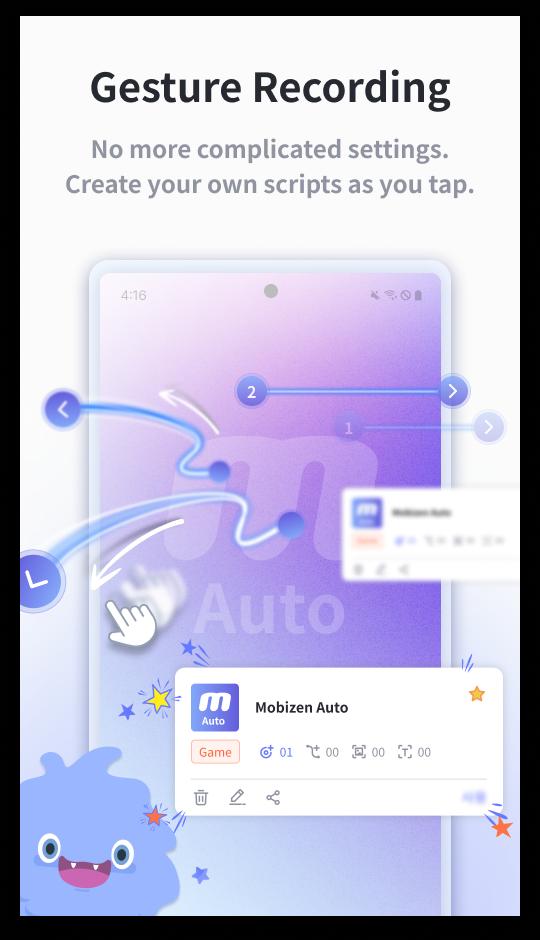
ㆍGesture recording features
“Customize your gestures” as you drag freely, the swiping direction doesn’t have to be in a straight line!
ㆍAutomatically tap your saved images with image recognition
Pop-up buttons and clicks on specific characters are available too!
ㆍTap the text with text recognition
Click to flip through the tutorial by tapping the text
ㆍThe gesture recording, image, and text recognition are all stored in my own scripts
Open them from a list of saved scripts
Save custom touch scripts for each app in use
ㆍMix your scripts!
Combine saved scripts to perform more complex and varied tasks automatically
Maximize Mobizen Auto Tap
ㆍIt comes with Auto Tap and Auto Swiping
Set as many tap points as you like!
ㆍCreate up to 9 tap points
Time delay can be set from a minimum of 40 ms to 9999 ms
ㆍPress and hold on each point for more details
Apply save/delete/cancel, tapping time delay, long press
ㆍRemove and hide points with a single click
Function to erase all content, or delete completely
ㆍOperate simply with the intuitive menu bar
Create your own menu bar as you like
ㆍAll tapping points can be adjusted in the Cycle and Interval Settings
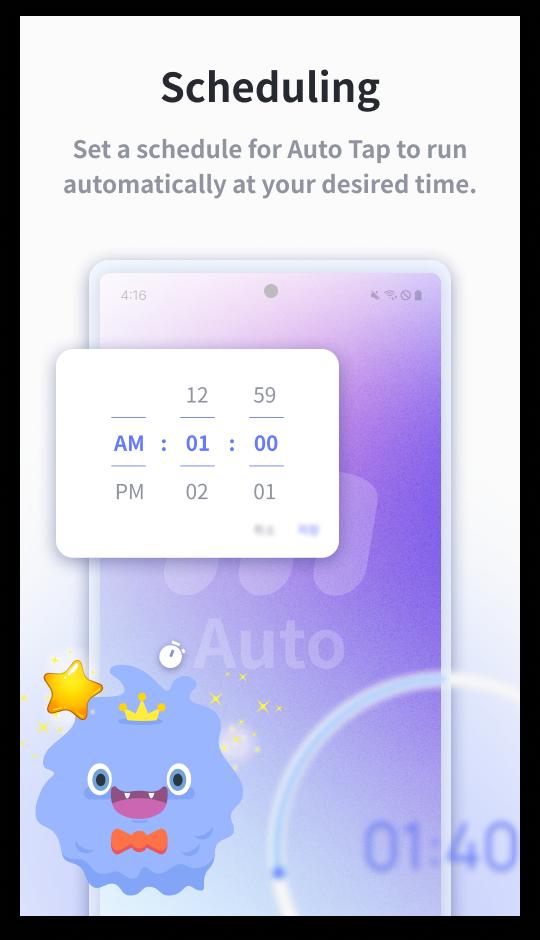
Try the features like Unlimited/Time Limit/Repeat/Random Tap
ㆍProvide a tapping test to set up the cycle and interval
Test it out and customize the settings
Mobizen Recorder Adopts AccessibilityService API To Enable The Auto Tap and Auto Swiping Core Functions
1. Why is AccessibilityService API required?
ㆍThe AccessibilityService API allows to perform features such as Auto Tap and Auto Swiping.
2. Do you collect and/or transmit any personal data using the AccessibilityService?
ㆍNo, we do not collect and/or transmit any personal data using AccessibilityService API.
Download & Try It Now!
=====
ㆍHelp Desk: helpdesk.mobizen.com
ㆍYouTube Channel: youtube.com/mobizenapp
※ App Permissions
ㆍRequired Permissions
-Draw over other apps permission: Allow Draw over other apps permissions to enable Mobizen Auto Tap (virtual button).
-Storage: Used to save the scripts.
ㆍOptional Permissions
-Screenshot: Used for image recognition features.
* Optional permissions are not required to access to the app
* Setting and revoking access permissions is available from Android OS 7.0 or higher.
* For Android OS 7.0 or lower versions, modify the permissions after updating the software.
----
Developer’s Contact :
Tel. 070-7011-3900
11~15F, S-Tower, 10, Wiryeseong-daero, Songpa-gu, Seoul, South Korea, MOBIZEN
Latest Version
1.0.9.2Uploaded by
Rahul Devipujak
Requires Android
Android 7.0+
Category
Free Tools AppContent Rating
Everyone
Security Report
Check Now
Report
Flag as inappropriateLast updated on Dec 11, 2025
A new version has been released.
- Optimized advertising services
- Support for 16KB memory page size (Google policy applied)






APKPure - A multi-platform app store primarily focused on Android, providing extensive app-related content. Discover the app you want easier, faster, and safer, with quick and efficient downloads and installations.