Description
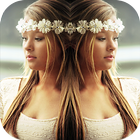
Mirror Photo Effect Editor Tool allows you to add mirror effect in your images. You can create left-right, up-down, reflection, repeating as well as reflection style enabled photos with this photo editor app.
How it Works:
* Select photo from gallery for creating mirror effect
* Resize & rotate the selected image
* Choose the Mirror effect you want to apply to your picture
* Choose shape from available 3D shapes, and can set your photo in that shape.
* Set ratio of your photo as needed.
* More than 20 different mirror effects, shapes and ratio are available for the better editing of photo.
Features:
* Awesome Mirror Effects
* 3D Shapes with Mirror Effects
* Set Own Image Ratio
* Create Mirror Photo From existing Photo
* Easy to Save & Share Mirror Image
Latest Version
1.3Uploaded by
Gabriel Rodrigues
Requires Android
Android 4.0+
Category
Free Photography AppContent Rating
Everyone
Report
Flag as inappropriateLast updated on Mar 28, 2017
This release includes minor bug fixes and general improvements. Update to the latest version for the best experience.




APKPure - A multi-platform app store primarily focused on Android, providing extensive app-related content. Discover the app you want easier, faster, and safer, with quick and efficient downloads and installations.