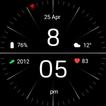
Package Name:com.watchfacestudio.minimalblack1
SHA-256:2f879156d7ade88c6bdcb7d325ba2eeb15fcde11ad2e070a5b53a719d7a120f8
Show More
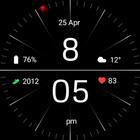
Installing Regarder Minimal Black watch face is easy:
Just open the Mobile Companion app and follow the instructions there.
In case this does not work. You can use a PC and install it from there
If this option still does not work you can install the watch face from your wear OS Device, here are the instructions:
1. On your Wear OS smartwatch, open the Google Play Store.
2. Search for "Regarder Minimal Black" and select the app from the search results.
3. Tap "Install" to begin the installation process.
4. Once the installation is complete, you can find the watch face in the "Watch Faces" section of your smartwatch's settings.
5. Select Regarder Minimal Black as your active watch face.
Latest Version
53.0.0Uploaded by
Lưu Việt Cường
Requires Android
Android 6.0+
Category
Free Personalization AppContent Rating
Everyone
Security Report
Check Now
Report
Flag as inappropriateLast updated on Aug 31, 2025
Minor bug fixes and improvements. Install or update to the newest version to check it out!



APKPure - A multi-platform app store primarily focused on Android, providing extensive app-related content. Discover the app you want easier, faster, and safer, with quick and efficient downloads and installations.