
Overview ✨
Middle Monitor is your network's watchdog—see exactly what every app is doing online, instantly. Just open the app and watch real-time traffic, no tech skills needed!
🔍 Feature Highlights
🔸 Designed by browser experts: No interference with browsers, no duplicate traffic
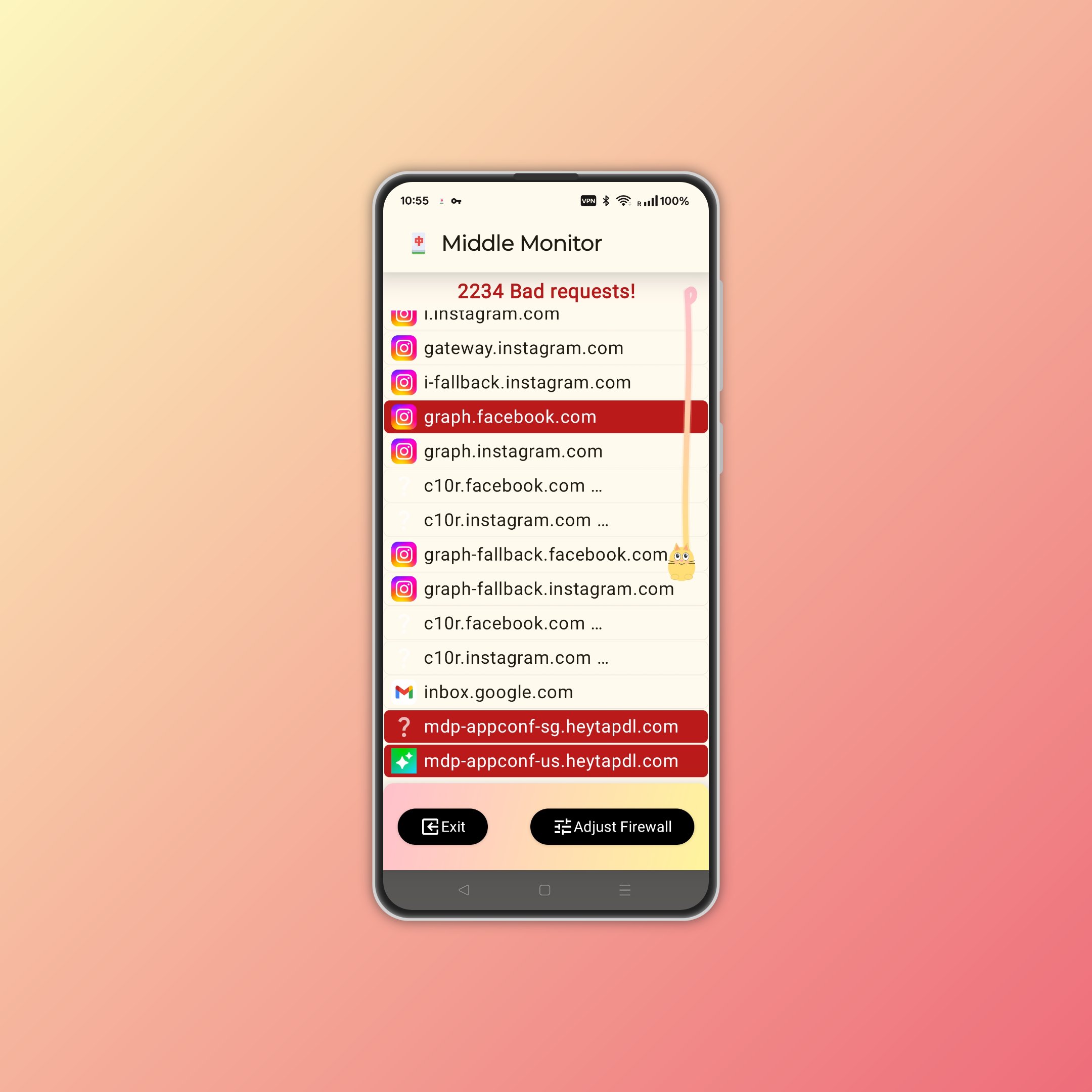
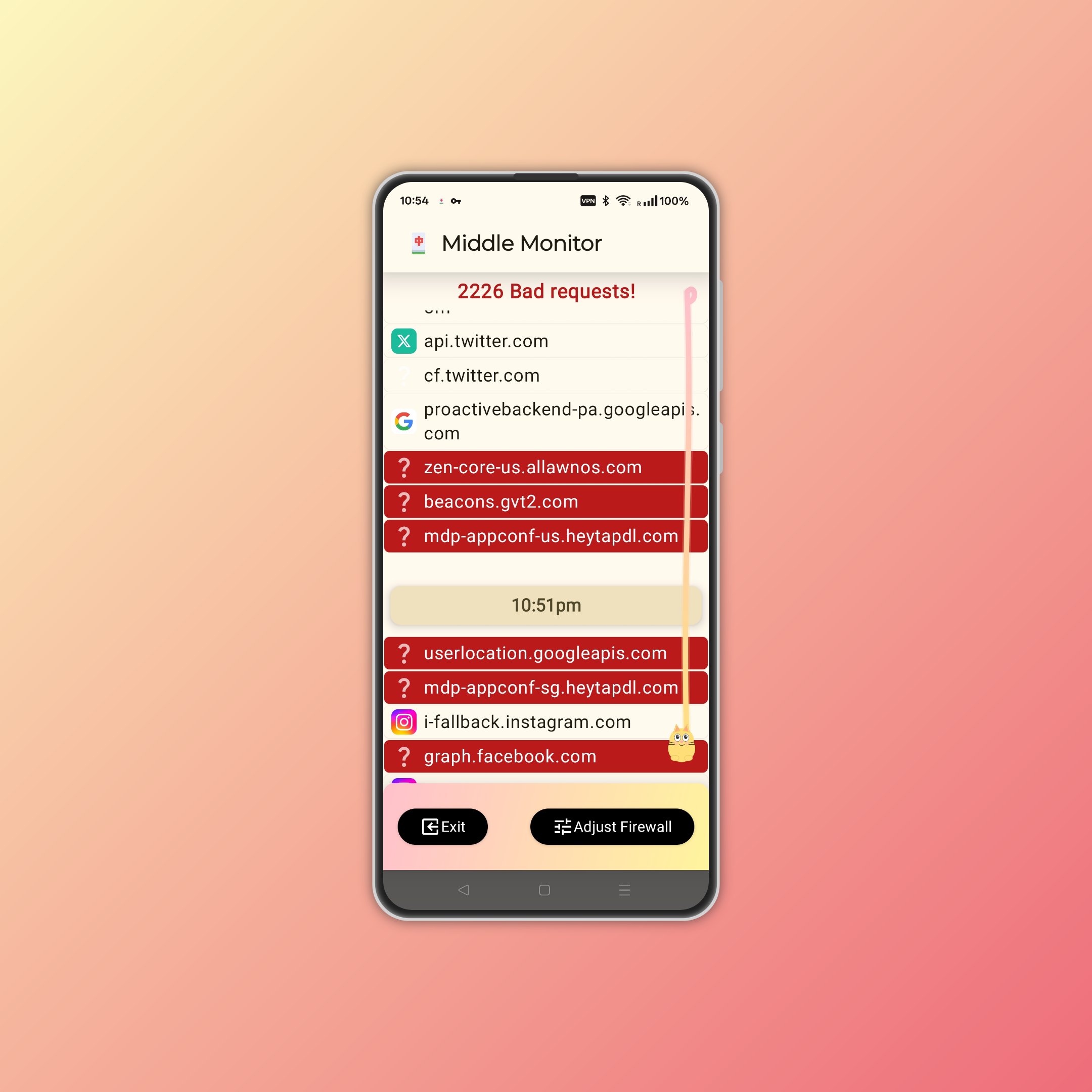
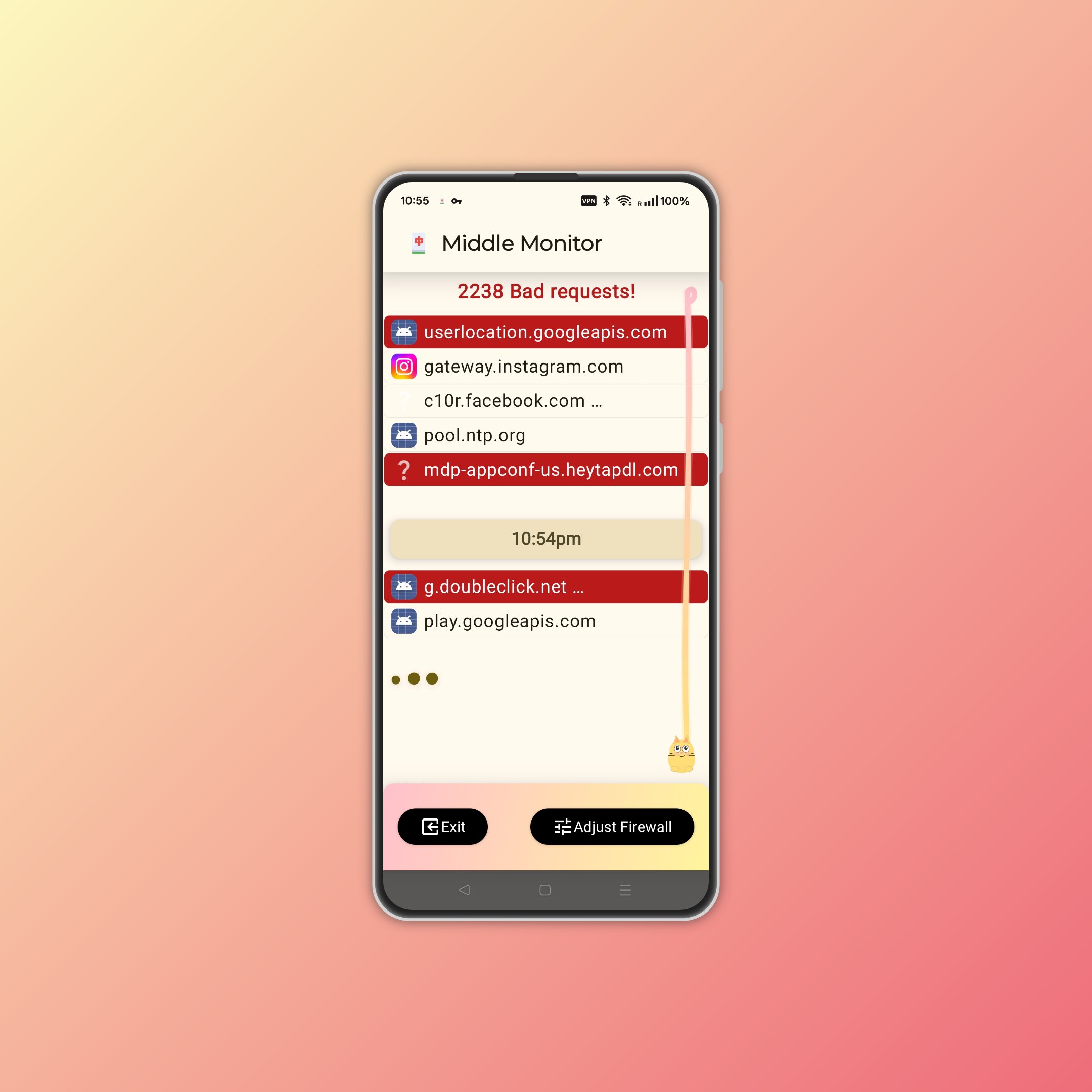
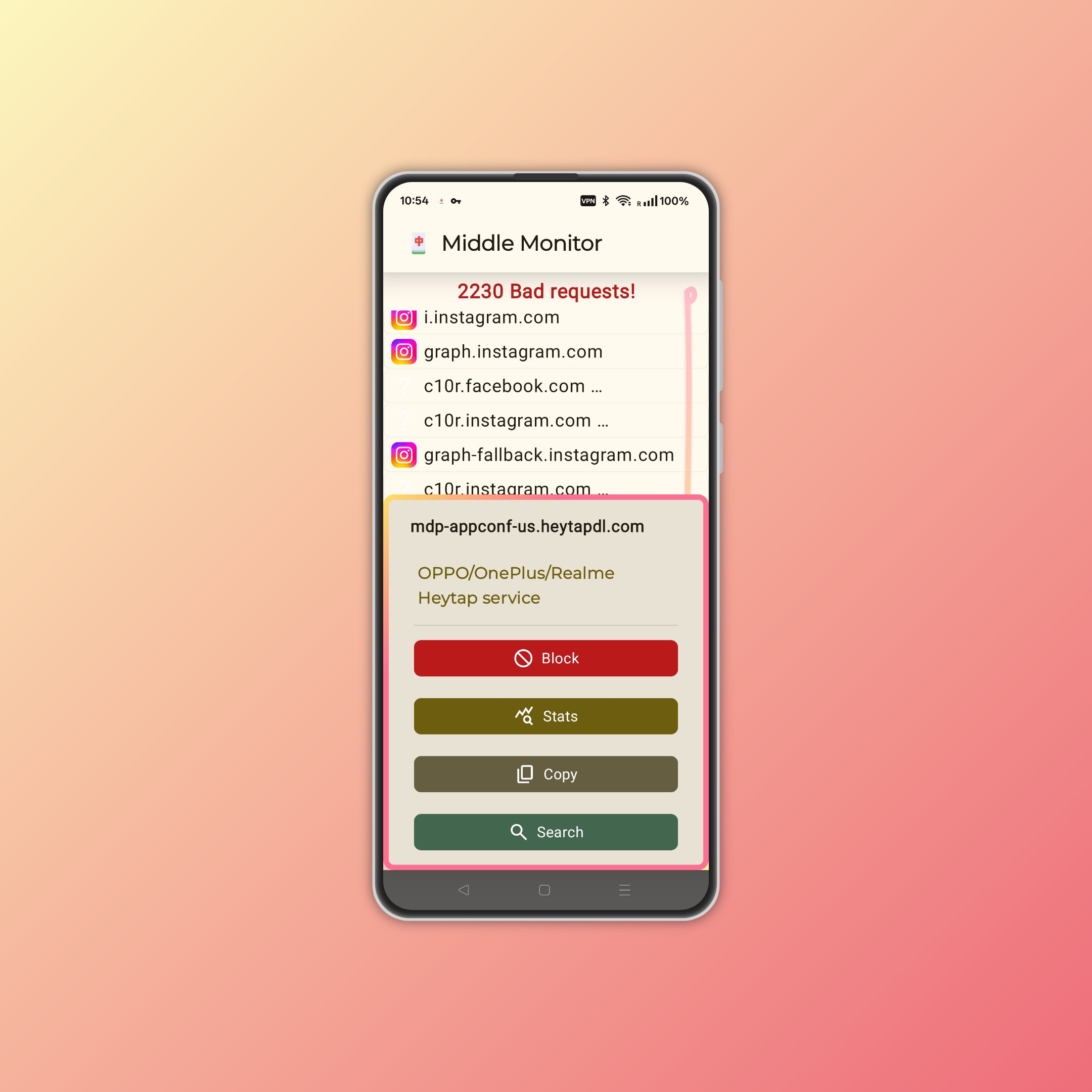
🔸 Live monitoring for all apps—see icons, addresses, and activity grouped by minute
🔸 Smart alerts: Suspicious requests flagged in red, with stats
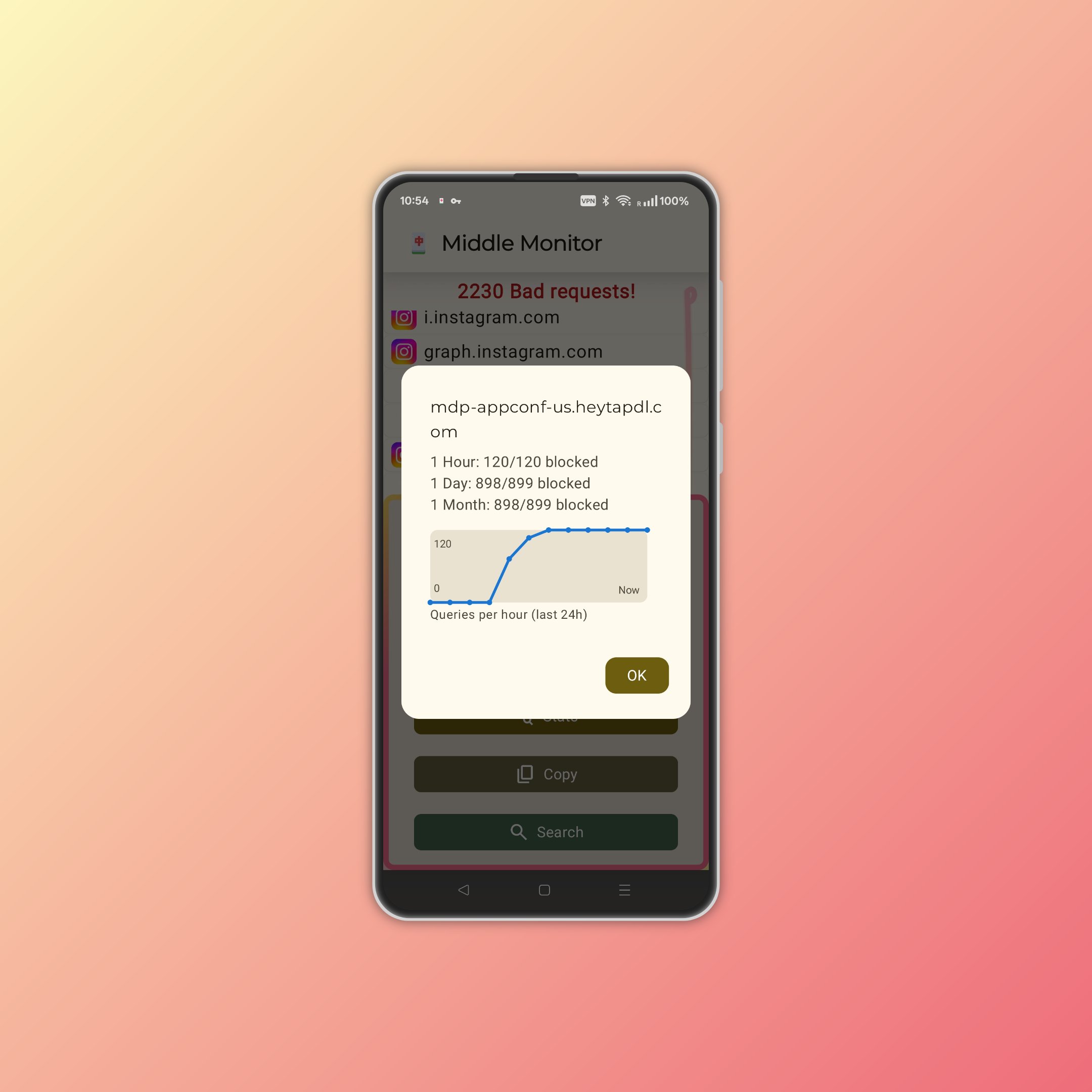
🔸 Tap any log for full details: address, analysis, instant actions, frequency charts, and trends, how often a hostname was contacted or blocked (hour, day, month)
🔸 SelfReason network intelligence explains what each request is about (if in our database).
🔸 Ultra-lightweight (~6MB), battery-friendly, no root required
🔸 Auto-speedup: Finds and switches to the fastest DNS automatically
🔸 100% privacy-first: No tracking, your data stays on your device
🔸 Uncover hidden connections—see what every app is really doing online.
🔸 Can run as a router to monitor and optimize your entire home or office network
⚙️ How to Use
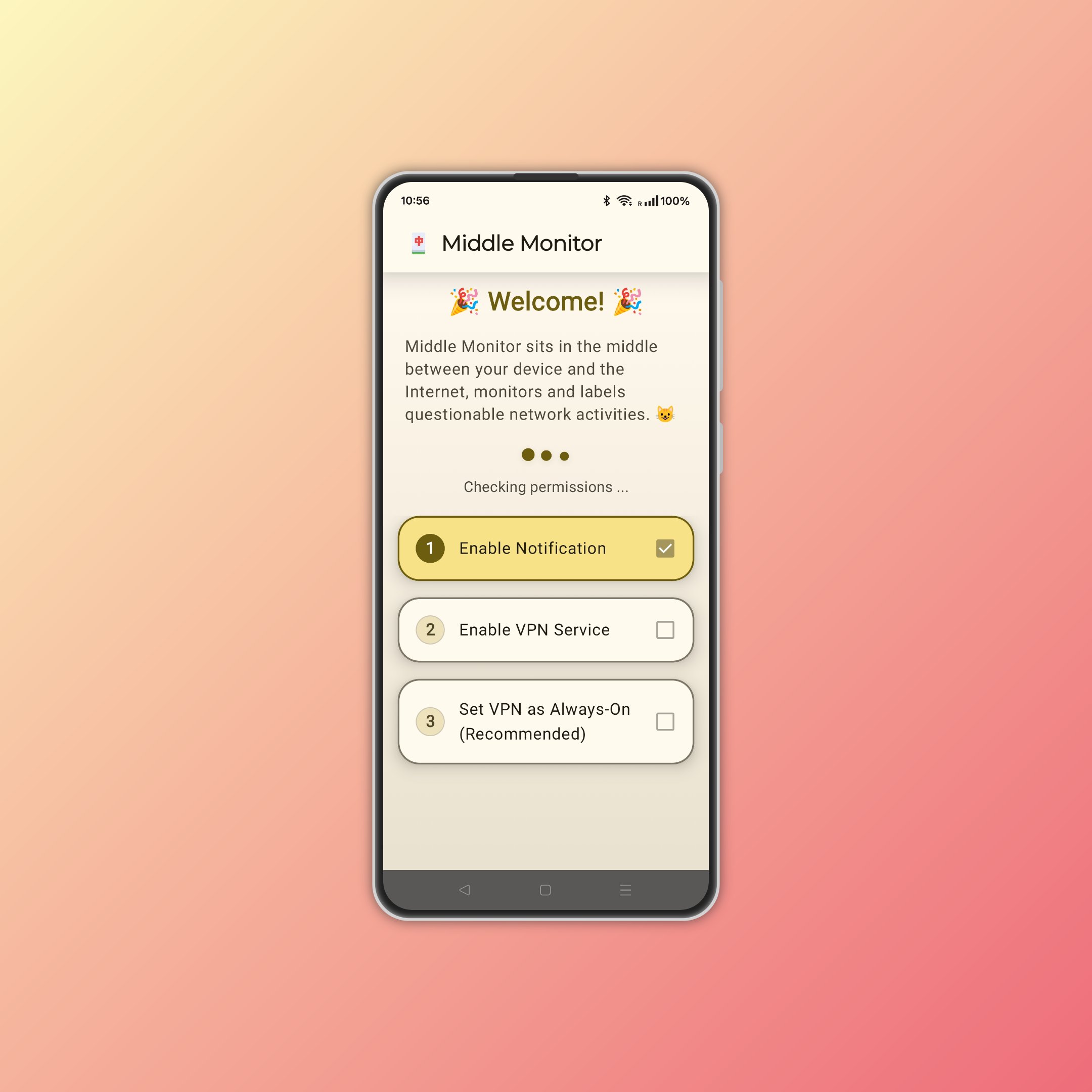
🔸 Install and open Middle Monitor. Follow the 3-step onboarding.
🔸 Once the VPN service has started, play with different apps and see their network activities appear in Middle Monitor.
🔸 Meant to run in the background but also works for short tests; use the Exit button to stop anytime.
🔸 Cat on the right shows scroll position in the log 🐱.
🔸 For best results, set as "Always-on" in VPN settings.
🔸 On some phones, adjust battery/RAM/autostart settings for best performance.
🔸 Disable other VPNs or Private DNS.
Note: The VPN service is just to observe device traffic. It's not a typical VPN that changes your IP—there's no server endpoint, and no data is uploaded to us.
⚙️ Good to know
🔸 Logs refresh every 3 seconds
🔸 Auto-scrolls to bottom if idle for 8 seconds
🔸 Simpler and faster than traditional network tools
🔸 Some logs may lack app icons—this is normal due to Android limits. Usually, the hostname gives a clue.
🔸 Duplicate requests are grouped for clarity.
🚧 Coming Features
🔸 Instantly block or allow requests by domain, app, or type
🔸 One-tap blocking for malware, spyware, ads, and trackers
🔸 App whitelist for custom control
P.S.
🔸 Logo is inspired by the "Middle" tile from mahjong.
🔸 Contact us for enterprise solutions with customization and audits.
🔸 Part of the HuBrowser ecosystem—a privacy-first, extension-enabled browser: play.google.com/store/apps/details?id=com.hubrowser 🌍
Latest Version
1.0.1Requires Android
9
Category
Free Tools AppContent Rating
Everyone
Report
Flag as inappropriateLast updated on May 17, 2025
Minor bug fixes and improvements. Install or update to the newest version to check it out!



APKPure - A multi-platform app store primarily focused on Android, providing extensive app-related content. Discover the app you want easier, faster, and safer, with quick and efficient downloads and installations.