WeatherCalcS10 is an Android app for the 10 inch tablets.
Demo at https://youtu.be/eryeJaPprbk.
Investigate the technical details of weather forecasting without the need for complex algebraic computations - Highly recommended for Meteorology students and weather broadcasters. The app supports both the English and Metric measurement systems.
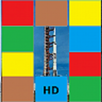
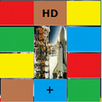
The colorful Four Button Control panel operates your Tablet.
Tap/Touch the Temperature Orange block to activate the keyboard if it is not present.
Use the on screen keyboard to enter the Temperature, Barometric Pressure, Humidity and Altitude.
Touch NEXT after each entry then Touch DONE when all data has been entered. - OR Touch the data entry block for editing.
Touch the Yellow ENTER Button and notice that the GO Button has turned green.
Touch the GO Button and WeatherCalcS10 will then perform detailed algebraic calculations: Density Altitude, Dew Point Temperature, Air Density, Vapor Pressure, Virtual Temperature, Relative Air Density, Saturation Vapor Pressure, and Absolute Air Pressure.
Be sure to HIDE the on screen keyboard to view these results - Touch the Back Arrow.
Activate the HELP screen by first touching the Green HELP Button and then the GO Button.
The HELP screen also includes the definitions for each output.
WeatherCalcS10 directly supports the Internet for the user to access weather.com or other websites using the Google search engine.
Touch the Green WEB Button and then the GO Button to start the Web.
Touch RESET to restart the app which also clears all data or returns from the Web.
Touch the Weather Gauge to switch the current measurement system.
Enjoy and thank you for your interest in WeatherCalcS10.
Latest Version
1.0.0Requires Android
4.0.3
Category
Weather AppContent Rating
Everyone
Report
Flag as inappropriateLast updated on Jul 9, 2015
Minor bug fixes and improvements. Install or update to the newest version to check it out!



APKPure - A multi-platform app store primarily focused on Android, providing extensive app-related content. Discover the app you want easier, faster, and safer, with quick and efficient downloads and installations.