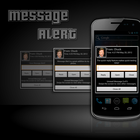
Message Alert adds a new level of productivity to your Android phone, allowing you to view incoming and unread messages as soon as they appear on your phone, all without touching a button or turning on the screen.
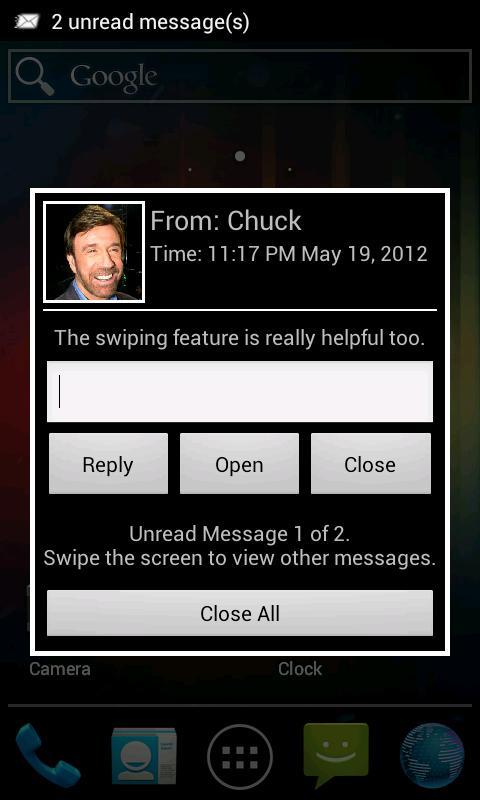
Normally, when a new text message arrives Android devices just vibrate and flash an LED. Message Alert adds to that functionality by turning on the screen and displaying an alert that allows you to read and respond to your unread text messages, all without entering a messaging app. It makes it easy to get in and out of a conversation without ever leaving your current application.
Message Alert is not a full messaging application, but a lightweight addition to the standard notifications provided by Android. The interface allows you to swipe through all unread messages, or simply close all new messages to be read later.
Other text alert applications are buggy and annoying, popping up the same message multiple times, or when there aren't any new messages. Message Alert uses an entirely different approach to handling new messages, and will only show you unread messages, not the same message multiple times and will show you them in the right order, not just a random collection of messages.
Instructions
-------------------------------------------
The app must be opened at least once after installing for it to work correctly. Opening the app from the launcher or Google Play will make sure all of the features are on and running properly. This only needs to be done one time.
After installing Message Alert, notifications should be disabled in your normal messaging application. Message Alert uses its own notifications, and this can become annoying if multiple applications are creating notifications.
To do this, go into your regular messaging app and in the settings menu, disable any kind of notification, including vibration, LED flashes, and audio.
Latest Version
1.1.1Uploaded by
Mohammad Z. Alnakhal
Requires Android
Android 2.1+
Category
Free Communication AppContent Rating
Unrated · Warning – content has not yet been rated. Unrated apps may potentially contain content appropriate for mature audiences only.
Report
Flag as inappropriateLast updated on Sep 28, 2015
- Minor bug fixes.
- FAQ/Instruction option was added to the Menu.
- Changed the launcher icon.
- Reduced file size by a large amount.





APKPure - A multi-platform app store primarily focused on Android, providing extensive app-related content. Discover the app you want easier, faster, and safer, with quick and efficient downloads and installations.