Package Name:com.juga.anglecalc
SHA-256:794cf672ae01d96b7f8118a2fdf8656bc0705540d40f3bd55fdba008e347138d
Show More

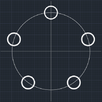
1. Fix the meterial of which the process is completed on the fixation device.
2. Set product central point to be the same as the drawing.
3. Input center point machine coordinate of product into the edit box (machine coordinate of the processing starting point) to first line.
4. Input the drawing coordinate of the hole which it will used as a standard into the second line edit box (the standard hole drawing coordinate).
5. Input a center machine coordinate of decided hole into the edit box in third line.
6. Press the result button and calculate the rotated angle on a center.
Latest Version
2.0.3Uploaded by
Raffaele Marone
Requires Android
Android 6.0+
Category
Free Tools AppContent Rating
Everyone
Security Report
Check Now
Report
Flag as inappropriateLast updated on May 15, 2026
Some error fixed.



APKPure - A multi-platform app store primarily focused on Android, providing extensive app-related content. Discover the app you want easier, faster, and safer, with quick and efficient downloads and installations.