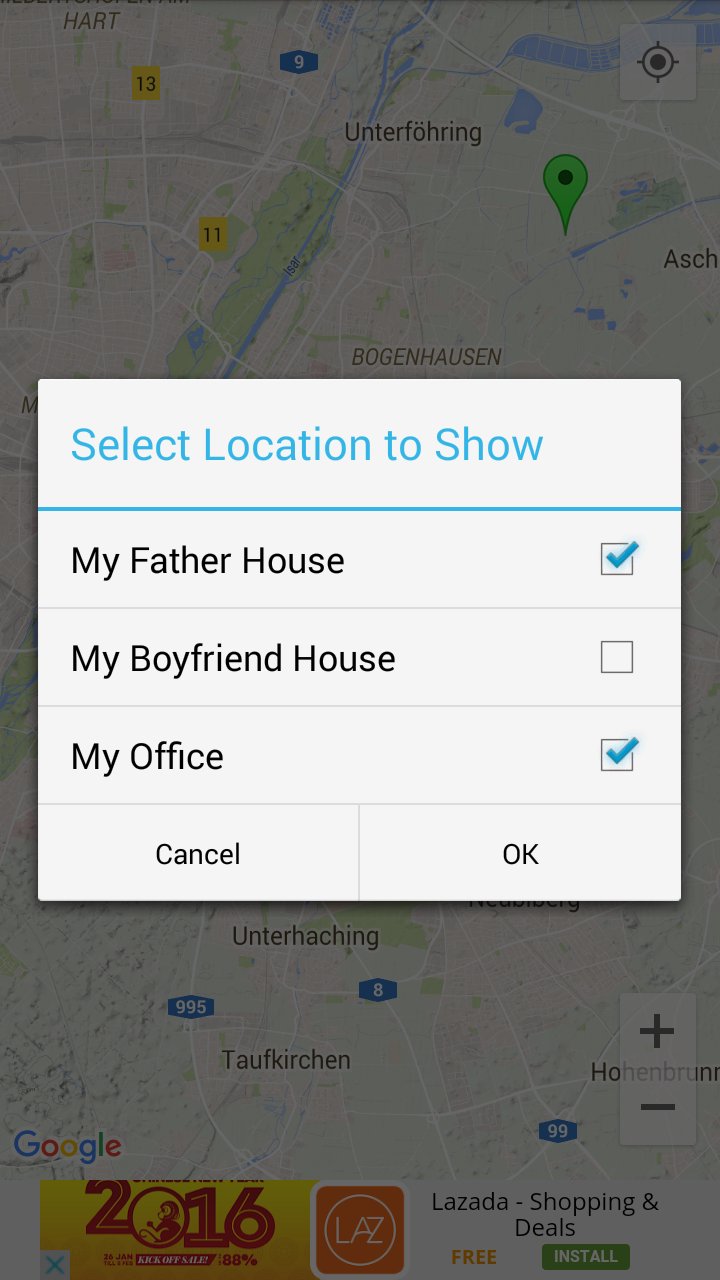
Map My Map is a customization of Google Maps application with some additional features for your own purposes. You can save your favorite locations accurately and easily reuse them later.
Why use this application?
- Save your location accurately.
- Save your family, friends or favorite locations (up to 25 locations).
- Easy Navigation and get directions to specific place (using Google Maps features).
- Save time to search your best spots around the world (that you'd already saved).
- All information will be saved in your mobile device.
How to use:
- Single tap on the map to show marker menu.
- Long tap on the map to show location menu.
- Scroll on the map to resize it.
- Click on a marker to edit its information.
Latest Version
1.1Requires Android
3.2 and up
Category
Free Tools AppContent Rating
Everyone
Report
Flag as inappropriateLast updated on Feb 12, 2016
This release includes minor bug fixes and general improvements. Update to the latest version for the best experience.




APKPure - A multi-platform app store primarily focused on Android, providing extensive app-related content. Discover the app you want easier, faster, and safer, with quick and efficient downloads and installations.