Package Name:com.dark.lumina.iconpack
SHA-256:58e1fde96ecac58b5dfd9b036a56a76e10efe9c285583c00453d9bd9ecdcacce
Show More
Elevate your device with the sleek and radiant Lumina Dark Icon Pack.
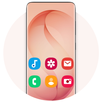
Tired of the standard look? Transform your smartphone with Lumina Dark—a minimalist, modern icon pack designed for those who love a glowing, premium aesthetic. Inspired by high-end dark themes and futuristic design, Lumina brings a collection of high-definition icons featuring elegant gradients, thin clean lines, and a striking luminous glow.
Whether you’re using a flagship or a budget-friendly device, Lumina Dark provides a seamless, vibrant experience that breathes new life into your home screen.
Key Features:
• Radiant Dark Design: Each icon features a clean outline with a luminous multi-color glow, designed to pop on both dark and light backgrounds.
• Crystal Clear HD Quality: All icons are rendered at 192x192 px to ensure sharp, crisp edges on the latest high-pixel-density displays.
• Exclusive FHD+ Wallpapers: Access a curated gallery of vibrant wallpapers optimized for tall aspect ratios and edge-to-edge displays (Galaxy S26 Ultra, Galaxy S25 Ultra, Galaxy S24 Ultra, Note 20, etc.).
• Home & Lock Screen Customization: Easily set your favorite backgrounds for a unified, professional look.
• Offline Gallery: Save high-definition wallpapers directly to your device for quick access anytime.
• Universal Compatibility: Designed to work smoothly across all modern mobile devices.
[SUPPORTED LAUNCHERS]
Lumina Dark is fully compatible with the following launchers, allowing for easy application through the app dashboard:
• OS Launcher 26
• Galaxy S26 Ultra Launcher
• Android 16 Style Launcher
• Nova Launcher
• ADW Launcher
• Action Launcher
• Solo Launcher
• N+ Launcher
Note: This icon pack also works with many other launchers that support third-party themes. If your launcher isn't listed, simply apply Lumina Dark through your launcher’s internal "Icon" or "Theme" settings.
Quick and Effortless Setup:
1. Open the Lumina Dark Icon Pack app.
2. Select your preferred launcher from the supported list.
3. Click Apply to instantly refresh your interface.
Give your phone a fresh, futuristic makeover today with Lumina Dark!
Latest Version
1.2Uploaded by
Jose Rodriguez-Curiel
Requires Android
Category
Free Personalization AppContent Rating
Everyone
Security Report
Check Now
Report
Flag as inappropriateLast updated on Apr 20, 2026
- version 1.2
- Updated launcher list



APKPure - A multi-platform app store primarily focused on Android, providing extensive app-related content. Discover the app you want easier, faster, and safer, with quick and efficient downloads and installations.