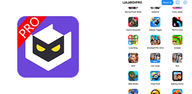
LuluboxPro organizes many popular games in one place and applies game specific plugins for a smoother experience. It focuses on cosmetics, in game currency utilities, and session stability while keeping setup simple for every user. You can manage, launch, and optimize supported titles from a single dashboard. The interface is clean and ad free so you stay focused on play. Moreover, the app works without root and keeps distractions away during gameplay. If you want to download LuluboxPro and keep it updated, LuluboxPro APK is available here for quick access to the LuluboxPro APK latest version.
Unified game hub
LuluboxPro brings your supported titles into one dashboard so you can launch and manage everything in a familiar layout. This saves time and keeps your library organized. It also ensures each game opens with the right settings.
Built in plugins for each game
LuluboxPro includes plugins tailored to specific titles so you can enable available skins, characters, and currency related tweaks without separate mods. You select what to activate, and the app applies those options only to the chosen game. This approach keeps controls simple and consistent.
Game booster for smoother play
The booster reduces lag and speeds up loading so sessions feel more stable. LuluboxPro optimizes background usage before you launch a game. As a result, you get fewer slowdowns during long matches.
Do Not Disturb while you play
LuluboxPro blocks calls, messages, and notifications for distraction free sessions. You decide when to silence alerts and when to restore them. Therefore, important moments in game are not interrupted.
Ad free experience with no root required
The interface is clean and easy to navigate, and it does not show ads. LuluboxPro works on standard devices without root. This makes setup straightforward for most users.
Simple launch and control flow
You open a supported title from LuluboxPro and the app applies your chosen plugin settings automatically. Profiles remain saved for next time. This keeps every session consistent from the start.
Use this quick guide to start playing through LuluboxPro with minimal setup. Follow the steps in order and make changes inside each game tile as needed.
Click "Download APK" in this page to get LuluboxPro APK from APKPure and install it on your Android device.
Open LuluboxPro, grant the requested permissions, and let the app detect supported games on your phone.
Select a game tile to view available plugins and toggles. After that, choose the options you want to enable for that title.
Turn on the game booster or Do Not Disturb if you want fewer interruptions. Then return to the game tile.
Tap Launch to start the game from inside LuluboxPro so your chosen settings apply automatically.
LuluboxPro brings supported games, plugins, and a stable play experience together in one Android app. Click "Download APK" in this page to get the LuluboxPro APK latest version on APKPure to keep your titles organized and your sessions focused.
Latest Version
6.22.0Uploaded by
Lulu
Requires Android
Android 7.0+
Available on
LuluboxPro
Category
Free Tools AppReport
Flag as inappropriateLast updated on Jul 30, 2024
Minor bug fixes and improvements. Install or update to the newest version to check it out!



APKPure - A multi-platform app store primarily focused on Android, providing extensive app-related content. Discover the app you want easier, faster, and safer, with quick and efficient downloads and installations.