love keypad lock screen and screen off.
Welcome to Merry Christmas Day 2016, New Year's Eve, we release photo photo lock screen application.
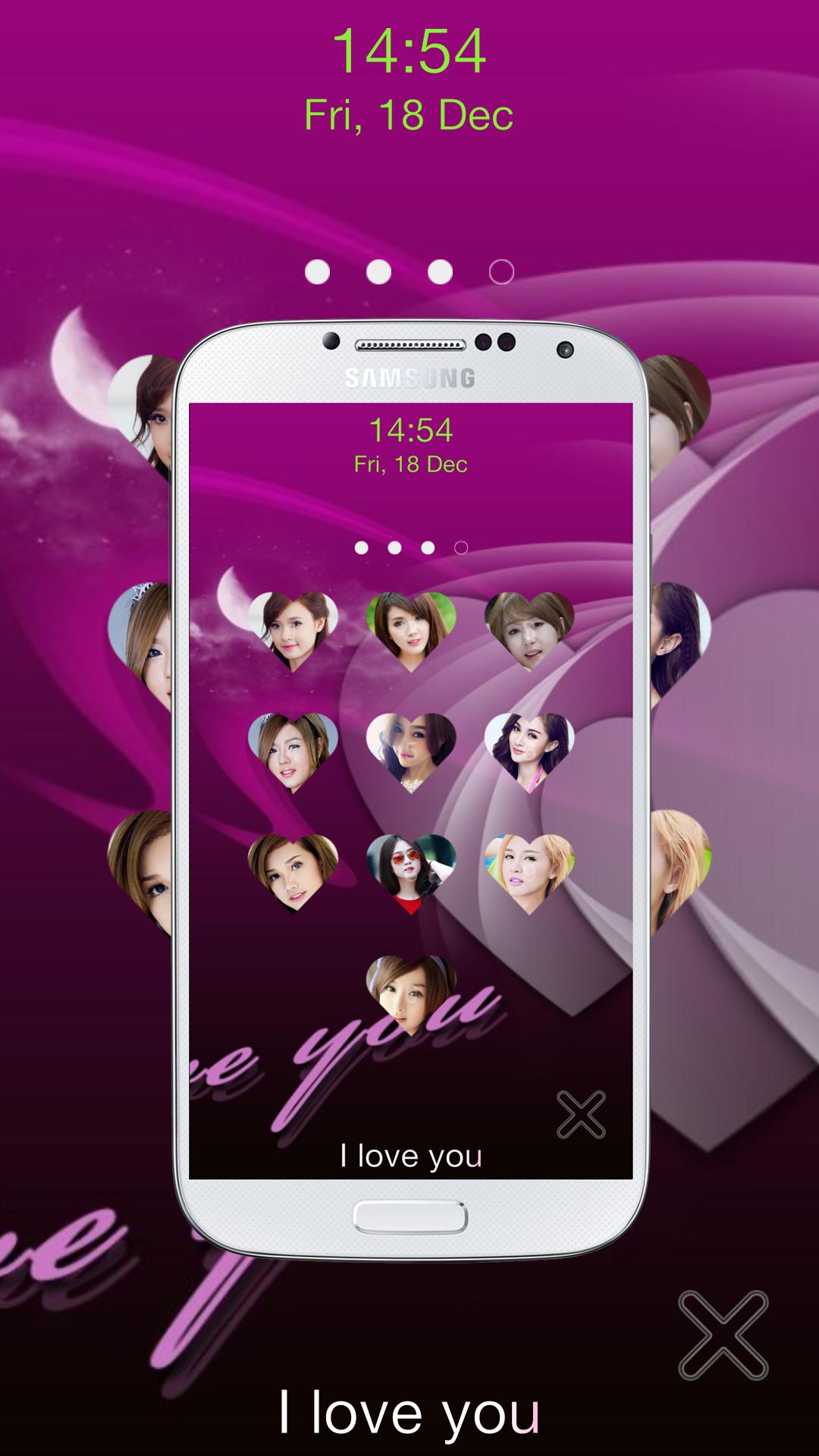
love passcode lock screen is an application which is used for lock screen with custom keypad button.
This love keypad lock screen have features: keypad lock screen, Create image for password button, and turn off screen by shortcut.
Features:
★ easy to use and very beautiful.
★ set pin password for lock security.
★ beautiful Retina HD Wallpaper, cool looks with material design and nice graphical interface.
★ Custom background from gallery.
★ a lot of beautiful wallpapers to choose
★ support turn off screen by shortcut.
★ love keypad Lock Screen also allows to use wallpaper from Your gallery
★ replace each passcode node by your own photo(your lover, friends and family members etc.)
★ crop or re-size the photo you choose.
★ watchdog option: auto capture image if enter wrong password
★ Consume less memory and battery.
★ Display real time clock and date.
★ Personalize your lock screen
★ not error home key
★ Disable HOME/MENU/BACK, so no one can access your phone without right password.
★ Security : easy to set pattern password to enhance your phone security.
How to use "love passcode lock screen":
1. select "enable lock screen" (line 1)
2. fill password and confirm password
3. select "custom node" to change photo node
Turn off screen by shortcut
- create shortcut or icon for screen off and lock
- very useful when power button deranged, hard to press or if you want protect power button
How to use "screen off by shortcut":
1. Open Settings then select "turn off screen"
2. Application will created shortcut "screen off" on home screen
3. Use shortcut to screen off and lock (tap shortcut when you want screen off)
This "love keypad lock screen" has been tested extensively on following devices:
* Galaxy S3,Galaxy S4,Galaxy S5
* HTC One,HTC Explorer,HTC M8, HTC One, HTC M8.
* LG2,LG3, LG Optimus G.
* Xperia Z1,Xperia Z2,Xperia Z3.
* Nexus 4,Nexus 5,Nexus 7.
Please email us: klsoft92@gmail.com if your device is not supported, we will try our best to support it.
If you love this photo love locker application, please give 5 stars to encourage developers.
Facebook page: https://www.facebook.com/secretvideorecorderHD/
Latest Version
1.5Uploaded by
Zhen Wang
Requires Android
Android 4.0.3+
Category
Free Tools AppContent Rating
Everyone
Report
Flag as inappropriateLast updated on Feb 17, 2017
Version 1.5:
- bug fix.
- update for Merry Christmas & Happy New Year
Version 1.3.5:
- fix bug
Version 1.3.3:
- fix bug
Version 1.2.2:
- fix bug
Version 1.2.1:
- fix bug
Version 1.1:
- add screen off by shortcut
- bug fixes for Android 6.0





APKPure - A multi-platform app store primarily focused on Android, providing extensive app-related content. Discover the app you want easier, faster, and safer, with quick and efficient downloads and installations.