Scan Date:Apr 24, 2026
Show More

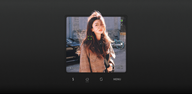
LoFi Cam helps users create nostalgic photos on a phone without complicated steps. It is built for moments when you want a classic vibe, whether shooting new images or refreshing old memories. The app focuses on simple capture, clear editing, and quick export so you can move from idea to result with ease. With its camera-inspired design, it feels familiar from the first tap, and the LoFi Cam APK makes it straightforward to install and start using right away.
LoFi Cam offers authentic presets shaped by well-known cameras and films. T10 brings a high contrast CCD feel that suits urban scenes and bold textures. F700 delivers Fuji NC style color, which works well for portraits and outdoor light. GR D creates a black and white look with strong contrast and noise, ideal for street and documentary moments. 120 adds silky zoom and Japanese color grading for calm tones and soft detail.
Creative controls for fine-tuning tone and textureAfter selecting a preset, you can adjust the image with practical controls. Exposure helps brighten or darken the frame, while Vignette guides attention to the center. Temperature shifts the mood from warm to cool. Noise and Blur add texture and softness, which can make modern shots feel like prints from an older era. These sliders keep edits simple and focused so you can match the look to each scene.
Essential capture tools for everyday shootingLoFi Cam includes tools that support quick shooting without extra setup. Flash adds light when the environment is dark. A countdown timer helps you take group photos or self portraits without rushing. The silky zoom enables smooth framing from wider views to closer details. Together, these basics make it easy to capture candid and aesthetic shots on the spot.
Import and edit older photosIf you have pictures in your gallery that need a new feel, LoFi Cam can import them and apply your chosen filters. This workflow is useful for refreshing travel albums, family snapshots, or social posts. You can compare the original and the new look, then resave without losing the source file. It is a straightforward way to make memories better with consistent color and texture.
Export overlays with customizable date and timeWhen saving, LoFi Cam adds optional overlays that resemble classic camera outputs. Digital shows a clean screen-style display. RETRO stamps the image like film with a simple timestamp. CAM LOOK, VCR, and DV create different visual frames that change the mood. You can set date and time to match the moment, which adds context to the image and makes it feel anchored to a specific era.
LoFi Cam presents a retro camera interface so the controls feel familiar and easy to reach. The design reduces clutter, which helps you focus on framing and adjustments. New looks are teased, including Y2K, vintage photo booth, polaroid, and millennial electronic styles. These updates aim to broaden the library of cameras and films so you have more choices for different scenes.
Getting started takes only a few steps, and you can download LoFi Cam to set up quickly. The interface guides you from choosing a look to saving your result. Follow the steps below to keep your process simple from capture to export.
LoFi Cam combines camera-style presets, simple controls, and clear export options to deliver consistent vintage visuals. To begin, install the LoFi Cam latest version and choose a preset that matches your subject. Keep edits light, then save with a timestamp for a clean, finished result.
Latest Version
2.18.2Uploaded by
Aidil Basri
Requires Android
Android 8.1+
Category
Free Photography AppContent Rating
Everyone
Security Report
Report
Flag as inappropriateLast updated on Apr 24, 2026
- New camera: 5s — The classic 5s aesthetic. Subtle noise and soft pixels recreate the retro digital vibe. Perfect for portraits and daily moments;
- New Polka template for Photo Booth;
- Other experience improvements and bug fixes.



APKPure - A multi-platform app store primarily focused on Android, providing extensive app-related content. Discover the app you want easier, faster, and safer, with quick and efficient downloads and installations.