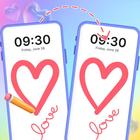
Draw with your friends or strangers—right on your lock screen!
Lockscreen Draw Together is a fun and interactive drawing app that lets you connect with friends—or even strangers—to draw together in real time. Whether you're on the lock screen, in the app, or using a widget, your creativity has no limits..
🎨 Draw Anywhere
Draw on App:
Use the full-feature drawing canvas inside the app. Enjoy smooth strokes, smart tools, and a clean interface for distraction-free sketching.
Draw on Lock Screen:
Draw directly on your lock screen—no need to unlock your phone! Great for spontaneous doodles or quick sketches.
Draw on Widget:
Enable the home screen widget for instant access to your drawing room. Tap and draw anytime, even from outside the app.
🤝 Real-Time Drawing with Others
Draw with Friends:
Join the same room and draw together live. Every stroke appears instantly across devices. Perfect for collaborating or having fun with friends.
Draw with Strangers:
Use auto-match to connect with random users who want to draw too. A great way to meet people and sketch something cool together.
🧑🤝🧑 Manage Drawing Rooms
Share Your Code:
Send your unique room code to friends. They can join instantly and draw with you in real time.
QR Code Access:
Share your drawing room with a scannable QR code for quick and easy access.
Switch Rooms:
Leave your current room and join a friend’s session at any time.
Invite More Friends:
Bring more people into the same canvas and enjoy group sketching like never before.
✏️ Drawing Controls
Undo / Redo:
Go back a step or redo actions easily to fix mistakes or make quick changes.
Reset Drawing:
Clear the entire canvas and start fresh. A confirmation popup ensures no accidental resets.
Zoom & Pan:
Pinch to zoom in/out and move around your canvas for more precise drawing.
Full Screen Mode:
Focus on your artwork with a fullscreen view. Tap to reveal the exit button anytime.
Privacy Policy:
Transparent and user-friendly privacy policy included for peace of mind.
🌟 Why You'll Love It
Lockscreen Draw Together isn’t just another drawing app. It’s a space to connect, create, and collaborate. Whether you're just doodling for fun or sketching serious ideas—do it together, anywhere, anytime.
Latest Version
1.0.2Uploaded by
Ken Gomez
Requires Android
Android 7.0+
Category
Free Tools AppContent Rating
Everyone
Report
Flag as inappropriateLast updated on Jul 6, 2025
Minor bug fixes and improvements. Install or update to the newest version to check it out!



APKPure - A multi-platform app store primarily focused on Android, providing extensive app-related content. Discover the app you want easier, faster, and safer, with quick and efficient downloads and installations.