Scan Date:Feb 14, 2026
Show More
❓ Uninstalling works like this: 😱 https://youtu.be/gQVzznHp_84?t=62
❕ This app needs Device Administrator permission. Otherwise it can't lock your phone.
⏩ What's the purpose of this app?
It's not exactly controversial that YOU NEED A ROUTINE. But it's hard to stick to your schedule when the endless entertainment of the internet is available at your fingertips. Lock my Phone kills that lure so you can concentrate on what's actually important.
While your device is locked you can still access the apps on your lockscreen, take phone calls and call emergency numbers (911 etc.) and emergency contacts (see below). If you unlock it during a lock period it will be locked again right away.
☝ Learn how to set one or more of your contacts as emergency contacts with Android's ICE-feature: https://www.youtube.com/watch?v=dE_bbD5vXDU
⏩ Three Main Features:
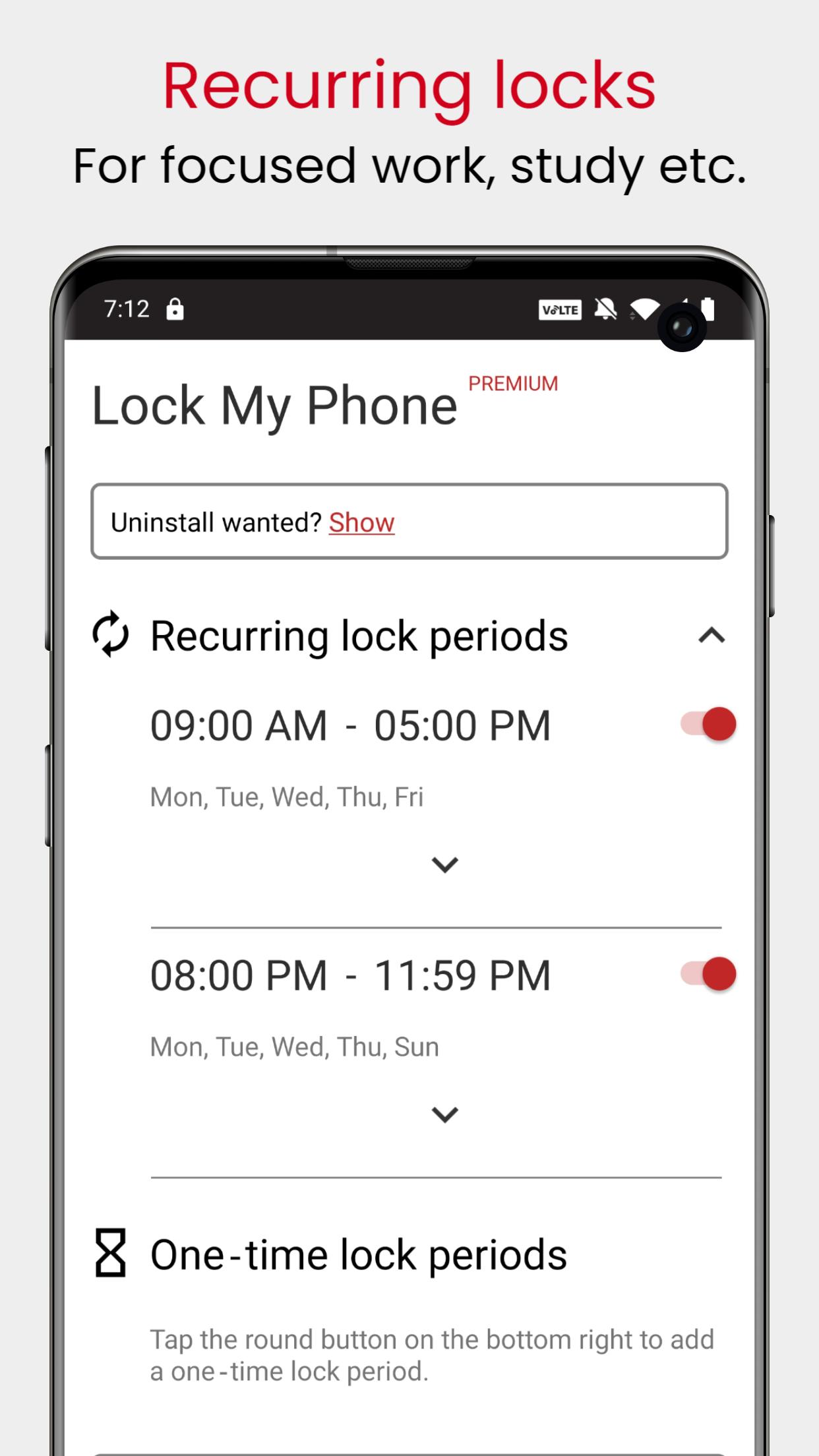
1. Recurring lock periods, for example to lock your phone every evening during the week after 10 pm.
2. One time lock periods for when you just want to concentrate for 45 minutes while studying.
3. Geocheck-Feature: Only lock your device if you are in a certain area. Helpful so your phone isn't locked while you're out with friends.
⏩ What's the difference between the free and the premium version?
You can only have one lock period in total on the free version, so you can either have 1 one time lock or 1 recurring lock period. You can have unlimited lock periods (of each type) in the premium version.
There are no ads in either version.
Latest Version
2.3.0Uploaded by
Mohamad Ahamad
Requires Android
Android 6.0+
Category
Free Productivity AppContent Rating
Everyone
Security Report
Report
Flag as inappropriateLast updated on Feb 14, 2026
🪲 Resolved a compatibility issue that prevented the early unlock feature from working properly on some devices.




APKPure - A multi-platform app store primarily focused on Android, providing extensive app-related content. Discover the app you want easier, faster, and safer, with quick and efficient downloads and installations.