Package Name:com.locationchanger
SHA-256:aeb8094ba9ed7dae62221d0075e4d285020d23591eb86bdd4101fad869e667ab
Show More


Location Changer helps when you need to protect your location privacy, test location-based apps, or preview routes without moving. It replaces the device’s GPS coordinates with a location you choose, so other apps read that position instead of your real one. You can stay in one spot or simulate travel for testing and QA tasks. At the same time, controls are designed for quick setup, so you can start in minutes. If you prefer an APK file, you can get Location Changer APK to install on compatible Android phones.
Location Changer provides a built in joystick so you can move gradually instead of jumping between points. You can drag to reposition the joystick and set a speed that suits navigation testing or slow walking. A quick double tap lets you place or move the joystick without digging through menus. This approach helps you simulate natural movement for apps that expect steady GPS updates.
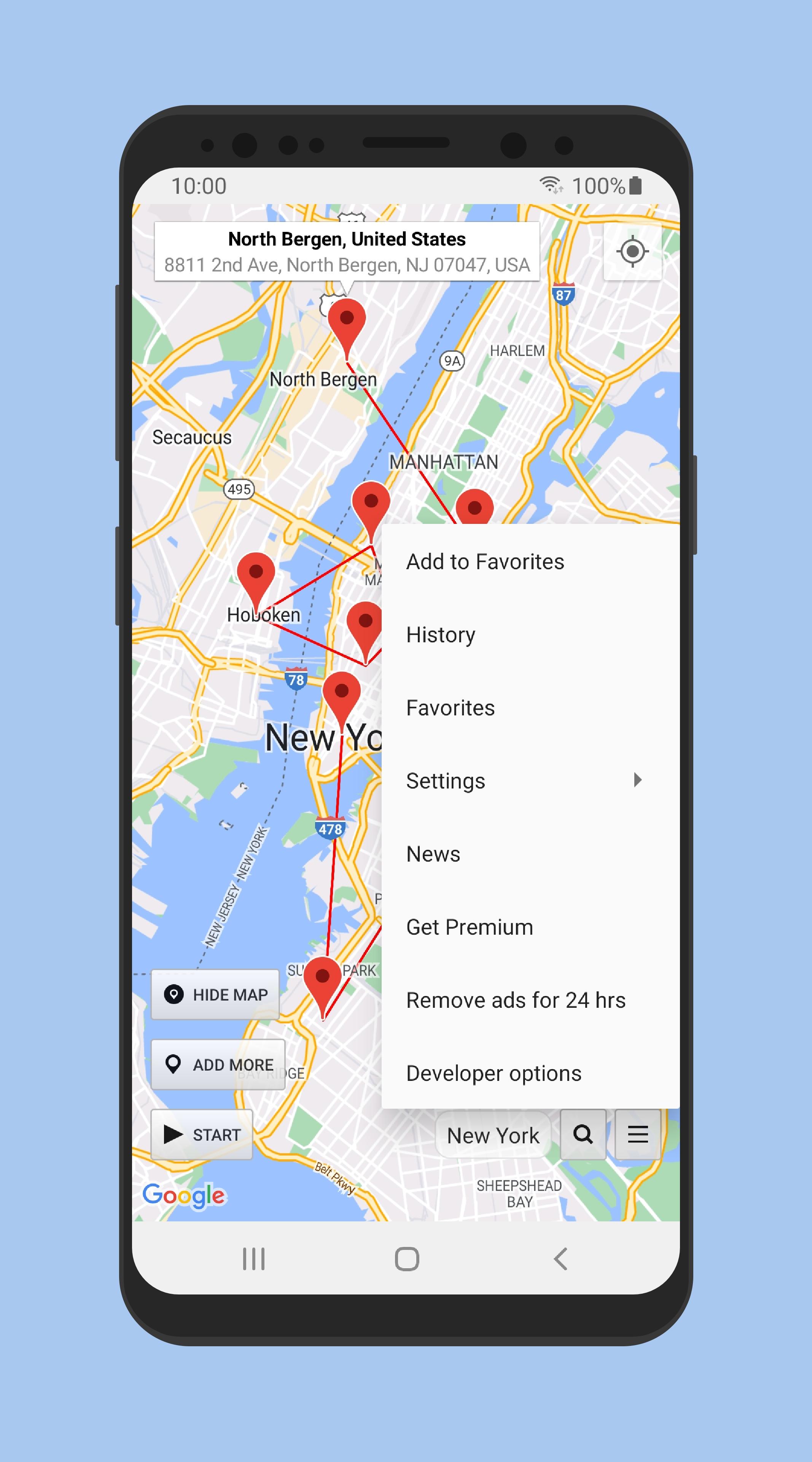
Multi pin routes and Drive modeYou can add multiple pins on the map and create a route between them for continuous travel. Drive mode follows your path at a speed you choose, which is useful when testing delivery flows, ride tracking, or turn by turn scenarios. Instead of teleporting, the app simulates travel between pins so other apps receive consistent location changes. This keeps your testing closer to real world timing.
Persistent service with quick Stop controlOnce started, Location Changer can keep the mock location service active even after a device reboot. This is helpful if you run ongoing tests or need a steady fake location for a period of time. When you are done, you can tap Stop inside the app or use the notification control to return to your real location. The quick Stop option reduces switching time and makes it easy to pause or end a session.
Detailed location status for diagnosticsThe app shows clear location status so you can confirm what other apps are receiving. You can view useful details when troubleshooting location-based services or verifying that mock GPS is engaged. This information can help spot mismatches during QA sessions. It also supports faster iteration when adjusting routes or speeds.
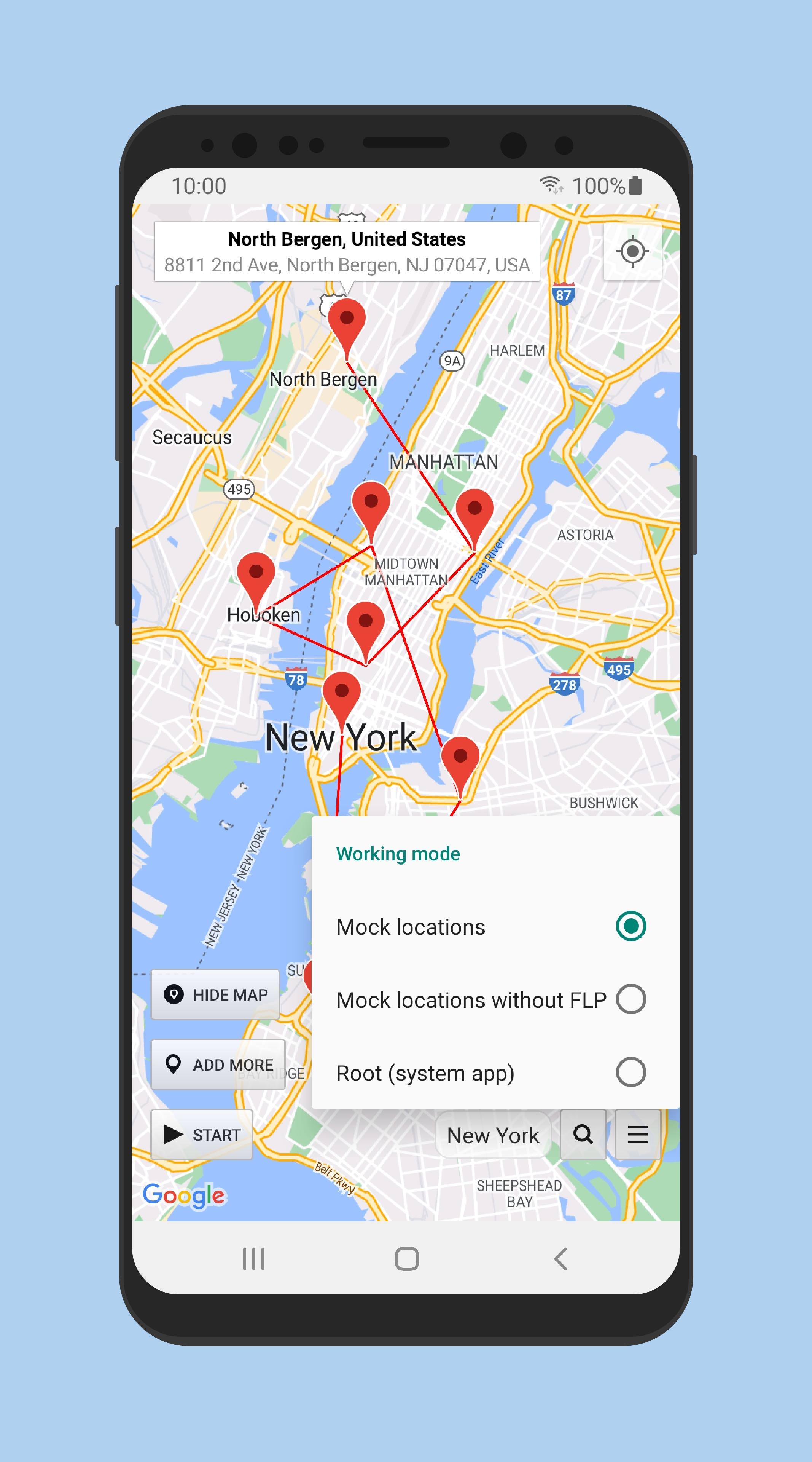
Clear guidance for Mock locations setupLocation Changer includes step by step guidance for enabling Developer options and setting the app as the mock location provider. It also reminds you to adjust battery settings so the service is not restricted in the background. These prompts reduce setup issues on newer Android versions. With the correct permissions and whitelisting in place, the mock location remains stable during testing.
Location Changer does not change your IP address because it is not a VPN. Services that rely on IP or network data may still detect your real region even while GPS is spoofed. If a service depends on both GPS and IP checks, consider using a VPN alongside the app. Also note that Android allows apps to detect Mock locations, so some apps may show errors or block access while the mock GPS is active.
On some devices, battery optimization can stop background services, which may interrupt a mock location session. To reduce this, whitelist Location Changer and disable aggressive power saving for the app. If the persistent notification disappears unexpectedly, review the phone’s battery and notification settings. Adjusting these options helps the service remain active during long tests or route simulations.
Location Changer is useful for QA teams that need repeatable location scenarios on demand. It can simulate navigation for map apps, delivery workflows, and geofencing checks without leaving a desk. It also supports privacy needs when you prefer not to share your precise location with certain apps during demos or reviews.
Before using the joystick or routes, first enable the required developer setting and set the mock location app. After you download Location Changer, these steps help you place the first pin and start a simple test quickly.
Location Changer helps set a test location quickly and simulate realistic movement for app diagnostics or privacy needs. It offers practical controls, route options, and status details to support repeatable results. To get the latest setup and features, check the Location Changer latest version before starting your next test.
For official resources or support, use the links below.
Latest Version
3.46Uploaded by
Yoni De Barrio
Requires Android
Android 6.0+
Category
Free Tools AppContent Rating
Everyone
Security Report
Check Now
Report
Flag as inappropriateLast updated on Dec 16, 2025
Please consider reviewing this app again if all the issues have been fixed. If there are any more problems, they will be fixed as soon as possible if you let us know.
- Updated for Android 16+.
- Fixes and improvements.
- Premium users: now you can easily manage your pins by long pressing on the info window above each pin to move up/down or remove it.
Please read the full description for more info.






APKPure - A multi-platform app store primarily focused on Android, providing extensive app-related content. Discover the app you want easier, faster, and safer, with quick and efficient downloads and installations.