

Package Name:com.buak.Link2SD
SHA-256:95c0ffdba314aaa6dbf6ce7fed2fe8c18d88dde87411ac1ce9f68ed9c8706fd4
Show More

Link2SD helps users who run out of internal storage and need a practical way to relocate apps and their files. It manages app locations and keeps the expected folder paths intact so Android can find everything. As a result, you can keep more apps installed without constantly clearing space. With straightforward controls and clear status views, it suits both occasional cleanups and regular maintenance. For users looking for a clean install package, Link2SD APK is commonly used to set things up quickly.
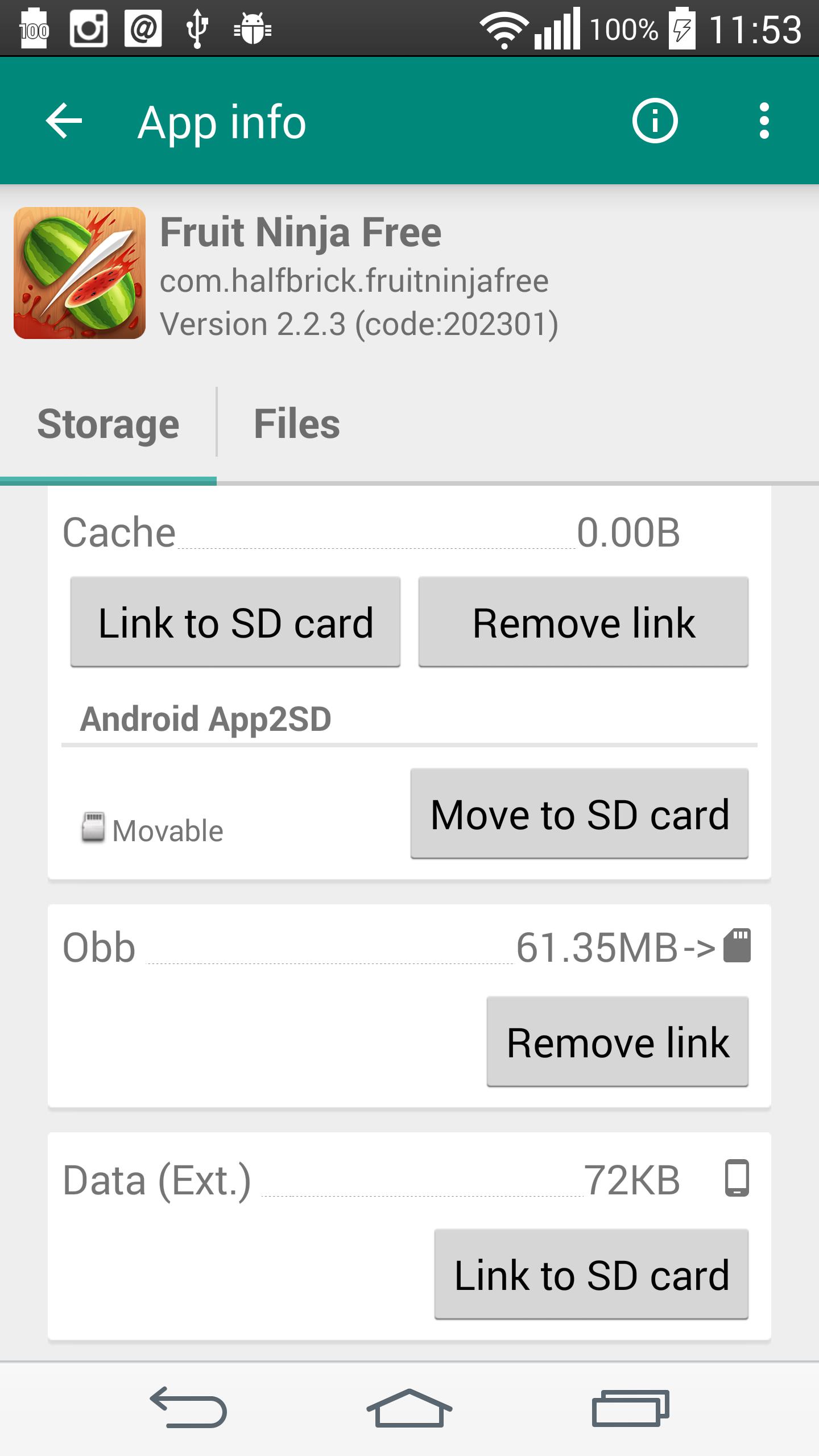
Link2SD can link core app files such as APK, DEX, and library files to a second partition on your SD card. It keeps symbolic links so the system still sees the original paths while the actual files live on external storage. In the Plus edition, you can also link internal data, OBB files, and external data folders for even more space savings. This design reduces internal memory usage while keeping apps accessible.
Free up space for all your appsYou can move user apps to the SD card even when they do not natively support it. Link2SD can automatically link new installs and lets you set a default install location to help manage future apps. This approach lowers the chance of running into low storage warnings once you start adding more titles and tools. It also reduces manual work over time.
Robust app manager with batch actionsLink2SD includes batch link, unlink, move, reinstall, and uninstall actions for faster cleanup. It shows which apps support native App2SD and notifies you when a newly installed app is movable. These summaries make it easier to decide what to move and what to leave in internal memory. As a result, routine maintenance is quicker.
System-level controls when neededLink2SD lets you remove unwanted system apps, freeze or unfreeze items, and convert apps between system and user status. You can integrate updated system apps into the ROM so they replace older bundled versions. These controls help you keep the system lean and consistent. Use them carefully and only when you understand the impact.
Storage and cache tools for everyday cleanupLink2SD offers a one tap cache cleaner that works even without root for cache-only tasks. In the Plus edition, you can enable automatic cache cleaning and use a cache widget for quick checks. Storage dashboards show usage across internal and external memory, and alerts warn you about large cache sizes. Together these tools support regular housekeeping.
Convenience extras for faster controlYou get a reboot manager and widget, flexible search, sort, and filter options, and the ability to share an APK or create shortcuts. Multilingual support covers many languages to fit different users. The Plus edition also removes ads and unlocks advanced linking features. These practical extras round out the app manager experience.
Root access is required for linking apps, data, and OBB folders. App linking also needs a second primary partition on the SD card that uses a non FAT filesystem such as ext2, ext3, ext4, or f2fs. Link2SD does not create this partition, so you should prepare it with a partition tool like GParted or MiniTool. The first partition stays as regular external storage, while the second holds linked app files.
For apps, Link2SD places files on the second partition and adds symbolic links so Android sees the expected paths. For OBB and external data, it uses bind mounts so folders remain accessible through their usual locations. Native App2SD moves part of an app to the first FAT partition and does not require a second partition, while advanced linking does. If external storage is unmounted in mass storage mode, apps that depend on moved OBB or external data will not work until it is remounted.
Link2SD Plus is ad free and adds automatic cache cleaning, linking of internal data and OBB or external data folders, and system DEX linking. These extras extend storage offload beyond base file types and reduce manual cleanup. Consider Plus if you manage many apps or large game assets and want less routine work.
Set up takes a few steps and depends on a correctly prepared SD card. Follow the process below to link apps safely and manage space. If needed, download Link2SD from a trusted source before you begin.
Link2SD focuses on moving and linking app files to keep internal memory open for daily use. Users who handle many apps or large games can benefit from structured relocation and batch tools. To stay current, look for the Link2SD latest version when setting up or updating.
For official information and support, use the details below.
Latest Version
4.3.4Uploaded by
Good Father
Requires Android
Android 2.3.2+
Category
Free Tools AppContent Rating
Everyone
Security Report
Check Now
Report
Flag as inappropriateLast updated on Jun 21, 2018
bug fixes and improvements





APKPure - A multi-platform app store primarily focused on Android, providing extensive app-related content. Discover the app you want easier, faster, and safer, with quick and efficient downloads and installations.