

LineLearner supports actors, performers, speakers, and learners who need to move from reading a script to speaking from memory. It is made for situations where another person may not always be available to run lines, so users can practise with recorded scenes on their phone. As a result, the LineLearner APK can help with theatre rehearsal, auditions, filmed scenes, speeches, and other script based work.
Record scenes for repeated rehearsal
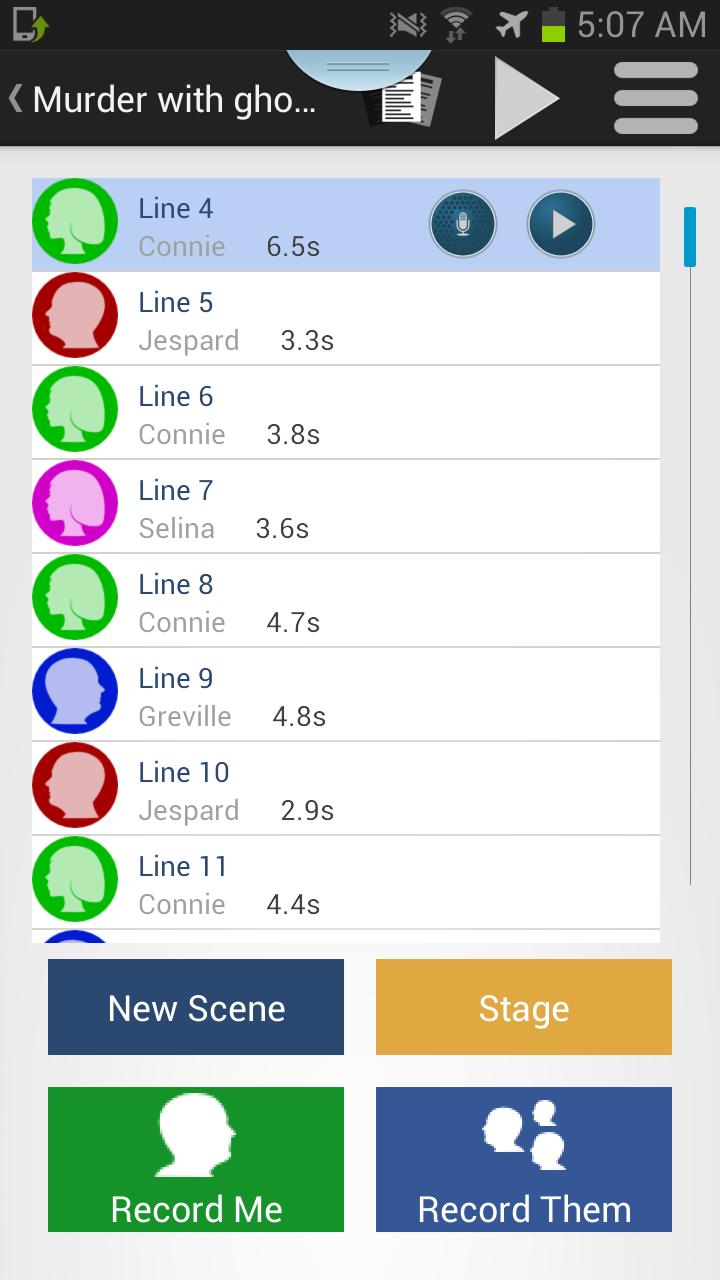
LineLearner lets you record full scenes from plays, films, TV scripts, auditions, or speeches. You can keep the material on your phone and return to it whenever you need another run through. This makes it useful before a first rehearsal, between calls, or during personal practice time.
Practise your own lines in the gaps
LineLearner can turn off your own lines during playback, so you hear the other parts and speak your lines at the right time. This changes rehearsal from simple listening into active recall. Over time, you can check whether the words come naturally without reading from the page.
Use prompts without stopping practice
You can use the prompt button when a line does not come to mind. Instead of restarting the whole scene, you can get help and continue the rehearsal flow. This is practical when learning a long speech or preparing a scene where timing matters.
Repeat lines, sections, or full scripts
LineLearner gives you one tap controls for repeating a single line, a selected section, or the whole play. If one exchange is difficult, you can stay with that part until it feels more secure. After that, you can return to a longer run and check how the section fits into the full scene.
Organize scripts and characters
LineLearner supports character assignment, stage directions, and easier editing of recordings. You can also load script PDFs, split recordings into filming days, and share scripts with Android and iOS users. These options help users keep rehearsal material arranged when working with several roles, scenes, or production days.
LineLearner is built around recorded rehearsal, playback, muting, prompts, and repetition. The provided app information does not describe automatic listening that advances only when every word is spoken correctly. If you need a line learning app for active recall, the main workflow is to record the script, remove your own spoken part during playback, and fill the gaps yourself.
For theatre rehearsals, LineLearner can suit users who need to learn cues, responses, and longer passages before working with a cast. For auditions and self tapes, it can help you prepare the timing of a scene when another reader is not available. For speeches, it can support repeated practice of sections until the order and wording feel familiar.
After installing the LineLearner latest version, begin with the script or speech you want to learn first. It is usually better to start with one scene or section, then add more material once the first part is comfortable.
When the section feels more secure, move from short repeats to a full scene run. This helps you test whether the lines stay clear when cues, timing, and scene order are all included.
LineLearner focuses on recording scripts, practising responses, using prompts, and repeating difficult material until the text is easier to remember. Users who need a practical tool for scripts, auditions, self tapes, or speeches can download LineLearner from APKPure and review the available app details before installation.
Official information for LineLearner is available through the following channels:
Latest Version
6.8.0.9Requires Android
6.0
Category
Lifestyle AppContent Rating
Everyone
Report
Flag as inappropriateLast updated on Oct 6, 2025
This release includes minor bug fixes and general improvements. Update to the latest version for the best experience.



APKPure - A multi-platform app store primarily focused on Android, providing extensive app-related content. Discover the app you want easier, faster, and safer, with quick and efficient downloads and installations.