
Package Name:com.JiaRen.LCDsimple
SHA-256:c07568a6e86916247d4666daa31f5391de3379f0cb628debf735085709742047
Show More
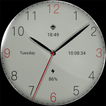
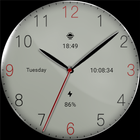
A free fashionable LCD type watch face!
Only available on Wear OS 3+ (API 30+) devices
Features:
- LCD series
- Sunset
- power
- digital time
- Week
Installation options:
1. Keep the watch connected to your phone.
2. Install into your phone. Once installed, immediately press and hold the display to check the list of watch faces in your watch, then swipe to the end and click Add Watch Face. There you can see your newly installed watch face and activate it.
3. After the installation is complete, you can also check the following:
A: For Samsung watches, check the Galaxy Wearable app on your phone (install it if you haven't already). Under Watch Faces > Downloaded, you can see your newly installed watch face and apply it to your connected watch.
B. For other smart watch brands, for other Wear OS devices, please check the watch app installed in your smart watch brand phone and find the newly installed watch face in the watch face gallery or list.
4. Also visit the link below which shows many options on how to install a Wear OS watch face in your watch.
https://developer.samsung.com/sdp/blog/en-us/2022/11/15/install-watch-faces-for-galaxy-watch5-and-one-ui-watch-45
Latest Version
1.1Uploaded by
Luiz Felipe Santos
Requires Android
Android 5.0+
Category
Free Personalization AppContent Rating
Everyone
Security Report
Check Now
Report
Flag as inappropriateLast updated on Apr 28, 2024
This release includes minor bug fixes and general improvements. Update to the latest version for the best experience.



APKPure - A multi-platform app store primarily focused on Android, providing extensive app-related content. Discover the app you want easier, faster, and safer, with quick and efficient downloads and installations.