Package Name:kr.co.seoft.quickly
SHA-256:bb4d0b87852cb253b612f1a563c44af504a636d1e32c64c52faae1a983fec194
Show More

Quickly - Assist application for launcher
Previously, to run the app, you had to go through the following process and touch several times in progress.
1. Press the Home button
2. Open the drawer
3. Swipe left and right to find the app you want to run
4. Touch the app to run
Quickly is different. You can launch the app with one or two touches.
1. Activate the assist app.
2. Touch and tap on the app you want to run.
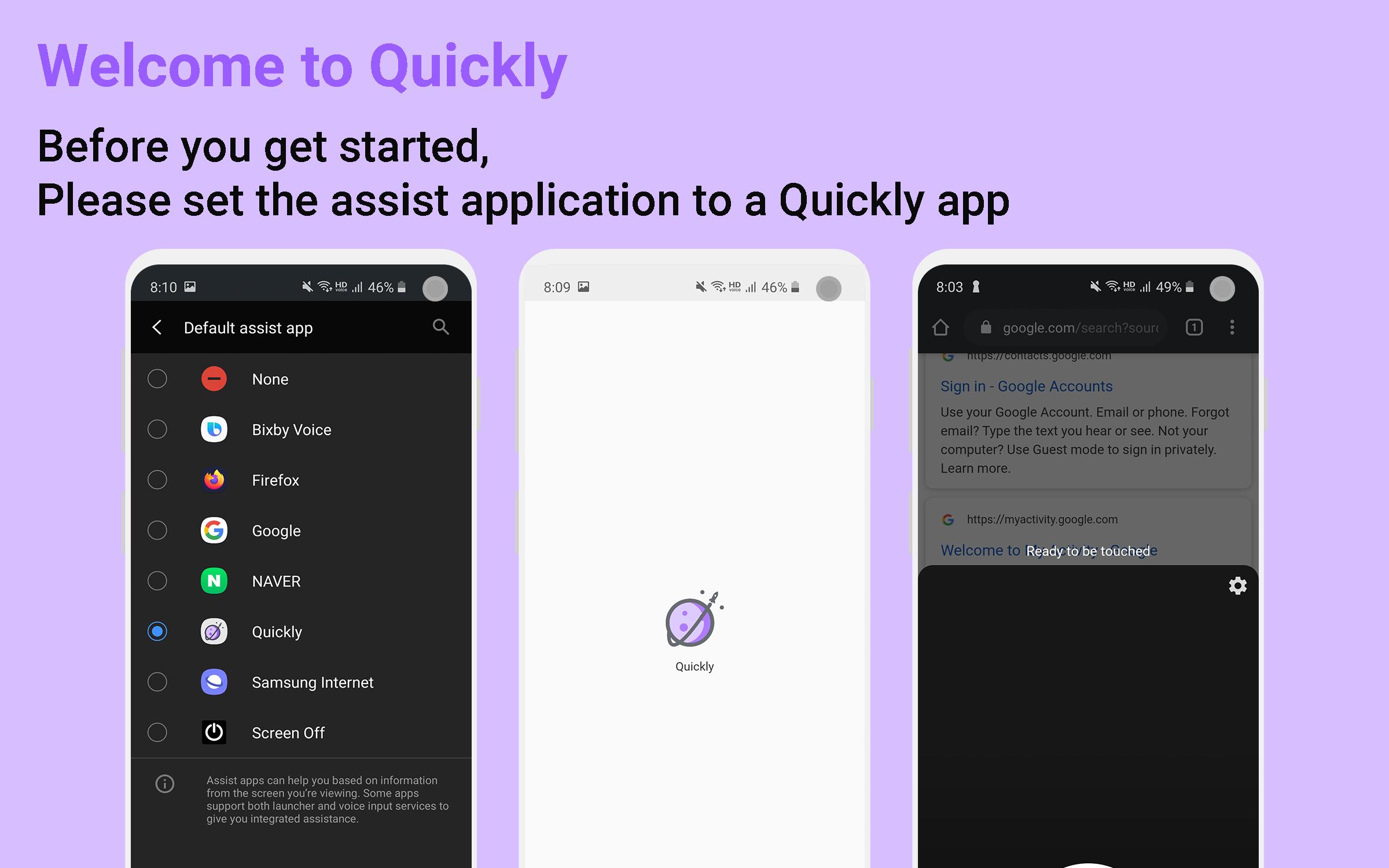
*before you begin, change the assist app to Quickly in the default app settings.
Gestures that can be executed are divided into two categories.
1. in finger gesture : After activating the assist app, if you touch up at the location of the app you want to run after the first touch in the in finger gesture area, the app will run.
2. etc gesture : After activating the assist app, if you scroll up, down, left, or right within the top boundary area or double tap another place, the app you want to run will be launched.
Quickly Setting Info
# Set quickly theme
Activate the assist app by choosing from the default, dark, and transparent themes.
# ShortCut
Preset the app to run and launch the app using gestures.
# Info
Check open source information and app information.
# In finger gesture setting
Set the app settings to run in in finger boundary, window size, movement distance to open the window.
# Etc gesture setting
Set apps to run when you gesture in the top boundary or double tap in another place.
# App type for launch
- Call directly
- Sms directly
- Web directly
- Function directly ( screen off / pull down status bar )
- Setting directly
Latest Version
1.6Uploaded by
Anthony Renna
Requires Android
Android 9.0+
Category
Free Tools AppContent Rating
Everyone
Security Report
Check Now
Report
Flag as inappropriateLast updated on Sep 24, 2025
Minor bug fixes and improvements. Install or update to the newest version to check it out!




APKPure - A multi-platform app store primarily focused on Android, providing extensive app-related content. Discover the app you want easier, faster, and safer, with quick and efficient downloads and installations.