Scan Date:Apr 22, 2026
Show More

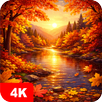
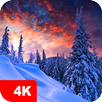
Nature & landscape wallpapers in high resolution for Android — from Full HD (1080p) up to QHD, UHD, and 4K.
HD backgrounds for phones and tablets: pick an image that fits your screen and looks sharp.
Find the right wallpaper faster with categories, tags, and a handy color search.
If you’re looking for landscape wallpapers, nature backgrounds, or scenic phone wallpaper, you can browse, preview, and set them in a few taps — without guessing how they’ll look on your device.
What’s inside
• Nature and scenic landscape images in multiple resolutions.
• Manual moderation: pictures are reviewed before they’re added to the catalog.
• 70+ categories, plus sorting by newest, rating, and popularity.
• Preview, cropping, and separate setup for Home screen and Lock screen.
• Favorites, scheduled auto-change, downloads, and day/week notifications.
Browse & search your way
Categories help you explore, tags help you narrow down, and search helps you jump straight to what you want.
• Keyword search: find backgrounds by words.
• Color search: choose a dominant color to match your theme, icons, or UI accents.
• Sorting: check Newest first, or use Rating/Popularity to discover top picks quicker.
Quality before you apply
• Resolution: Full HD (1080p) and higher — QHD, UHD, 4K.
A wallpaper can look different depending on your screen ratio — so you can prepare it before setting:
• Preview on your device.
• Crop/fit so the image is centered and clean.
• Adjust preview quality to reduce mobile data usage while browsing.
Set wallpapers how you prefer
• Apply to Home screen only, Lock screen only, or both.
• Support for different screen resolutions on smartphones and tablets (including tablet wallpaper setups).
Favorites & auto-change
Build your own set of go-to images:
• Add pictures to Favorites for quick access.
• Auto-change on a schedule: choose a source (for example, Favorites) and an interval, and the background will update automatically.
• Use it as a simple wallpaper changer when you want a fresh look regularly.
Download & save for later
• Save images to your Gallery for deferred installation.
• Save to an SD card if your device supports it.
Notifications
Get reminders for “Picture of the Day” and “Picture of the Week”.
Messengers
Use a selected image as a chat wallpaper in WhatsApp and other messengers.
Getting started
1) Pick an image → Preview.
2) Crop if needed.
3) Tap Set → choose Home screen, Lock screen, or both.
The collection is supported by the 7Fon team.
Latest Version
6.3.4Uploaded by
Rian Maid
Requires Android
Android 6.0+
Category
Free Personalization AppContent Rating
Everyone
Security Report
Report
Flag as inappropriateLast updated on Apr 22, 2026
Minor bug fixes and improvements. Install or update to the newest version to check it out!




APKPure - A multi-platform app store primarily focused on Android, providing extensive app-related content. Discover the app you want easier, faster, and safer, with quick and efficient downloads and installations.