
What if some of your hardware buttons are not functional and yet you are able to use them with a single tap on the screen?
WHY THIS APP?
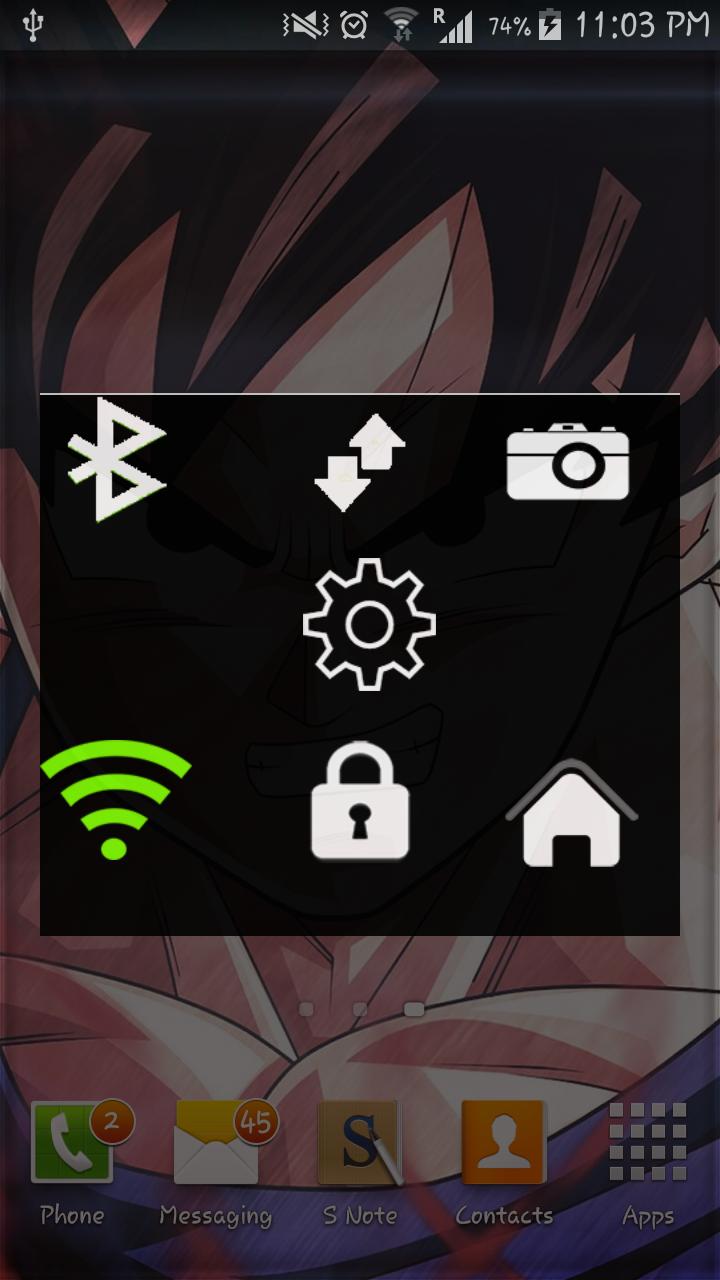
This app just do it for you. It makes easy for you to go to the home screen or to lock the screen or even unlocking the screen without even touching the hardware buttons. Not only this, it also makes easy for you to find all the major options available to you at one place and in just a single tap on the floater. Providing the main options of Wifi , Bluetooth, Data-Connection , Camera , Lock button and the home button
It also has the option of making the floater invisible when u don't want to use it.
Features Available :-
- Home Button
- Lock Button
- Camera
- Wifi
- Bluetooth
- Mobile Data
- Unlock using the proximity sensors(move fingers approximately 5 times over the proximity sensors)
how it works?
all you need is to download the app and click on "Start Floater" button and you are done. you will see the floater
on your home screen then, just tap the floater and you are there.! You can then use all the options except for the option of lock.
How does lock work??
For the proper working of the lock button you need to grant the admin permission to the app. This can be done by tapping on the "Enable Access to Admin " button.
This will help you to lock the screen without the hardware button. But now you must be thinking how to unlock the screen.. Well !!! for this you just need to move the finger on top of the proximity sensors and there you go. the app does it for you. it unlocks the screen for you.
Keep in mind !!!
for unlocking the screen through finger gesture you first need to lock the screen by our app only. if you have locked it using the hardware button then the gesture feature might not work for you. So for UNLOCKING u need to LOCK with the help of the app only.
How to uninstall the app.
Well we are writing the procedure because this app needs admin permission and hence users might face problems if the want to uninstall the app( Hope users never come to the phase when they want to uninstall our app)
So for uninstalling you must first click on the "Disable Access to Admin" button and then try to do the un-installation
CONTENT POLICY: This app uses many permissions to give all the options on just a single click. It also needs the admin permission
For any suggestions or queries, feel free to contact us at : trinityinc.app@gmail.com
Your valuable comments are most welcomed and highly acknowledged.Please rate us to encourage us for developing more free live wallpapers.
Thank You!!
Last updated on Mar 17, 2016
이 버전에는 사소한 버그 수정과 전반적인 개선 사항이 포함되어 있습니다. 최상의 환경을 위해 최신 버전으로 업데이트하세요.



APKPure - 안드로이드를 중심으로 한 멀티플랫폼 앱스토어로, 다양한 앱 관련 콘텐츠를 제공합니다. 더 쉽고, 빠르고, 안전하게 원하는 앱을 찾아보세요. 빠르고 효율적인 다운로드와 설치가 가능합니다.