This is a really useful resource pack which lets you access an infinite amount of blocks and items in your survival inventory. Normally these are blocks and items which otherwise only is accessible while in creative mode.
Accessing Any Items & Blocks in Survival Mode
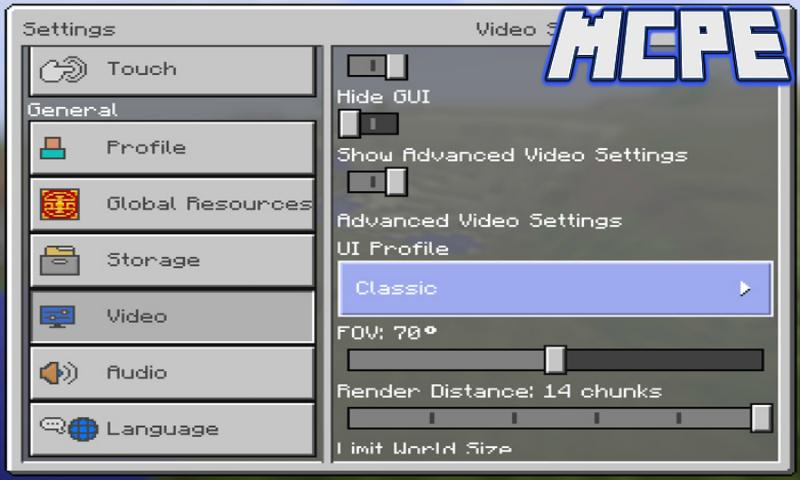
If you are using a smartphone or a tablet then the first thing you need to do is to set the UI Profile to Classic in Settings. It’s also recommended to set the GUI Scale to minimum. All of these options are available in Settings > Video.
Then activate the resource pack for a world in-game either by creating a new world or edit an existing world.
Once in-game you can open the inventory to access the items (assuming you changed the settings as I mentioned further up on this page). Select any of the items and then tap on any of your available slots in your inventory.
You can add (or change) any of the items or blocks by opening the inventory and selecting new ones.
Last updated on Aug 14, 2018
이 버전에는 사소한 버그 수정과 전반적인 개선 사항이 포함되어 있습니다. 최상의 환경을 위해 최신 버전으로 업데이트하세요.




APKPure - 안드로이드를 중심으로 한 멀티플랫폼 앱스토어로, 다양한 앱 관련 콘텐츠를 제공합니다. 더 쉽고, 빠르고, 안전하게 원하는 앱을 찾아보세요. 빠르고 효율적인 다운로드와 설치가 가능합니다.