
★ Shortcut and Widget to Developer Options Settings by One Click.
★ Simple, Convenient App to instant access the Hidden Developer Options efficiently
★ Small utility app for android developers.
★ This app is the shortcut to view the developer option even though developer option not enabled
★ Originally we developed this utility app for internal purposes of YnotVcan to save time of Android Developers. Later we decided to publish it on Google Play Store. So that all users will get benefit from this app.
★ Developer Options is not only for Developer. It is for normal people who have curiosity to do something differently in their mobile like enable mock location Force RTL layout etc
★ If you are frustrating or feel annoyed to enable, disable Developer Options & USB debugging every time when you plug in and plug out your mobile from the USB, You are in the correct Place.
★ (If you are using your own mobile for development, you will easily understand difficulties every time when disabling and enabling the Developer Option USB debugging. Ynotvcan gives the best solution)
★ Our App helps the developer when they Plugin & Plug out mobile via USB, it automatically pop up the developer options. So no need to go in to the developer option via settings every time for enabling the USB debugging.
★ We are damn sure that this little app will save your precious development time & it will avoid your frustration and disgusting moment.
★ Developer Options
⇒ Developer Option App is the shortcut, used to view the following useful developer options
⇒ You should install the Android Debug Bridge (adb) Driver for corresponding mobile model
★ General options
⇒ Quick settings developer tiles
⇒ Memory
⇒ Take bug report
⇒ System UI demo mode
⇒ Desktop backup password
⇒ Stay awake
⇒ Running services
★ Debugging
⇒ Enable USB debugging
⇒ Revoke USB debugging authorizations
⇒ Bug report shortcut
⇒ Select mock location app
⇒ Enable view attribute inspection
⇒ Select debug app
⇒ Wait for Debugger
⇒ Verify apps over USB
⇒ Logger buffer sizes
⇒ Store logger data persistently on device
★ Input
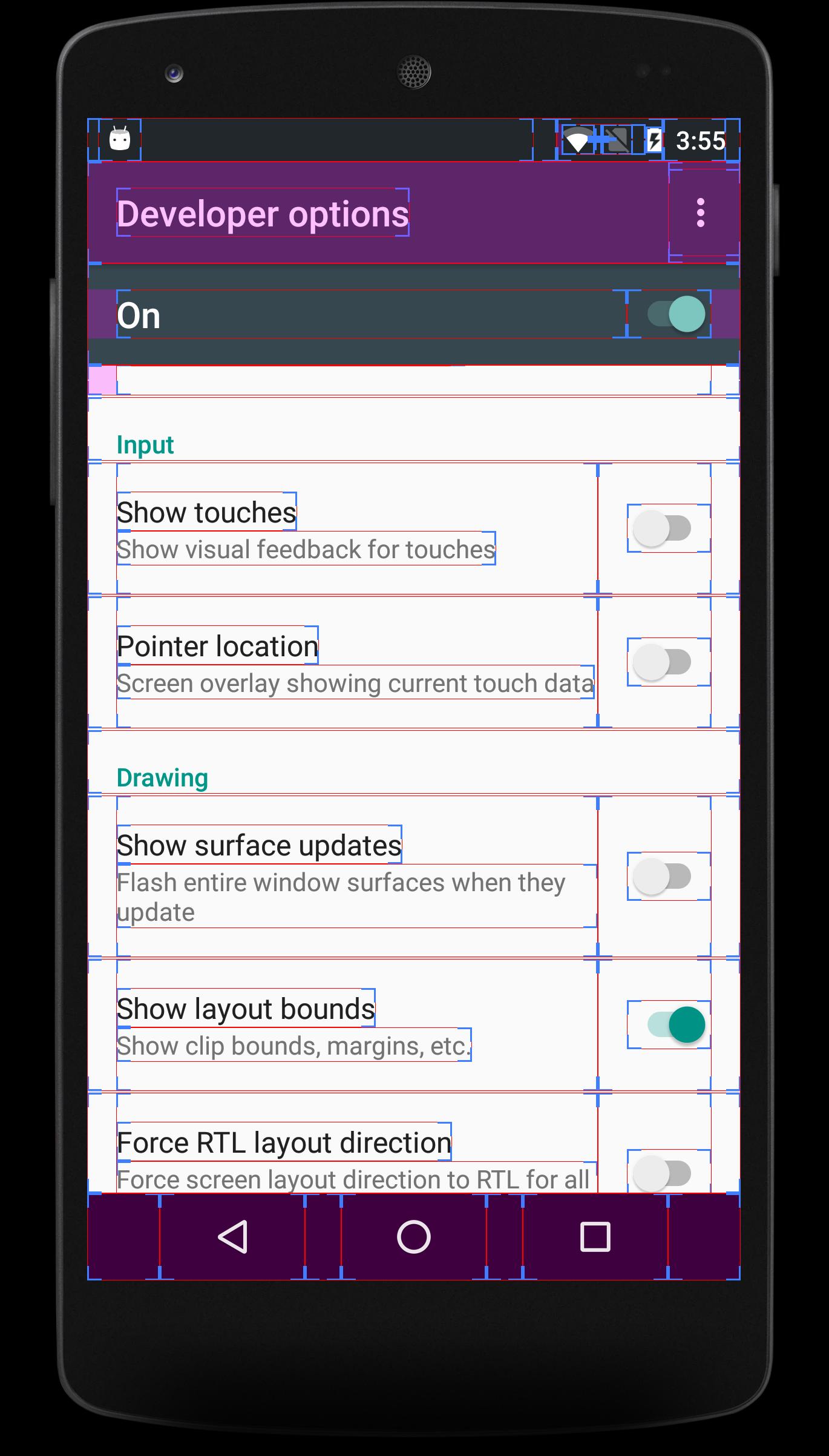
⇒ Show Touches
⇒ Pointer Location
★ Drawing
⇒ Show surface updates & Layout Bounds
⇒ Force RTL layout direction
⇒ Transition animation scale
⇒ Simulate secondary displays
★ Hardware accelerated rendering
⇒ GPU Options
⇒ Show hardware layers updates
⇒ Debug non-rectangular clip operations
⇒ Force 4x MSAA
⇒ Disable HW overlays
⇒ Simulate color space
★ Media
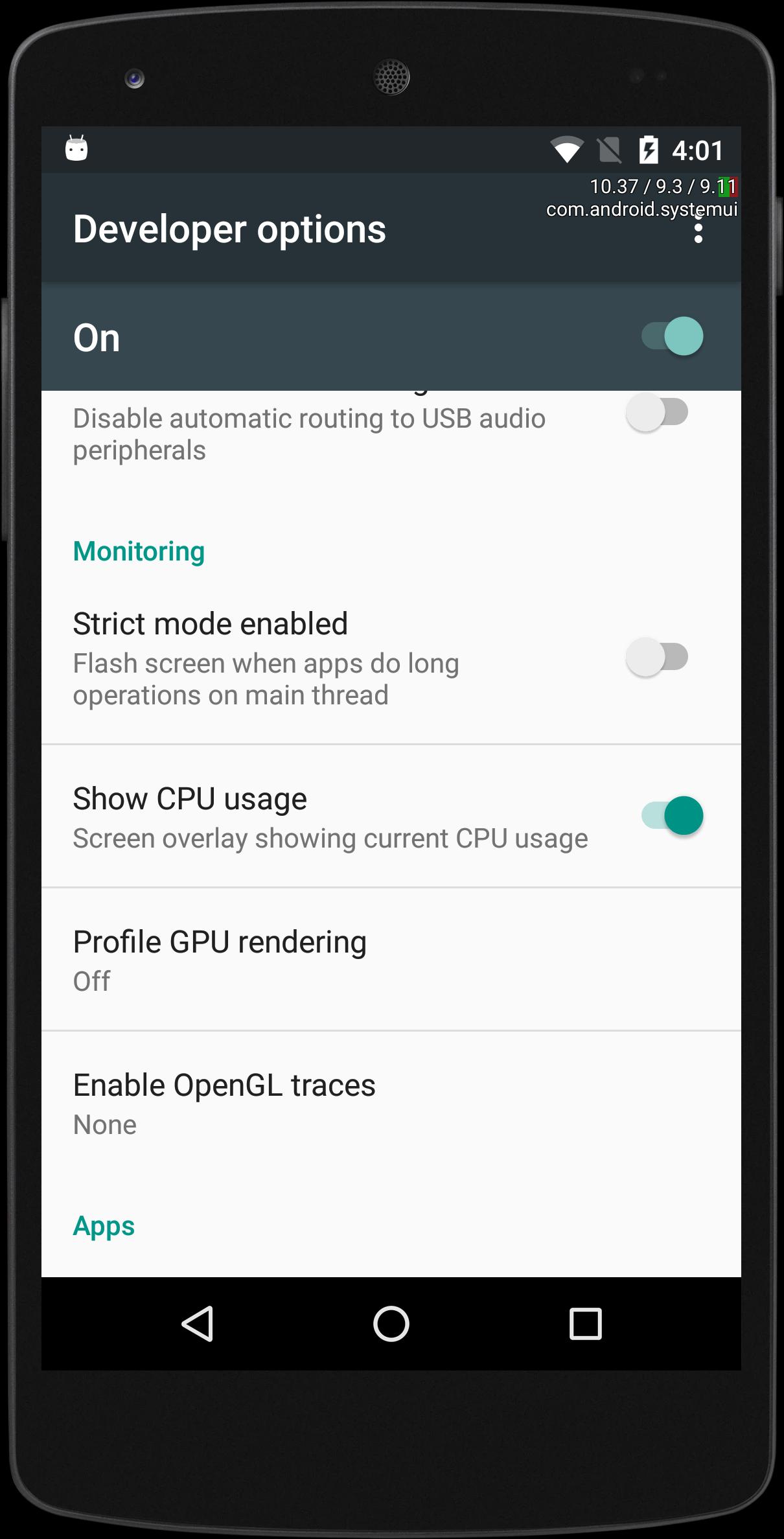
⇒ Disable USB audio routing
★ Monitoring
⇒ Strict mode enabled
⇒ Show CPU usage
⇒ Profile GPU Rendering
★ Apps
⇒ Don't keep activities
⇒ Background process limit
⇒ Show all ANRs
⇒ Inactive apps
⇒ Reset Shortcut Manager rate-limiting
★ Developer Options not Available
⇒ Some of the company removed the developer options from the ROM. For that devices, you can’t enable the developer options
★ Note
⇒ Given Developer options are based on Android Version OREO.
⇒ Be calm, developer option varies based on Android version and Mobile Phone Company model.
⇒ It will show the only options that your ROM supported
Last updated on May 1, 2018
✔ Build with Latest SDK
✔ Rendering Speed, Stability and Performance Improved
✔ Developer experience is awesome even in small level of ram memory like 512 or 1gb




APKPure - 안드로이드를 중심으로 한 멀티플랫폼 앱스토어로, 다양한 앱 관련 콘텐츠를 제공합니다. 더 쉽고, 빠르고, 안전하게 원하는 앱을 찾아보세요. 빠르고 효율적인 다운로드와 설치가 가능합니다.