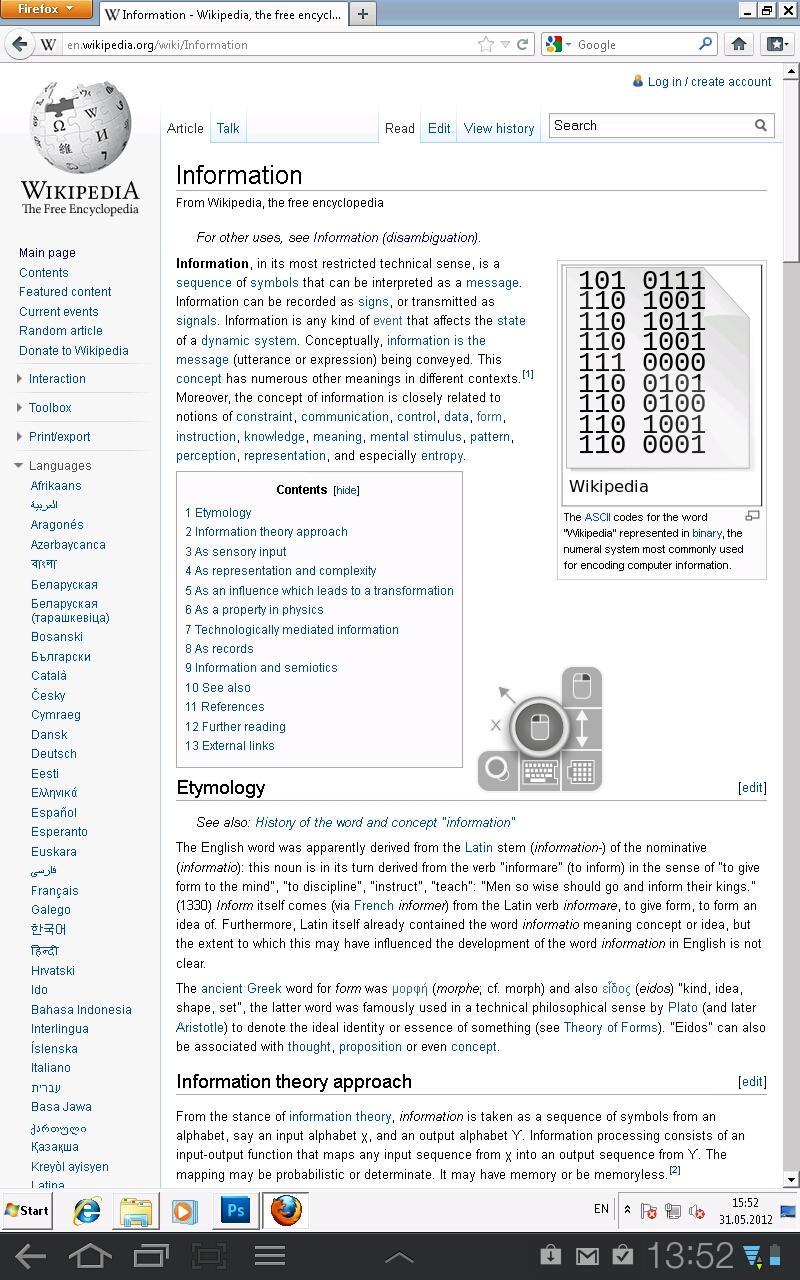
Thinstuff Remote Desktop Connection (RDC) is a fast and secure application to access your desktop from anywhere.
You can simply use your Android device to start all your applications like Word, Outlook, Adobe Photoshop, games or any other installed application.
The simple installation, intuitive usage, session bookmarks, customizable resolutions and the powerful features bring remote desktop access to a higher level and makes Thinstuff Remote Desktop your perfect choice.
Two Easy Connection Options:
1. TSX Connect¹ (Auto Discovery mode) - Simple and secure connections through any NAT and firewall devices. Just use your Gmail Account to connect.
2. Advanced - With Thinstuff RDC you can also connect directly to your machines using RDP. Simply enter your machine's hostname or IP address.
Optimized for Android and gestures
Touch Pointer - Mouse Pointer designed for controlling mouse and keyboard with gestures
Auto fit and customizeable resolutions
Custom keyboard featuring all keys found on a traditional PC keyboard
Integration of RDP protocol in Android
support of the latest RDP protocol version 7.1
Optimized compression and caching for mobile networks (3G)
RemoteFX support with NEON optimizations
NSCodec (fast 32-Bit bitmap compression) support
High security standards - RDP/NLA/TLS or automatic encryption mode
Free features:
Android Client
Optimized for gesture sensitive phones and tablets
TSX Connect* - Simple and secure RDP connections through any NAT and/or firewall devices. Just use youR Google account to connect!
Full RDP integration
Customizable resolutions
Bookmark manager
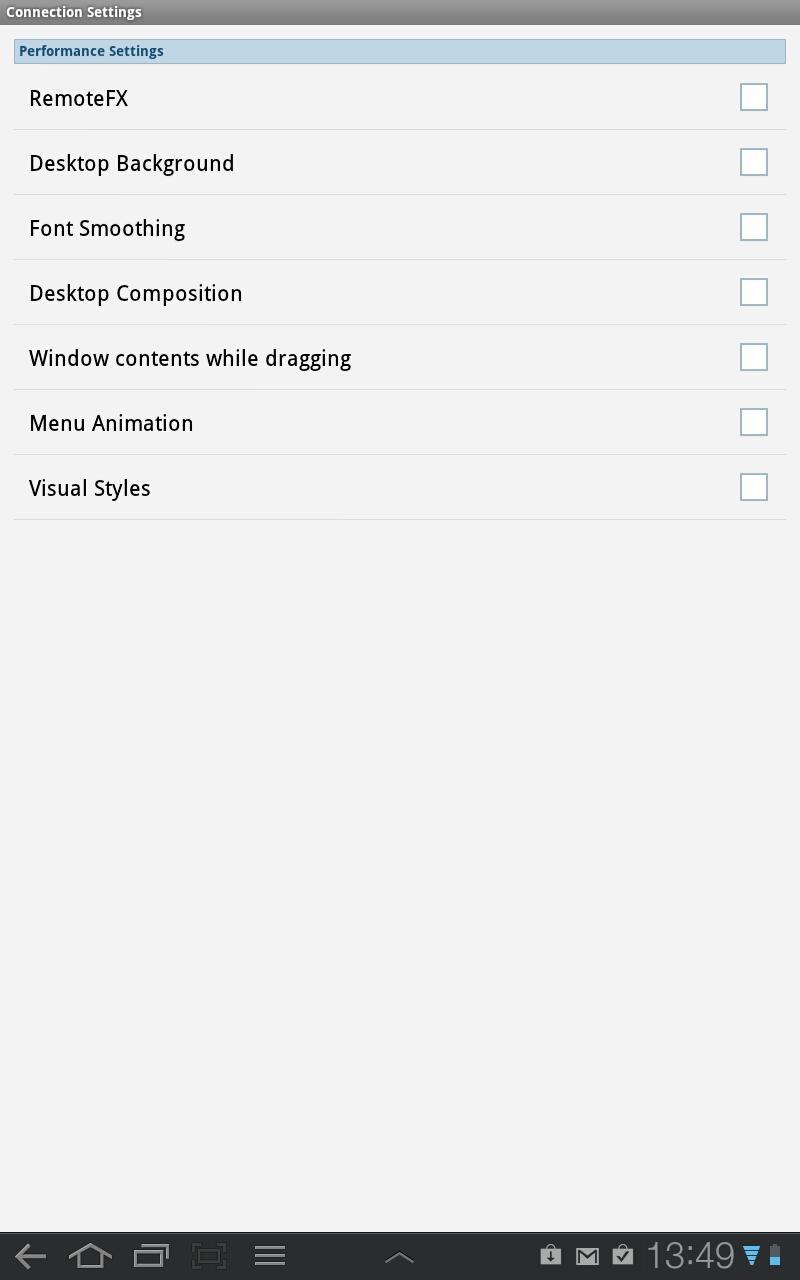
Advanced performance settings (3G network)
Console mode
RDP/NLA/TLS or automatic encryption mode
Touch Pointer - Mouse Pointer designed for working with gestures
Advanced features
Advanced features require a Thinstuff RDH installation on your host machine. More information about Thinstuff RDH can be found at www.thinstuff.com/products/rdh/
RDP Access on Windows 7 Home Windows 8 Basic Editions Editions
Media Player Redirection & Audio Capture on Windows 7 Starter, Home Basic, Home Premium and Windows 7 Professional
RemoteFX
Build-in license for Thinstuff RDH
Supported host operating systems:
Basically any host operating system with RDP is sufficient.
You can also enable Windows 7/Windows 8 and 8.1/Windows 10 RDP support with Thinstuff RDH:
Windows 7 - Professional, Enterprise/Ultimate
Windows 7 - Home (only with In-App purchase)
Windows 8/8.1 - Pro, Enterprise
Windows 8/8.1 - basic edition (only with In-App purchase)
Windows 10
¹ - To enable TSX Connect (Auto Discovery mode) please download and install Thinstuff RDH from www.thinstuff.com/products/rdh/
Last updated on Jun 8, 2015
Changes:
- Updated OpenSSL (1.0.1h)




APKPure - 안드로이드를 중심으로 한 멀티플랫폼 앱스토어로, 다양한 앱 관련 콘텐츠를 제공합니다. 더 쉽고, 빠르고, 안전하게 원하는 앱을 찾아보세요. 빠르고 효율적인 다운로드와 설치가 가능합니다.