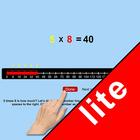
This program uses the number line to help the student understand multiplication. For instance, if the problem is 6 x 2 =?, the program will tell the student to Start at 0 and count 2 spaces to the right. Click on the last number you reached. (We call this a “jump”) Now start at the last number you reached, and make more jumps until you have 6 jumps. Then click the “Done” button. The answer (12) moves up into the missing space in the number statement, and the program voice says “six times two is twelve.”
Setting
Training
This option is selected by default. When this is selected, the program can be used to teach the student.
Test
Select this option to measure the student’s progress. The “Report” button under “Test” mode is enabled. The color prompts are disabled.
Report
This displays results of the Test.
Command Text
If this is selected then the verbal instructions given by the program voice will appear at the bottom of the screen.
Congratulatory Animation
This box is checked by default. This is available only for the “Training” mode. When this is checked, clicking the correct number invites a congratulatory animation. This animation runs for ten seconds. Click anywhere on the screen or press space bar to stop the congratulatory animation.
Select All
If this is selected, then any and all of the numbers in this box will be used. To deselect this choice, click it again and selection will be ended.
Congratulatory Animation
This box is checked by default. This is available only for the “Training” mode. When this is checked, clicking the correct action invites a congratulatory animation. This animation runs for ten seconds. Click anywhere on the screen or press space bar to stop the congratulatory animation.
Select Random Numbers
If this is selected, then the program will choose the numbers to be used in the problems.
Last updated on Apr 26, 2021
이 버전에는 사소한 버그 수정과 전반적인 개선 사항이 포함되어 있습니다. 최상의 환경을 위해 최신 버전으로 업데이트하세요.



APKPure - 안드로이드를 중심으로 한 멀티플랫폼 앱스토어로, 다양한 앱 관련 콘텐츠를 제공합니다. 더 쉽고, 빠르고, 안전하게 원하는 앱을 찾아보세요. 빠르고 효율적인 다운로드와 설치가 가능합니다.