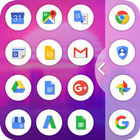
Now Enjoy With Multi Window Experience In Your Mobile Phone Also. Install This Free Tool To Create Your Favorite List Of Installed Icons In Your Phone. And Easily Switch From One Task To Another During Your Current Task.
Multiple Window on Screen is now possible with this app, Perform multiple Task like Exploring File Manager, Gallery, Camera , Calculator etc. while doing any work on full screen.
Multi Window with Split Screen & Slide Bar is the app by which we can an app by which you can create shortcuts of your installed apps icon into Multiple Window Tray. And by clicking on these shortcuts, you can easily switch from one task to another during your current task.
Multi Window with Split Screen & Slide Bar is a free application to provide you the ease of accessing your applications from anywhere. It is just a side launcher with your favorite’s applications.
Multi Window with Split Screen & Slide Bar Commander has one specific function - it allows you to easily ADD more multi window or pen window or popup window apps multitasking is composed by the settings menu, the sidebar and the floating tools. To access the tools bar, do a swipe gesture to the right.
And by clicking on these shortcuts icons, you can easily switch from one task to another during. Sidebar Multi window, you can also create shortcuts of your installed system apps icon into Multi window Tray.
Features: -
- Activate/Deactivate side bar.
- Select Applications from the list of all applications.
- Set position of side bar button as top, center and bottom.
- Select background color among millions of colors provided via color picker.
- Set Background opacity as per your choice.
- Set Text Color.
- Show/Hide Application Name
- Set Side Bar Width
- Set Divider color.
New Features: -
- No root required
- Long press and Drag Drop Icons On Screen For Open App.
- You Can Increase And Decrease Speed Of Multi Window Tray.
- You Can Arrange Icons.
Thanking to you Using this app. and also waiting for your valuable suggestion, ideas and comments. We will consider them for your feature updates!
Thank you...
Last updated on Dec 9, 2018
이 버전에는 사소한 버그 수정과 전반적인 개선 사항이 포함되어 있습니다. 최상의 환경을 위해 최신 버전으로 업데이트하세요.



APKPure - 안드로이드를 중심으로 한 멀티플랫폼 앱스토어로, 다양한 앱 관련 콘텐츠를 제공합니다. 더 쉽고, 빠르고, 안전하게 원하는 앱을 찾아보세요. 빠르고 효율적인 다운로드와 설치가 가능합니다.