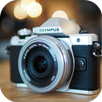
A great camera designed carefully, all you need to do is download and try the Professional camera application.
Selfie Camera HD is a free application, very easy to use it. It's easy for you to collage and create a beautiful photo and artistic with dslr photo editor. Selfie Camera HD with extreme pro effects, your photos will become more artistic with the photo effects are very professional of dslr camera app
DSLR Camera with image blur tool allows you to blur the background of your photo very fast to create amazing photos with blurred background.
dslr camera effect photo editor is a professional camera application designed to mimic a DSLR as well as possible. Ergonomic, powerful and easy to use DSLR Camera HD Pro - most settings can be made with just one touch.
Do not worry if you do not have a professional camera. You can use your mobile phone as a professional machine. You can not believe how you take pictures in Full HD resolution with dslr auto blur camera which produces professional quality pictures for you. Easy to use as well ..
dslr effect is allows you selectively blur or un-blur the parts of your pictures so that you can manually focus on the subject properly as well as its provides dslr focus camera options like Auto focus, Manual Focus. Also its super easy to use and very small in size. No need of spending your hard earned money on high priced cameras when you can get the exact same effect on your mobile phone camera pictures by using dslr mobile camera.
:DSLR Tools to Use::
AF:
- Set the Auto Focus and manual focus on your selected photos to make picture more beautiful.
AV:
- Set AV, TV, DV mode to create effective photos.
Apertures:
- Set the Apertures level of the Picture you choose.
ISO:
- Set ISO level adjustments to give lighter or darker effects to fun with their image.
I/Q:
- Set the Image Quality from the I/Q option above the header.
AWB:
- Set Daylight, Shadow, Cloudy, Tungsten, White fluorescent to your Image to give advance DSLR effects.
B/R 4K:
- Set the Brightness of your photo with 4K options.
Aperture:
- Set the Aperture level of the Picture you choose.
HDR:
- HDR mode will create your image HDR.
Apeture:
- Set the Apeture level of the Picture you choose.
Last updated on May 11, 2017
이 버전에는 사소한 버그 수정과 전반적인 개선 사항이 포함되어 있습니다. 최상의 환경을 위해 최신 버전으로 업데이트하세요.



APKPure - 안드로이드를 중심으로 한 멀티플랫폼 앱스토어로, 다양한 앱 관련 콘텐츠를 제공합니다. 더 쉽고, 빠르고, 안전하게 원하는 앱을 찾아보세요. 빠르고 효율적인 다운로드와 설치가 가능합니다.